1
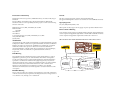
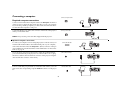
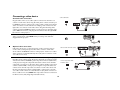
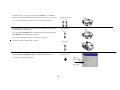
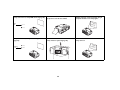
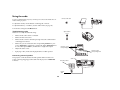
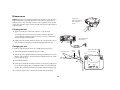
If you are using a desktop computer and want to see the image on your
computer screen as well as on the projection screen, plug the monitor cable
to the Monitor out connector on the projector.
connect monitor cable
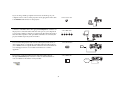
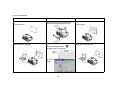
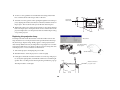
You can also connect to your computer using a BNC cable. Connect the BNC
connectors on the BNC cable to the appropriate Computer 3 connectors on
the projector. Connect the other end to the video port on your computer. If
you are using a desktop computer, you first need to disconnect the monitor
cable from the computer’s video port. When all 5 BNCs are connected, the
projector handles separate synchs on H and V.
connect BNC cables
R
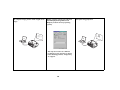
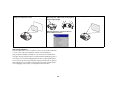
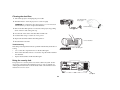
You can control the projector from an LCD control panel, touch screen, or
other control device or computer by connecting an RS-232 cable to the projector’s Serial connector. Specific RS-232 commands can be found in the Service and Support section of our website and in this User’s Guide’s
Appendix.
G
B
H
V
connect RS-232 cable
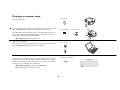
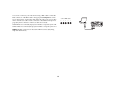
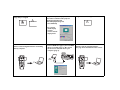
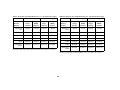
The projector can be managed by ProjectorNet networking software
through its Network (RJ-45) connector. Contact an authorized dealer or
visit our website for information on ProjectorNet.
connect CAT-5 cable
Network
9