1
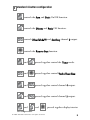
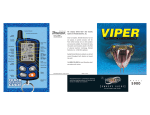
➜ 4-button remote standard configuration
Button
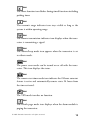
The arming is controlled by pressing this button. The panic
alarm is triggered by pressing and holding this button. Press this
button again to cancel the panic alarm.
Button
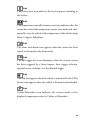
The disarming function is controlled by pressing this button.
Button
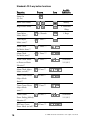
Silent Mode™ and an optional auxiliary function are controlled
by this button. (Silent Mode works by pressing this button for
less than one second before arming or disarming. An optional
auxiliary function, such as trunk release, can be controlled by
pressing and holding this button for 1.5 seconds.)
The auxiliary output controls __________________________.
Button
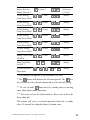
The remote start function of your system is controlled by
pressing this button.
and
Buttons
An optional auxiliary convenience or expansion function that
you have added to your system can be activated by pressing these
buttons simultaneously.
The auxiliary output controls __________________________.
18
© 2005 directed electronics—all rights reser ved