1
CONVENIENT RECORDING FUNCTION
■ Creating marks whilst making a
mic recording (Timed auto mark
function)
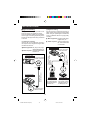
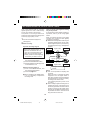
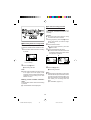
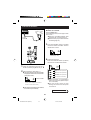
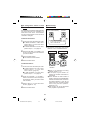
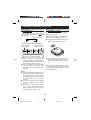
About the timed auto mark:
Whenever a recording begins, a track
number will be created automatically.
●
: Track number which is created
when a silence lasts for 3 seconds or
more during synchro recording.
●
: Track number which is created
by the timed auto mark function.
Marks can be created at a fixed interval
(every 5 minutes is the default setting) so
that the beginning of any track can be found.
The interval at which marks are created can
be changed by the user.
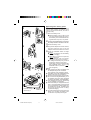
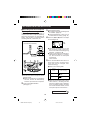
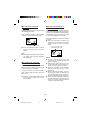
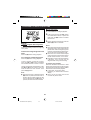
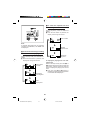
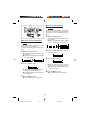
Whilst in the recording stand-by mode or
whilst recording, press the EDIT button.
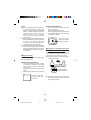
Example when the setting is for “5
minutes”:
● Each time the button is pressed, the
setting will change as follows:
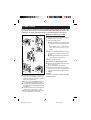
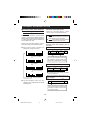
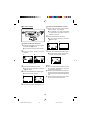
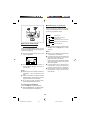
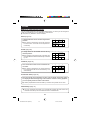
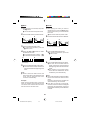
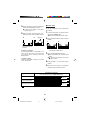
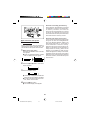
When making a mic synchro recording
Track
number 1
Track
number 2
Track
number 3
Track
number 4
2 minutes 5 minutes 1 minute
(A mark is created
every 3 minutes.)
Track
number 5
5 minutes
If a silence lasts for 3 seconds
or more, a timed auto mark will
be created 5 minutes after the
previously created track number.
(No marks are
created.)
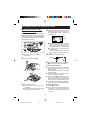
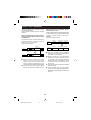
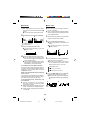
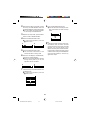
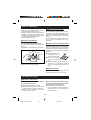
When making a mic manual recording
Track
number 1
(A mark is created
every 10 minutes.)
5 minutes
Track
number 2
5 minutes
Track
number 3
Track
number 4
5 minutes
● A timed auto mark will be created
every 5 minutes.
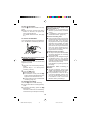
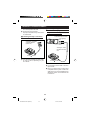
When the timed auto mark setting has
been changed
(A mark is created
every 5 minutes.)
Track
number 1
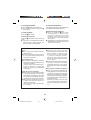
● The time between marks may vary
slightly when compared with the actual
recording time.
3 minutes
Track
number 2
10 minutes
10 minutes
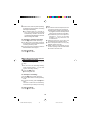
When the setting is changed to 10
minutes whilst recording, a timed auto
mark will be created 10 minutes after
the change is made.
16
* MD-MT16H FOR UK(01-21)
17
99.4.2, 0:57 PM