1
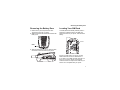
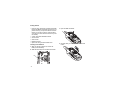
Removing the Battery Door
Removing the Battery Door
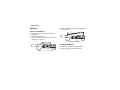
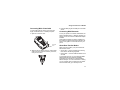
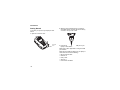
Locating Your SIM Card
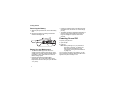
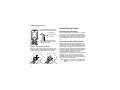
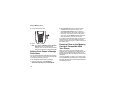
1 Make sure the phone is powered off. See
“Powering On and Off” on page 6.
2 Slide the release button back until it releases the
battery door.
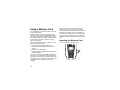
Your SIM (Subscriber Identity Module) card is a
small piece of plastic located in the SIM card
holder in the back of your phone, underneath the
battery.
SIM card
release
button
3 Allow the battery door to pop up, slide it forward,
and remove it from the back of your phone.
If there is no SIM card in your phone, contact
Nextel Customer Service at 1-800-639-6111.
If you want to use a SIM card other than the one
that is in your phone, please contact Nextel
Customer Service to verify that the SIM card you
want to use is compatible with your phone.
3