1
>
Configuring the V25 DVD Player
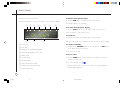
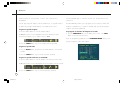
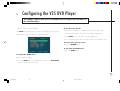
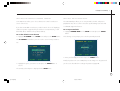
To set up the zoom options
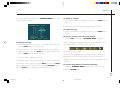
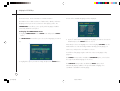
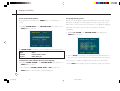
To specify the TV system
These determine the operation of the ZOOM button on the DVD remote
DVD movies are produced in both PAL and NTSC television formats. The V25
control.
DVD Player is capable of converting between formats, to allow you to view
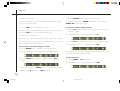
• Highlight ZOOM SETUP on the CUSTOM SETUP menu and press the
SELECT button to select it:
DVD movies in either format even if your television is not capable of displaying
that format. However the conversion process introduces some picture
degradation.
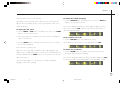
• Highlight TV SYSTEM in the CUSTOM SETUP menu and press the
SELECT button to select it:
The ZOOM SETUP menu allows you to select between the following options:
Option
Choices
START POINT
UPPER LEFT, CENTRE, LAST POINT
PAN SCALE
NORMAL, ROUGH, FINE
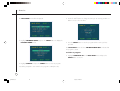
• Choose AUTO if your television can display both PAL and NTSC video, or
choose the option corresponding to the format supported by your television.
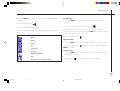
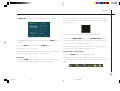
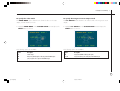
To choose the color scheme for on-screen displays
If your television is capable of displaying both formats the recommended
• Highlight COLOR SCHEME in the CUSTOM SETUP menu and press the
setting is AUTO, which supplies the unconverted video signal to the television.
SELECT button to select it.
• Choose between YELLOW, GREEN, BLUE, or RED, and press the
SELECT button to select the option you have highlighted.
22
§ 5 Configuring
22
20/2/02, 11:18 am