1
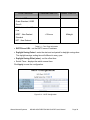
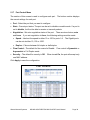
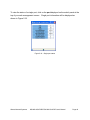
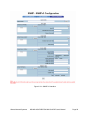
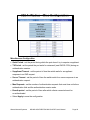
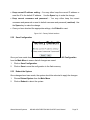
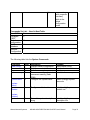
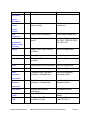
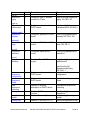
Configure SNMP V3 Group Table. Security Name (User ID) – assign the user name that you set up in user table. Group Name – set up the group name. Click Add to add the group information. Click Remove to remove group information. Configure SNMP V3 Access Table Context Prefix – set up the context name. Group Name – set up the group Security Level – select the access level between the following choices: • NoAuthNoPriv • AuthNoPriv • AuthPriv Read View Name – set the read view Write View Name – set up the write view. Notify View Name – set up the notify view. Click Add to add the access table information. Click Remove to remove the access table information Configure MIBview Table. ViewName- set up the name. Sub-Oid Tree – enter the Sub Oid Type – select excluded or included Click Add to configure the MIBview Table. Click Remove to remove the MIBview Table. Waters Network Systems MS1008-2G-4POE/PSX1008-2G-4PoE User’s Manual Page 57