1
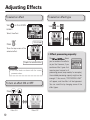
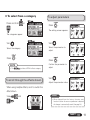
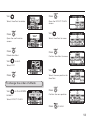
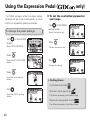
O To select from a category
Press and hold
or
.
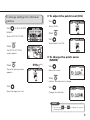
To adjust parameters
Press
.
The editing screen appears.
The categories appear.
Turn
Turn
.
Select the category.
Press
.
Press
NOTE
t The
.
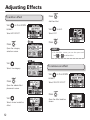
Select the parameter to
adjust.
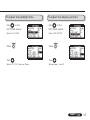
includes a PEDAL effects category.
To scroll through the effects shown
.
Confirm the parameter to
adjust.
Turn
.
Adjust the parameter value.
When using multiple effects, scroll to switch the
effect shown.
Use
and
.
HINT
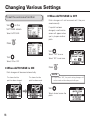
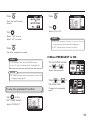
t When shipped from the factory, the auto save
function is active. As soon as a parameter is adjusted
this change is automatically saved. (See page 18.)
NEXT
11