1
MD-MT180H
ENGLISH
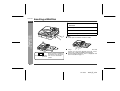
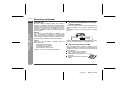
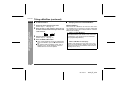
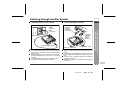
Titling a MiniDisc
Creating disc and track names
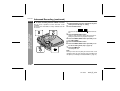
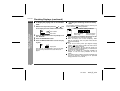
Load a MiniDisc to be named. A playback only or recording prevented MiniDisc cannot be edited.
-Titling a MiniDisc-
Advanced Features
1
2
3
4
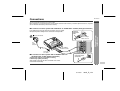
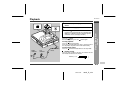
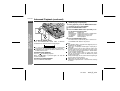
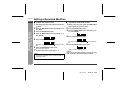
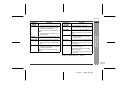
<Disc name>
Whilst in the stop
mode, press the
MENU/CHRG button to
select "EDIT".
5
<Track name>
Whilst in the pause
mode, press the
MENU/CHRG button to
select "EDIT".
Press the ENTER/SYNC button.
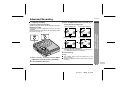
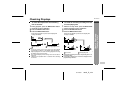
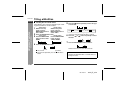
<Disc name>
<Track name>
Press the MENU/CHRG
Press the MENU/CHRG
button to select "DISC
button to select
NAME".
"TRACK NAME".
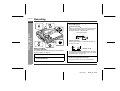
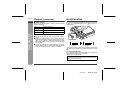
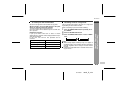
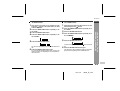
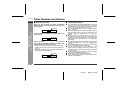
Press the
button repeatedly to select the type
of characters.
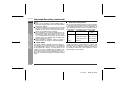
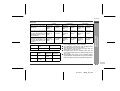
(Capital letters) (Lower-case letters) (Numbers and symbols)
The first 3 characters in the group of the selected
characters will be displayed for about 1 second.
6
7
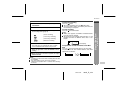
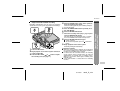
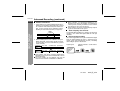
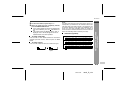
Press the
the letter.
or
button repeatedly to select
Press the ENTER/SYNC button to enter it.
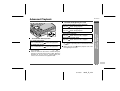
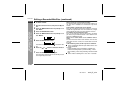
Press the ENTER/SYNC button.
Cursor
The unit will enter the character input mode.
To cancel the operation, press the :OFF/HOLD
button.
Position where the next letter will be entered
Note:
Complete the operation within 7 seconds whilst selecting the menus.
E-27
01/10/11
180H_E_5.fm