1
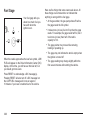
As light shines out from the HUD, it is possible for light
to shine back in. In rare occurrences, when the sun
is at a specific angle and position, the sun’s rays can
shine back into the HUD. When this occurs, the display
device within the HUD will be temporarily illuminated.
The event will end when the vehicle’s angle to the
sun changes.
Keep in mind that your windshield is part of the HUD
system. If you ever have to have your windshield
replaced, be sure to get one that is designed for HUD
or your HUD image may look blurred and out of focus.
Clean the inside of the windshield as needed to remove
any dirt or film that reduces the sharpness or clarity
of the HUD image.
CRUISE SPEED LIMITED: This message indicates that
your vehicle speed has been reduced below your set
speed due to ACC limitations. Your set speed is too high
and ACC cannot detect other vehicles at far enough
distances for the system to operate properly.
To clean the HUD, spray household glass cleaner on a
soft, clean cloth. Wipe the HUD lens gently, then dry
it. Do not spray cleaner directly on the lens because the
cleaner could leak into the unit.
If the ignition is on and you cannot see the HUD image,
check to see if:
•
•
•
•
Something is covering the HUD unit.
The brightness is adjusted properly.
The HUD image is adjusted to the proper height.
Ambient light in the direction your vehicle is facing
is low.
• A fuse is blown. See Fuses and Circuit Breakers on
page 6-80.
3-36
The following Adaptive Cruise Control (ACC)
messages may appear in the HUD:
TIGHT CURVE: This message indicates that ACC has
reduced your vehicle speed due to a tight curve in the
road. Once the road straightens, ACC will return to your
selected set speed or follow distance setting. See
“Adaptive Cruise Control (ACC)” under Turn Signal/
Multifunction Lever on page 3-7 for more information.
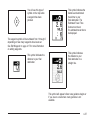
You may also see an ACC active symbol, alert symbol
or vehicle ahead symbol. See “Adaptive Cruise
Control (ACC)” under Turn Signal/Multifunction Lever on
page 3-7 for more information.