1
Contents
Introduction ............................................................................................. 4
Installation .............................................................................................. 4
Hardware Installation ............................................................................... 4
Software Installation ................................................................................ 5
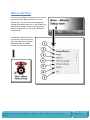
Minoru Settings ......................................................................................... 6
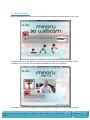
1 – Setup Wizard... .................................................................................. 7
2 - Mode .............................................................................................. 10
3 - Options ........................................................................................... 10
4 - Select Language................................................................................. 11
5 – Minoru Website.................................................................................. 11
6 - About... .......................................................................................... 11
7 – Exit................................................................................................ 11
Recording application................................................................................. 12
1 – Restart Minoru .................................................................................. 12
2 – Resolution........................................................................................ 13
3 – Screen mode..................................................................................... 13
4 – Audio input select .............................................................................. 13
5 – Start/Stop Recording ........................................................................... 13
6 – Take Snapshot ................................................................................... 13
How to record and playback a 3D video ......................................................... 14
How to take and email a snapshot ............................................................... 16
Using Minoru with popular messaging applications ............................................... 17
Windows Live Messenger ........................................................................... 17
Skype ................................................................................................. 18
OoVoo ................................................................................................ 19
Recommended software to get the most from Minoru ........................................... 20
Videora ............................................................................................... 20
Windows Movie Maker .............................................................................. 20
Minoru 3D Webcam User’s Guide, Revision1.2, February
2009
Page |2