1
Supplementary features
■ Using the DTMF Mode. Activating/deactivating DTMF
You want to be able to use your phone to control other equipment or to access certain services,
such as remote polling of an answering machine or telebanking. For these services you need
the DTMF mode.
In the DTMF mode each key press generates a tone. If for example you key in a call number during a call, your call partner will hear the tone signals.
You can specify whether the DTMF mode should be generally activated or deactivated (see
Chapter "Configuring the DTMF mode", 56). DTMF is activated as the default dialling mode.
If the DTMF mode is generally deactivated, you can activate it and deactivate it again temporarily during a call.
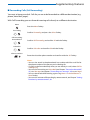
You're in a call and the DTMF mode is generally deactivated. You want to
activate the DTMF mode temporarily.
DTMF
Press the DTMF Foxkey.
➞ The display shows Enter number DTMF. You can now enter the DTMF characters.
Reset
Resetting DTMF mode:
Press the Reset Foxkey.
Note:
When you hang up, the DTMF mode is automatically deactivated again.
43