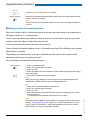
1
Ascotel® IntelliGate® Communications Systems
Aastra 610d
User’s Guide
A150
A150
A300
A300
2025
2025
2045
2045
2065
2065
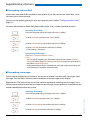
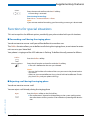
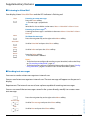
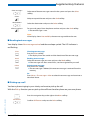
Operating and Display Elements
Operating and Display Elements
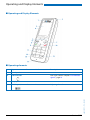
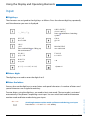
■ Operating and Display Elements
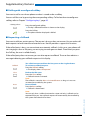
■ Operating elements
key
Loudspeaker
2
LED indicator
3
Display
4
Side keys + / -
In the state...
Description
LED as per Table in Chapter "LED indicator
signals", page 23
short
In a connection
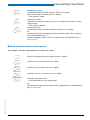
Adjusting the volume
eud-1093/1.1 – I7.9 – 09.2009
1
Press
2
Aastra 610d
Operating and Display Elements
5
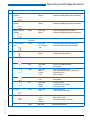
key
Press
In the state...
Description
Left softkey/
foxkey
short
• Idle state
• Menus
• Call up complete menu
• Executes displayed function above key.
Middle softkey/
foxkey
short
• Idle state
• Menu
• Call up configured call number
• Executes displayed function above key.
Right softkey/
foxkey
short
• Idle state
• Menu
• Call up configured call number
• Executes displayed function above key.
approx 2
sec. each
Idle state
Configures key
6
Loudspeaker
key
short
• Idle state
• In a connection
• Activate/deactivate open listening
• Activate/deactivate open listening
7
Correction key
short
• Editor
• Menu
• Deletes last character
• Scroll back in the menu
8
Navigation key
top
• Idle state
• Lists
• Call up activated features
• Navigation
right
•
•
•
•
•
•
•
•
bottom
• Idle state
• Lists
• Call up phone book
• Navigation
left
• Idle state
• Menu
• Editor
• Call up profiles
• Scroll back in the menu
• Navigate cursor
Idle state
Menu
Editor
Lists
Call up complete menu
Goes forward one step in the menu
Navigate cursor
Call up details
Call key
short
• Idle state
• Lists
• Call up redial list
• Dial select call number
10
End key
short
• In a connection
• Menu
• Editor
• Ending a Call
• Back to idle state
• Exit Editor without changes
long
Idle state
Switch phone on/off
eud-1093/1.1 – I7.9 – 09.2009
9
Aastra 610d
3
Operating and Display Elements
11
key
Press
In the state...
Description
Key block
short
• Idle state
• Editor
• Digit input
• Characters as per Table in Chapter "Digit
keys", page 20
long
Idle state
Switching system
long
Idle state
Calling up the service menu
short
Idle state, Editor
* input
long
Idle state, for
incoming call
Activate/deactivate ring tone
short
Idle state, Editor
# input
long
Idle state
Activate keylock
Key 2
Key 5
12
13
Asterisk key
Hash key
14
Headset connection
15
Microphone
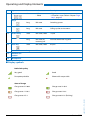
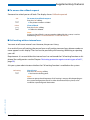
■ Display symbols
Radio link quality
Very good
Good
Disruption probable
Phone calls not possible
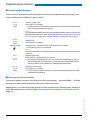
State of charge
Charge state 31-60 %
Charge state 11-30 %
Charge state 6-10 %
Charge state 4-5 %
Charge state 0-3 % (flashing)
eud-1093/1.1 – I7.9 – 09.2009
Charge state 61-100%
4
Aastra 610d
Operating and Display Elements
Notes:
• If the battery is completely discharged when the phone is placed in the charging bay, there will be no
display initially until the battery has reached a certain charge level. This may take several minutes and
does not mean there is a malfunction.
• Even when the phone is switched off, the battery will still slowly discharge.
• When the battery capacity is almost exhausted, a series of warning beeps sounds. This warning can be
disabled, see Chapter "Setting up a profile", page 51. If you are making a call, you have approximately
five minutes' talk time left before the handset switches itself off.
• State of charge of the battery is also available via key assignment: Press key 5 and hold it down for a
moment.
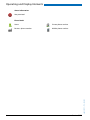
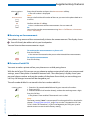
System registrations
Phone registered in system A, B, C, or D
and ready for use (only displayed when
phone is registered on more than one
system)
Running firmware update
Status information
Incoming call
Incoming call forwarded
Call forwarding activated
Forwarding on No Reply activated
Search mode
Entries on the call list
More softkeys available
New Voice Mail
Voice Mail heard
Voice Mail greeting with possibility to
leave a voice message
Voice Mail greeting without possibility to
leave a voice message
New text messages
Text messages read
Ringing tone deactivated
Discreet ringing activated
Call key activated
Loudspeaker/hands-free mode activated
eud-1093/1.1 – I7.9 – 09.2009
Announcement
Headset mode activated
Microphone deactivated
Call parked
Keypad locked
Alarm
Appointment call
About
Warning
Aastra 610d
5
Operating and Display Elements
Status information
Not permitted
Phone book
Private phone number
Business phone number
Mobile phone number
eud-1093/1.1 – I7.9 – 09.2009
Name
6
Aastra 610d
System Information
System Information
■ Trial licences
Trial licences are available for various features and phones. With that licensed features can be
used for a certain period license-free.
■ One Number user concept
Your system administrator can set up phones for you that hold all the same phone number (one
number user concept). You have only one name and phone number with which to identify
yourself to your call partners, regardless of which of the phones you make your calls. The advantage is that you can always be reached under the same phone number, regardless of where you
happen to be.
With the Personal call routing and Ring alone you can define where incoming calls shall be
routed to (see chapter "Activating personal call routing", page 42 and "Activating Ring alone",
page 43). Your system administrator can set whether or not you are busy for further incoming
calls (Busy if busy). When Busy if busy is activated, calls can still be made with your other
phones.
Call lists and contacts are available on all phones and are automatically synchronised.
eud-1093/1.1 – I7.9 – 09.2009
An announcement is signalled on all your phones which support announcement.
Aastra 610d
7
Security
Security
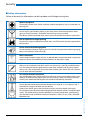
■ Safety Information
Failure to observe this information can be hazardous and infringe existing laws.
Medical equipment
The cordless phone must not be used near medical equipment, such as pacemakers or
hearing aids.
Availability of telephone connections
Do not rely on your cordless phone as your only means of communication in emergency or critical situations. Availability cannot always be guaranteed.
The device will be inoperable when mains power of the communications system fails.
Risk of explosion through sparking
On premises subject to explosion hazards only use ATEX models specially approved for
that purpose.
Hands-free mode and Ringing tone
Do not hold the handset up against your ear in hands-free operation and during ringing
tone, as the volume is then very high.
Mains connection
Use the original power supply only (ID: 23-00-1061-00). Connect the power supply only
to power sources that conform to the indications on the power supply.
Maintenance
Make sure all installation and repair work is carried out by a specially qualified technician. Do not touch the charging contacts with sharp, metallic, and/or greasy objects.
Always use a soft, moistened, or antistatic cloth to clean your device. Do not use chemicals or other chemical products.
Cost control and Data protection
You should protect your device with a PIN so that no-one can make phone calls at your
expense. A code will also protect your personal settings. When carrying the handset
around, you should lock the keypad so it cannot be accidentally activated.
eud-1093/1.1 – I7.9 – 09.2009
Ambient conditions
Do not operate the device outside the temperature range of +5 °C to approx. +40 °C.
Avoid direct sunlight and other sources of heat.
Protect your device against the wet, excessive dust, corrosive liquids and steam.
Do not expose your device to electromagnetic fields (electric motors, household appliances). The speech quality could be affected. To prevent interference, avoid placing
your handset in the immediate vicinity of computers, radios, TV sets, VCRs, and other
telephone sets.
8
Aastra 610d
Security
Disposal
Be sure to dispose of your device, batteries and its packaging in an environmentally
compatible way. Electrical equipment does not belong in domestic waste. Deposit it at
a return centre.
Accessories
Use original accessories or specifically approved accessories only. The use of other
accessories may decrease performance or pose a risk to your health or safety.
■ Dealing with batteries
Please observe the following rules and regulations when dealing with batteries:
General rules when dealing with batteries
• Never tamper with or dismantle batteries.
• Never immerse the batteries in water or throw it into a fire.
• Do not expose the batteries to high temperatures.
When putting your cordless phone into operation
• Only use the battery pack supplied by the manufacturer.
• Take note of the instructions in the "Battery", page 68 chapter and follow the procedure described
there.
• It takes two to three charging cycles for the batteries to reach their fully charged state.
• Only use the charging bay supplied by the manufacturer.
• For the charging bay only use the plug-in power adapter supplied by the manufacturer
(ID: 23-00-1061-00). Otherwise the battery may be damaged.
When operating your cordless phone
• It is normal for the batteries to become warm when charging.
• Discharge the batteries from time to time to prolong their service life. To do so do not place the handset
back into the charging bay until the batteries are completely or almost completely discharged.
To replace the batteries
• Switch off the phone before removing the batteries.
• Only use original batteries and charging units approved by the manufacturer. To do so, contact your
supplier or servicing agent.
To store the phone or the batteries
eud-1093/1.1 – I7.9 – 09.2009
• If you do not intend to use the phone for some time, switch off the phone and take out the battery
pack.
• Store the batteries at room temperature. Above-average temperatures tend to reduce the service life of
batteries.
To dispose of the battery packs
Do not throw away the batteries with your domestic waste. Take the batteries to an appropriate collection point for recycling.
Aastra 610d
9
Security
■ User information
Your terminal has been supplied with a Quick User’s Guide, safety information and, where applicable, with other terminal-specific information. You will find this and other documents for your
device at www.aastra.com/docfinder.
More information on your terminal can be found in the documentation or your dealer’s
homepage. It is your responsibility to inform yourself about the scope of functions, operation
and proper use of your equipment.
• Check whether you have all the user information available on your terminal, whether it conforms to your terminal’s version and whether it is up to date.
• Read through the user information carefully before putting your terminal into operation.
• Store the user information within easy reach and refer to it whenever uncertainties arise in
connection with the use of the terminal.
• When handing over your terminal to others, make sure you enclose the relevant user information.
■ Intended Purpose
This phone is part of the Ascotel® IntelliGate® communications system and is intended to be
operated on that system. Any other use does not comply with the intended purpose and is not
permitted.
Ascotel® IntelliGate® is an open, modular and comprehensive communications system that
comprises the basic system (referred to in the end-user information as “the system”), a vast
number of expansion cards and modules, and a complete series of system terminals including
IP system terminals. The system and all its component parts were designed to cover in full all
the communication requirements of companies and organisations with a single user-friendly
solution. The individual components of the overall systems are fully compatible and must not
be used for other purposes or replaced by third-party components (except when connecting
other authorized networks, applications and terminals to the interfaces provided specifically for
that purpose).
■ Disclaimer
This product and the user information belonging to it have been produced with the utmost
care. The product’s functions have been tested and approved after comprehensive conformity
tests. Nonetheless errors cannot be entirely excluded. The warranty is limited to the replacement of defective hardware.
The manufacturers shall not be liable for any direct or indirect damage that may be caused by
incorrect handling, improper use, or any other faulty behaviour on the part of a product. Potential hazards are mentioned in the relevant places in the user information. Liability for loss of
profit shall be excluded in any case.
10
Aastra 610d
eud-1093/1.1 – I7.9 – 09.2009
This product was manufactured in accordance with ISO 9001 quality guidelines.
Security
■ Trademarks
The designations used in this document for software and hardware are registered trademarks
and are thus subject to the relevant regulations.
Ascotel® and Intelligate® are registered trademarks of Aastra Technologies Limited. Bluetooth®
is a registered trademark of Bluetooth SIG, Inc. All other trademarks are trademarks of the
respective proprietors.
■ Document information
• Document number: eud-1093
• Document version: 1.1
• Valid upwards: I7.9
• © 09.2009
• Download document:
eud-1093/1.1 – I7.9 – 09.2009
https://pbxweb.aastra.com/doc_finder/DocFinder/eud-1093_en.pdf?get&DNR=eud-1093
Aastra 610d
11
Content
Dialling and Phoning . . . . . . . . . . . . . . . . . . . . . . . . . . . . . . . . . . . . . . . . . . . . . . . . . . . . . . . . . . . . 13
Answering Calls . . . . . . . . . . . . . . . . . . . . . . . . . . . . . . . . . . . . . . . . . . . . . . . . . . . . . . . . . . . . . . . . . . . . . . . . . . . 14
Making calls. . . . . . . . . . . . . . . . . . . . . . . . . . . . . . . . . . . . . . . . . . . . . . . . . . . . . . . . . . . . . . . . . . . . . . . . . . . . . . . 15
Using the Display and Operating Elements . . . . . . . . . . . . . . . . . . . . . . . . . . . . . . . . . . . . . . . . . 18
Keys . . . . . . . . . . . . . . . . . . . . . . . . . . . . . . . . . . . . . . . . . . . . . . . . . . . . . . . . . . . . . . . . . . . . . . . . . . . . . . . . . . . . . .
Input . . . . . . . . . . . . . . . . . . . . . . . . . . . . . . . . . . . . . . . . . . . . . . . . . . . . . . . . . . . . . . . . . . . . . . . . . . . . . . . . . . . . .
Menu-Guided Navigation. . . . . . . . . . . . . . . . . . . . . . . . . . . . . . . . . . . . . . . . . . . . . . . . . . . . . . . . . . . . . . . . . .
Signals. . . . . . . . . . . . . . . . . . . . . . . . . . . . . . . . . . . . . . . . . . . . . . . . . . . . . . . . . . . . . . . . . . . . . . . . . . . . . . . . . . . .
19
20
22
23
Supplementary features . . . . . . . . . . . . . . . . . . . . . . . . . . . . . . . . . . . . . . . . . . . . . . . . . . . . . . . . . . 24
Making and answering calls . . . . . . . . . . . . . . . . . . . . . . . . . . . . . . . . . . . . . . . . . . . . . . . . . . . . . . . . . . . . . . .
Using functions while in a call . . . . . . . . . . . . . . . . . . . . . . . . . . . . . . . . . . . . . . . . . . . . . . . . . . . . . . . . . . . . .
Organising absences from the desk . . . . . . . . . . . . . . . . . . . . . . . . . . . . . . . . . . . . . . . . . . . . . . . . . . . . . . . .
Functions for special situations . . . . . . . . . . . . . . . . . . . . . . . . . . . . . . . . . . . . . . . . . . . . . . . . . . . . . . . . . . . .
Setting functions by remote control . . . . . . . . . . . . . . . . . . . . . . . . . . . . . . . . . . . . . . . . . . . . . . . . . . . . . . .
25
32
34
37
43
Personalizing Your Phone . . . . . . . . . . . . . . . . . . . . . . . . . . . . . . . . . . . . . . . . . . . . . . . . . . . . . . . . 44
Configuring cordless phone functions . . . . . . . . . . . . . . . . . . . . . . . . . . . . . . . . . . . . . . . . . . . . . . . . . . . . .
Display settings . . . . . . . . . . . . . . . . . . . . . . . . . . . . . . . . . . . . . . . . . . . . . . . . . . . . . . . . . . . . . . . . . . . . . . . . . . .
Setting the volume . . . . . . . . . . . . . . . . . . . . . . . . . . . . . . . . . . . . . . . . . . . . . . . . . . . . . . . . . . . . . . . . . . . . . . . .
Profile settings . . . . . . . . . . . . . . . . . . . . . . . . . . . . . . . . . . . . . . . . . . . . . . . . . . . . . . . . . . . . . . . . . . . . . . . . . . . .
Hands-free and headset settings. . . . . . . . . . . . . . . . . . . . . . . . . . . . . . . . . . . . . . . . . . . . . . . . . . . . . . . . . . .
General settings. . . . . . . . . . . . . . . . . . . . . . . . . . . . . . . . . . . . . . . . . . . . . . . . . . . . . . . . . . . . . . . . . . . . . . . . . . .
Protection settings . . . . . . . . . . . . . . . . . . . . . . . . . . . . . . . . . . . . . . . . . . . . . . . . . . . . . . . . . . . . . . . . . . . . . . . .
Managing your private contacts . . . . . . . . . . . . . . . . . . . . . . . . . . . . . . . . . . . . . . . . . . . . . . . . . . . . . . . . . . .
Configuring Voice Mail . . . . . . . . . . . . . . . . . . . . . . . . . . . . . . . . . . . . . . . . . . . . . . . . . . . . . . . . . . . . . . . . . . . .
Configuring keys . . . . . . . . . . . . . . . . . . . . . . . . . . . . . . . . . . . . . . . . . . . . . . . . . . . . . . . . . . . . . . . . . . . . . . . . . .
Formulating Functions . . . . . . . . . . . . . . . . . . . . . . . . . . . . . . . . . . . . . . . . . . . . . . . . . . . . . . . . . . . . . . . . . . . .
45
49
50
51
53
53
58
59
61
62
64
Installation and commissioning . . . . . . . . . . . . . . . . . . . . . . . . . . . . . . . . . . . . . . . . . . . . . . . . . . . 65
66
66
67
68
69
69
70
Further information . . . . . . . . . . . . . . . . . . . . . . . . . . . . . . . . . . . . . . . . . . . . . . . . . . . . . . . . . . . . . . 71
Troubleshooting . . . . . . . . . . . . . . . . . . . . . . . . . . . . . . . . . . . . . . . . . . . . . . . . . . . . . . . . . . . . . . . . . . . . . . . . . . 72
System and software-related functions . . . . . . . . . . . . . . . . . . . . . . . . . . . . . . . . . . . . . . . . . . . . . . . . . . . . 73
Technical Data . . . . . . . . . . . . . . . . . . . . . . . . . . . . . . . . . . . . . . . . . . . . . . . . . . . . . . . . . . . . . . . . . . . . . . . . . . . . 74
Index . . . . . . . . . . . . . . . . . . . . . . . . . . . . . . . . . . . . . . . . . . . . . . . . . . . . . . . . . . . . . . . . . . . . . . . . . . . . 75
12
Aastra 610d
eud-1093/1.1 – I7.9 – 09.2009
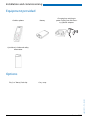
Equipment provided . . . . . . . . . . . . . . . . . . . . . . . . . . . . . . . . . . . . . . . . . . . . . . . . . . . . . . . . . . . . . . . . . . . . . .
Options . . . . . . . . . . . . . . . . . . . . . . . . . . . . . . . . . . . . . . . . . . . . . . . . . . . . . . . . . . . . . . . . . . . . . . . . . . . . . . . . . . .
Connecting a cordless phone . . . . . . . . . . . . . . . . . . . . . . . . . . . . . . . . . . . . . . . . . . . . . . . . . . . . . . . . . . . . . .
Battery. . . . . . . . . . . . . . . . . . . . . . . . . . . . . . . . . . . . . . . . . . . . . . . . . . . . . . . . . . . . . . . . . . . . . . . . . . . . . . . . . . . .
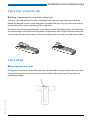
Carry clip or swivel clip . . . . . . . . . . . . . . . . . . . . . . . . . . . . . . . . . . . . . . . . . . . . . . . . . . . . . . . . . . . . . . . . . . . .
Carry strap . . . . . . . . . . . . . . . . . . . . . . . . . . . . . . . . . . . . . . . . . . . . . . . . . . . . . . . . . . . . . . . . . . . . . . . . . . . . . . . .
Logging your phone on . . . . . . . . . . . . . . . . . . . . . . . . . . . . . . . . . . . . . . . . . . . . . . . . . . . . . . . . . . . . . . . . . . .
Dialling and Phoning
The following sections explain how to make phone calls simply and the functions your phone offers
you whenever you receive a call.
Answering Calls . . . . . . . . . . . . . . . . . . . . . . . . . . . . . . . . . . . . . . . . . . . . . . . . . . . . .14
eud-1093/1.1 – I7.9 – 09.2009
Making calls . . . . . . . . . . . . . . . . . . . . . . . . . . . . . . . . . . . . . . . . . . . . . . . . . . . . . . . . .15
Aastra 610d
13
Dialling and Phoning
Answering Calls
This section explains the procedure for answering a call.
■ Answering a Call
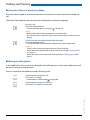
Your phone is ringing and the LED indicator is flashing. To answer the call, proceed as follows:
The volume of the ringing call can become very loud. Do not hold the sound aperture up to
your ear.
Press the Call key.
Note:
If the caller's phone number is received, it is shown on the display. If the phone
number is stored in the private phone book or in the system, the display also
shows the corresponding name.
Notes:
• To find out how to phone with headset, refer to the Chapter "Using a Headset", page 17.
• To find out how to activate the automatic hands-free mode, refer to the
Chapter "Using Your Phone in Hands-Free Mode", page 16.
• To find out how to set Auto Answer, refer to Chapter "Setting up a profile",
page 51.
■ Ending a Call
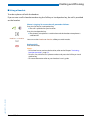
You want to end the call.
The call duration is displayed both during and after the call.
Call charges are also displayed after any external call which you initiated, provided your provider supports this function.
Press the End key.
eud-1093/1.1 – I7.9 – 09.2009
Notes:
• To find out how to phone with headset, refer to the Chapter "Using a Headset", page 17.
• To find out how to activate the automatic hands-free mode, refer to the
Chapter "Using Your Phone in Hands-Free Mode", page 16.
14
Aastra 610d
Dialling and Phoning
Making calls
This section explains the different ways you can make a call with your phone.
■ Dialling with the Phone Number
You want to call someone and key in that person's phone number.
With call preparation you can enter a phone number without it being dialled automatically, so
you have time to check the number and, if necessary, correct it. The number is not dialled until
you press the Call key.
<Phone number>
Enter a phone number in call preparation.
You can use the Correction key to delete any incorrect character.
Press the Call key.
➔ The enquiry call party is called.
■ Dialling with Redial
You want to call a person you have already called.
In the last-number redial list your phone automatically stores the phone numbers of the persons you have already called, complete with their names, where available. You can now call the
person in question using this last-number redial list.
The last-number redial list has a maximum of 10 entries.
Press the Call key.
➔ The redial list is displayed.
To scroll through the call numbers last dialled, press the navigation key downwards.
eud-1093/1.1 – I7.9 – 09.2009
Press the Call key.
➔ The phone number displayed is dialled.
Aastra 610d
15
Dialling and Phoning
■ Using Your Phone in Hands-Free Mode
You want other people to join the conversation or to have your hands free while making the
call.
The hands-free mode function activates the loudspeaker and the microphone.
During a call:
Press the Loudspeaker key.
➔ Hands-free operation is activated,
is displayed.
Notes:
• Make sure the hands-free microphone is not obstructed.
• The sound quality is improved if you set the volume of your phone to a low
setting.
To continue the call without hands-free operation:
Press the Loudspeaker key.
➔ The loudspeaker and hands-free microphone are now deactivated.
Notes:
• To end a call in open-listening mode, press the End call key.
• To find out how to phone with headset, refer to the Chapter "Using a Headset", page 17.
• To find out how to set Auto Answer, refer to Chapter "Setting up a profile",
page 51.
■ Muting the Microphone
In the middle of a call you want to talk briefly with other persons in the room without your call
partner hearing your conversation.
You can switch the microphone on and off during a call.
Switching the microphone off:
Press the Micro softkey.
➔ Microphone is deactivated, is displayed.
Micro
Switching the microphone back on:
Press the Micro softkey a second time.
eud-1093/1.1 – I7.9 – 09.2009
Micro
16
Aastra 610d
Dialling and Phoning
■ Using a Headset
To make a phone call with the headset.
If you answer a call in headset mode using the Call key or Loudspeaker key, the call is provided
on the headset.
Phone is ringing. To answer the call, proceed as follows:
Press the Call key or Loudspeaker key.
➔ The call is provided on your headset.
Press the Loudspeaker key.
➔ The phone’s microphone is switched on and the headset microphone is
switched off.
Headset <--> Handset
You can use the Headset or Handset softkey to switch modes.
Ending a Call:
Press the End key.
eud-1093/1.1 – I7.9 – 09.2009
Notes:
• To find out how to activate the headset, refer to the Chapter "Activating
headset operation", page 53.
• To call a user, dial the user’s phone number and press the Call key or Loudspeaker key.
• For more information refer to your headset’s user’s guide.
Aastra 610d
17
Using the Display and
Operating Elements
The following sections explain how to operate your phone quickly and simply.
Keys . . . . . . . . . . . . . . . . . . . . . . . . . . . . . . . . . . . . . . . . . . . . . . . . . . . . . . . . . . . . . . . . 19
Input . . . . . . . . . . . . . . . . . . . . . . . . . . . . . . . . . . . . . . . . . . . . . . . . . . . . . . . . . . . . . . . 20
Menu-Guided Navigation . . . . . . . . . . . . . . . . . . . . . . . . . . . . . . . . . . . . . . . . . . . 22
eud-1093/1.1 – I7.9 – 09.2009
Signals. . . . . . . . . . . . . . . . . . . . . . . . . . . . . . . . . . . . . . . . . . . . . . . . . . . . . . . . . . . . . . 23
18
Aastra 610d
Using the Display and Operating Elements
Keys
■ Pressing a Key
A key may have various functions depending on the situation and the operating mode. The
function activated depends on the number of times the key is pressed or whether it is pressed
quickly or held down for a moment. Here are some examples:
Press the softkey.
<long>
Keep the softkey held down for a moment (about 2 seconds).
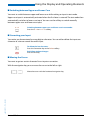
■ Softkey
The 3 softkeys have variable functions. These functions are displayed above the key.
You can also store phone numbers on a softkey (see Chapter "Storing a phone number on a key
- Number key", page 62).
<Setting value>
eud-1093/1.1 – I7.9 – 09.2009
Press the softkey under the function you want on the display.
Aastra 610d
19
Using the Display and Operating Elements
Input
■ Digit keys
The characters are assigned to the digit keys as follows. Press the relevant digit key repeatedly
until the character you want is displayed.
-._?1!,:;’"¿¡
ABC2ÄÆÅÇ
abc2äæåàç
Press and hold down: Switching
system[a]
DEF3É
def3éèê
GHI4
ghi4ì
JKL5
jkl5
Press and hold down: Calling up
the service menu[a]
MNO6ÑÖØ
mno6ñöøò
PQRS7
pqrs7ß
TUV8Ü
tuv8üù
WXYZ9
wxyz9
+0
@*/()<=>%£$ ¥ª&§
<Space> #
■ Enters digits
The digit keys are used to enter the digits 0 to 9.
■ Enter the letters
You can also use the digit keys to enter letters and special characters. A number of letters and
special characters are assigned to each key.
abc-->123
20
Switching between number mode and letter mode during your input:
Press the abc-->123 and 123-->abc softkey.
Aastra 610d
eud-1093/1.1 – I7.9 – 09.2009
To enter letters using the digit keys, you need to be in text mode. The text mode is activated
automatically if the phone is expecting a text input. You can switch back and forth between
number mode and letter mode during your input.
Using the Display and Operating Elements
■ Switching between Upper and Lower Case
You want to switch between upper and lower case while making an input in text mode.
Upper-case input is automatically activated when the first letter is entered. The text mode then
automatically switches to lower-case input. You can use the softkey to switch manually
between upper-case and lower-case input.
a-->A
Switching between upper case and lower case in text mode:
Press the a-->A or > A-->a softkey.
■ Correcting your Input
You notice you have entered a wrong digit or character. You can either delete the input one
character at a time or cancel the entire input.
To delete the last character:
Press the Correction key or the Delete softkey.
Exit Editor without changes:
Press the End key.
■ Moving the Cursor
You want to go to a certain character for an input or correction.
With the navigation key you can move the cursor to the left or right.
eud-1093/1.1 – I7.9 – 09.2009
Move the cursor with the horizontal navigation key.
Aastra 610d
21
Using the Display and Operating Elements
Menu-Guided Navigation
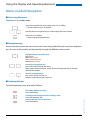
■ Accessing the menu
The phone is in standby mode:
Press the navigation key to the right or the Menu softkey.
➔ The first menu entry is displayed.
Use the vertical navigation key to scroll through the menu entries.
Select
Press the Select softkey.
➔ Accessing the displayed menu.
■ Navigation key
You can retrieve a particular menu entry even more simply and efficiently using the navigation
key. You can scroll vertically and horizontally through the different menu entries.
Navigation key in the idle state:
Left: Profiles
Right: Main menu
Top: Activated features
Bottom: Phone book
Horizontal navigation key:
Left: scrolls back through the menu.
Right: opens displayed menu, scrolls forward through the menu, retrieves
detailed information.
Vertical navigation key:
Top: scrolls upwards in the list.
Bottom: scrolls downwards in the list.
■ Undoing Actions
To cancel operating steps, proceed as follows:
Exit Editor without changes:
Press the End key.
eud-1093/1.1 – I7.9 – 09.2009
Scrolling back through the menu step by step:
Press the correction key.
Back to the idle state in the menu:
Press the End key.
22
Aastra 610d
Using the Display and Operating Elements
■ Enabling/disabling function
You can enable or disable a function or a menu entry by selecting the entry you want and pressing the Select softkey.
Select
Enabling/disabling function:
Press the Select softkey.
■ Resetting activated features
You can deactivate again all the activated functions (e.g. Forwarding).
Press the navigation key up.
➔ Activated features is opened.
Or:
Activated features are also available via the menu: Menu > Activated features.
Reset
Press the Reset softkey to deactivate the function you want.
➔ The function is now deactivated.
Signals
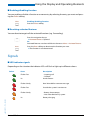
■ LED indicator signals
Depending on the situation the indicator LEDs will flash or light up in different colours.
State
Description
Flashes fast
• Incoming call
• Callback
Lit
Hands-free on
Flashes slowly
New Voice Mail or new text message
Flashes fast
Outside the system’s service area
Flashes slowly
• Battery almost empty
• Not subscribed to any system
Lit
Battery charging
eud-1093/1.1 – I7.9 – 09.2009
Colour
Aastra 610d
23
Supplementary features
The following sections explain the supplementary features provided by your phone for more efficient
use.
Making and answering calls . . . . . . . . . . . . . . . . . . . . . . . . . . . . . . . . . . . . . . . . . 25
Using functions while in a call . . . . . . . . . . . . . . . . . . . . . . . . . . . . . . . . . . . . . . . 32
Organising absences from the desk . . . . . . . . . . . . . . . . . . . . . . . . . . . . . . . . . . 34
Functions for special situations . . . . . . . . . . . . . . . . . . . . . . . . . . . . . . . . . . . . . . 37
eud-1093/1.1 – I7.9 – 09.2009
Setting functions by remote control. . . . . . . . . . . . . . . . . . . . . . . . . . . . . . . . . . 43
24
Aastra 610d
Supplementary features
Making and answering calls
This section explains some convenient features provided by your phone for making a call.
■ Dialling by name – Quick search
You want to make a call by entering a name.
With quick search you only need to press the digit keys once for each letter even though several
letters are stored under each key. An efficient algorithm provides quick search results.
Requirement: The name and the corresponding call number have to be stored in one of the system’s phone books.
The surname and first name have to be separated by a space (# key), for example "no s" (6 6 # 7)
for Noble Stephen. Ask your system administrator whether you should start with the surname
or the first name.
Note:
The response time may vary greatly depending on the size and the number of phone books connected.
<Setting value>
Quick search:
For the initial letters of the name you are searching for, press the corresponding digit key once.
➔ For each letter, the display shows the corresponding digit, for example a "6"
for the letter "n".
ABC
Press the ABC softkey until the user or a list is displayed.
Or:
Phone book is also available via the menu: Menu > Phone book> Quick search.
Scroll through the list until the user you want is displayed. Select the phone
number you want.
eud-1093/1.1 – I7.9 – 09.2009
Press the Call key.
➔ The phone number displayed is dialled.
Note:
If the phone is unable to find a matching user, List empty will appear on the display.
Aastra 610d
25
Supplementary features
■ Dialling from the phone book - Alpha search
You want to search for a user directly in one of the connected phone books.
The surname and first name have to be separated by a space, for example "no s" for Noble
Stephen. Ask your system administrator whether you should start with the surname or the first
name.
To find out to create a new contact in your private phone book, refer to the Chapter "Creating a
new contact entry", page 59.
Press the navigation key downwards.
Or:
Phone book is also available via the menu: Menu > Phone book.
Alpha search
Scroll to Alpha search and press the Select softkey.
If required, enter the first few letters of the name you are looking for (first name
and surname separated by a space) until the user or a list is displayed.
Notes:
• Text mode is activated automatically.
• Use the #key to enter spaces.
Scroll through the list until the user you want is displayed. Select the phone
number you want.
Press the Call key.
➔ The phone number displayed is dialled.
Notes:
• The search function is not affected by upper/lower case and special characters.
• If the phone is unable to find a matching user, List empty will appear on the
display.
■ Dialling from the Call List of Unanswered Calls
You want to call someone who has previously tried to reach you.
Your phone automatically stores the phone number of this user in the calllist and the display
shows Missed calls. You can now call the person back using this call list.
The call list of unanswered calls contains a maximum of 10 entries.
Show
Calling a user back:
Press the Show softkey.
➔ The display shows a list of the last unanswered calls.
Press the Call key.
➔ The phone number displayed is dialled. Once the call has been successfully
connected, the entry is deleted from the call list.
26
Aastra 610d
eud-1093/1.1 – I7.9 – 09.2009
Scroll through the list until the user you want is displayed.
Supplementary features
Close
Clearing the "Missed calls" display:
Press the Close softkey.
➔ Deletes the display. The entry remains stored in the list of the last unanswered calls, is displayed.
Note:
Call list of missed calls is also available via the menu: Menu > Call lists > Missed
calls.
■ Dialling from the Call List of Answered Calls
You want to call back someone whose call you answered.
Your phone automatically stores the phone number of this user in the call list. You can now call
the person back using this call list.
The call list of answered calls contains a maximum of 10 entries.
Press the navigation key to the right or the Menu softkey.
Call lists
Scroll to Call lists and press the Select softkey.
Answered calls
Scroll to Answered calls call list and press the Select softkey.
➔ The display shows a list of the last answered calls.
Scroll through the list until the user you want is displayed.
Press the Call key.
➔ The phone number displayed is dialled.
■ Dialling with Redial
You want to call a person you have already called.
In the last-number redial list your phone automatically stores the phone numbers of the persons you have already called, complete with their names, where available. You can now call the
person in question using this last-number redial list.
The last-number redial list has a maximum of 10 entries.
Press the Call key.
➔ The redial list is displayed.
eud-1093/1.1 – I7.9 – 09.2009
To scroll through the call numbers last dialled, press the navigation key downwards.
Press the Call key.
➔ The phone number displayed is dialled.
Note:
Redial list is also available via the menu: Menu > Call lists > Redial list.
Aastra 610d
27
Supplementary features
■ Dialling with a configured softkey
You want to call a user whose phone number is stored under a softkey.
You can call the user by pressing the corresponding softkey. To find out how to configure a
softkey, refer to Chapter "Configuring keys", page 62.
<Setting value>
Press the configured softkey.
➔ The key’s allocated function is shown on the display.
Press the Call key.
➔ The phone number displayed is dialled.
■ Requesting a Callback
You want to talk to a certain person. The person is busy or does not answer. You can make callback requests to both internal and external users. Not all providers support this function.
If the called party is busy, you can activate an automatic callback. In this case, your phone will
start ringing as soon as the party you are trying to reach goes on-hook. Then when you press
the Call key, the user is called directly.
If the called party does not answer, you can also request a callback. The user then obtains a
message indicating your callback request on his display.
You called someone and hear the busy tone or the ring-back tone.
Callback
To activate a callback request:
Press the Callback softkey.
➔ The display shows Call expected.
Close
Back to the idle state:
Press the Close softkey.
➔ Callback remains activated.
Note:
The callback is stored in Menu > Activated features as long as it was not
answered or cancelled by the system.
Reset
Reset callback:
Press the Reset softkey.
➔ Callback is deactivated.
eud-1093/1.1 – I7.9 – 09.2009
Note:
You can only have 1 callback activated at a time and only 1 callback can be
expected from you. Your callback request will automatically be cancelled by
the system after about half an hour.
28
Aastra 610d
Supplementary features
■ To answer the callback request
Someone has asked you to call back. The display shows Callback requested.
Call
Delete
To answer the callback request:
Press the Call softkey.
➔ The phone number is dialled.
Clear callback:
Press the Delete softkey.
➔ Callback is deleted.
Note:
As long as the callback is not answered or deleted by the system, it can be
edited using Menu > Activated features > Delete or Answer.
■ Call waiting with an internal user
You want to talk to an internal user. However, the person is busy.
As a result of your call waiting, the person hears a call waiting tone and your phone number or
name appears on his display. The user has the possibility of answering, deflecting or rejecting
your call.
Requirement: It is essential that the internal user has not barred the Call waiting function on his
phone (for configuration see the Chapter "Activating protection against certain types of calls",
page 58).
Ask your system administrator whether the Call waiting function is enabled on the system.
Call waiting
User is busy:
Press the Call waiting softkey.
➔ You hear the dialling tone.
eud-1093/1.1 – I7.9 – 09.2009
Note:
If the user rejects the call request or if call waiting is not possible, depending on
the system configuration the call is either disconnected (busy tone) or forwarded to a preconfigured destination.
Aastra 610d
29
Supplementary features
■ Answering Call Waiting
You are in a call and hear the call waiting tone. Another user urgently wants to speak to you.
You can either answer, deflect or reject the call.
Answer
Answering the call:
Press the Answer softkey.
➔ 1.Your original call partner is put on hold. You are now connected with the
party who initiated the call waiting.
Note:
For more detailed information on how to broker between callers or set up a conference, please refer to Chapter "Brokering between an Enquiry Call Party and
Your Call Partner", page 32 or Chapter "Making a Conference Call", page 33.
Deflect
Deflect call:
Press the Deflect softkey.
<Phone number>
Enter the user’s call number and confirm with the Ok softkey.
➔ Call-waiting party is put through.
Note:
You can also find the call number of the user you want in the phone book or in
a call list.
Reject
Rejecting the call:
Press the Reject softkey or the End call key.
➔ You remain connected with your first call partner. Depending on the system configuration the caller who has initiated call waiting either obtains
the busy tone or is forwarded to a preconfigured destination.
End call
Ending a current call:
Press the End call softkey.
➔ 1. The first call is terminated. You are now connected with the party who
initiated the call waiting.
■ Starting an Announcement
You want to address internal users directly via their loudspeaker – where available – , without
waiting for a reply (similar principle to that of an intercom system).
eud-1093/1.1 – I7.9 – 09.2009
Requirement: It is essential that the internal user has not barred his phone against announcement (for configuration see the Chapter "Activating protection against certain types of calls",
page 58).
30
Aastra 610d
Supplementary features
<Phone number>
Announcement
OK
Enter the call number and press the Announcement softkey.
➔ The call number is displayed.
Note:
You can also find the call number of the user you want in the phone book or in
a call list.
Confirm with the Ok softkey.
➔ User is made aware of the announcement. You can now talk.
Or:
You can also start the announcement using Menu > Call features > Announcement > User/Group.
■ Receiving an Announcement
Your phone rings once and then automatically initiates the announcement. The display shows
). You will directly be addressed via your loudspeaker.
You can listen to the announcement or stop it.
To continue the announcement as a phone call:
Press the Call key.
➔ You are now connected to the person who initiated the announcement.
To stop the announcement:
Press the End key.
■ Private call with PIN
You want to make a private call on your phone or on a third-party phone.
With the aid of your PIN you can use any phone to make an external call with your own personal
settings, even if that phone is locked for external calls. The called party's display shows your
personal phone number and not the number of the phone from which you are making your
call. Any call charges incurred will be charged to you.
The call number dialled is not stored in the last-number redial list.
<Setting value>
1. Enter the */# procedure #46 followed by your internal call number.
2. Enter your PIN.
3. Enter the external call number directly, without the exchange access digit.
Press the Call key.
➔ The phone is now enabled. The external user is called.
eud-1093/1.1 – I7.9 – 09.2009
Note:
The factory setting "0000" is not accepted. First change the PIN as described in
chapter "Changing the User PIN", page 54 or use the */# procedure *47 (see
"User’s Guide */# Procedures"). If you have forgotten your PIN, your system
administrator can reset it to the factory setting.
Aastra 610d
31
Supplementary features
Using functions while in a call
This section explains the different options provided by your phone while you are in a call.
■ Enquiry Call During a Call
You want to call someone else briefly without losing your current call partner. Then you want to
resume your conversation with your original call partner.
With the Enquiry call function you can call someone else in the middle of a call and put your
original call partner on hold. You can make enquiry calls to both internal and external users.
Enquiry
<Phone number>
End call
You are making/taking a call:
Press the Enquiry softkey.
Enter the phone number of the enquiry call party.
➔ Enquiry call party is called; 1st call partner is on hold.
Note:
You can also find the call number of the user you want in the phone book or in
a call list.
To end the enquiry call:
Press the End call softkey or the End key.
➔ You are now back through to your 1. call partner.
Notes:
• If your enquiry call party hangs up and you also go on-hook by mistake, you
will hear a continuous ringing signal for 10 seconds to draw your attention to
the person still on hold. If you press the Call key during the continuous ringing, you will be reconnected with your first call partner.
• If the other user does not answer, you can use the End call softkey to cancel
the enquiry and take back the first call.
■ Brokering between an Enquiry Call Party and Your Call Partner
You are talking with an enquiry call party and have your original call partner on hold. You want
to be able to switch back and forth between the two.
Brokering
End call
32
Brokering:
Press the Brokering softkey.
➔ Your call partner changes. The other call party is put on hold.
To terminate the current connection:
Press the End call softkey.
➔ Call party disconnected. Connected with the call party on hold.
Aastra 610d
eud-1093/1.1 – I7.9 – 09.2009
In an enquiry call you can use the brokering function to switch back and forth between an
enquiry call party and the party on hold. Brokering is possible with both internal and external
users. You can also broker between conference parties as a group and an enquiry call party.
Supplementary features
■ Making a Conference Call
You are in a call and have a call party on hold at the same time. You want to include the party on
hold in the conversation and hold a conference call.
With the conference function you can include a call party on hold in the current conversation.
From the conference call you can initiate an enquiry call to someone else. You can broker
between the parties of the conference and the enquiry call party.
Depending on the system, a conference call can consist of up to 6 conference participants. You
can hold a conference call with internal and external users.
Conference
Add a caller on hold:
Press the Conference softkey.
➔ The call party on hold is now included in the call.
Note:
Depending on the system’s configuration you may hear an attention tone.
Leaving a conference call:
Press the End key.
➔ The other conference parties remain in the call.
■ Connecting a caller through
You want to put your call partner through to someone else.
With the Enquiry function you can connect your call partner with someone else. You can connect internal and external users with one another.
Enquiry
<Phone number>
You are making/taking a call:
Press the Enquiry softkey.
Enter the phone number of the enquiry call party.
➔ Enquiry call party is called; 1st call partner is on hold.
Note:
You can also find the call number of the user you want in the phone book or in
a call list.
Connecting with notification:
Wait until the person has answered the call. Announce the call party.
eud-1093/1.1 – I7.9 – 09.2009
Connect
Press the Connect softkey or the End key.
➔ 1.Your call partner and the other person are now connected with each
other.
Note:
If the other user does not answer, you can use the End call softkey to cancel the
enquiry and take back the 1. call.
Connecting without notification:
Wait for the first ringing tone, then press the End key.
➔ The other party is then called directly by your first call partner.
Note:
Recall: If the other party does not answer, the call comes back to your phone.
Aastra 610d
33
Supplementary features
■ Parking a Call Partner
You want to put your call partner on hold without using a phone channel as a result.
You can park your call partner locally. A locally parked call partner can only be retrieved by the
phone from which the function was initially carried out.
Park
Take back
Press the Park softkey.
➔ Your call partner is now parked locally;
is displayed.
To retrieve a parked call party:
Press the Take back softkey.
Notes:
• The End call key returns the display to the idle state. As long as your call partner does not hang up, he remains parked. You can retrieve your parked caller
using Menu > Activated features > Take back.
• The */# procedure for central parking can be found in the "User’s Guide */#
Procedures".
Organising absences from the desk
This section explains the different options provided by your phone when you want to leave your
desk.
Note:
Forwarding is valid for all the connected phones.
■ Forwarding calls (Call forwarding)
You want to leave your desk. Calls made to you are to be forwarded to a different destination
(phone, Voice Mail).
With Call Forwarding you can forward incoming calls directly to a different destination.
Activating forwarding:
Press the navigation key to the right or the Menu softkey.
Forwarding
Scroll to Forwarding and press the Select softkey.
Call Forwarding
34
eud-1093/1.1 – I7.9 – 09.2009
Scroll to Call forwarding and confirm with the Ok softkey.
Aastra 610d
Supplementary features
User
Scroll to User and confirm with the Ok softkey.
Enter the user’s call number and confirm with the Ok softkey.
➔ Forwarding is activated.
Note:
You can also find the call number of the user you are looking for in the redial
list.
Deactivating forwarding:
Press Menu > Activated features > Reset.
Notes:
• If a call is to be forwarded only when you are already in a call, select Forwarding if busy.
• You can also forward to your Voice Mail (see Chapter "Forwarding to Voice
Mail", page 36) or to a Message (see Chapter "Forwarding to message", page
36).
• You can also activate forwarding by remote control, see Chapter "Setting
functions by remote control", page 43.
■ Forwarding calls (Forwarding on No Reply)
You want calls that you receive on your phone to be forwarded to another destination.
Both your own phone and the other destination will then start ringing. The system configuration determines whether or not there is a ringing delay at the other destination. Whoever goes
off-hook first, answers the call. Depending on the system configuration, Forwarding on No
Reply can also be activated when your phone is busy.
Activating forwarding:
Press the navigation key to the right or the Menu softkey.
Forwarding
Scroll to Forwarding and press the Select softkey.
Forwarding on No Reply
Scroll to Forwarding on No Reply and confirm with the OK softkey.
User
Scroll to User and confirm with the Ok softkey.
Enter the call number of the destination to which you want your calls to be forwarded and confirm with the Ok softkey.
➔ Forwarding is activated.
Note:
You can also find the call number of the user you are looking for in the redial
list.
eud-1093/1.1 – I7.9 – 09.2009
Deactivating forwarding:
Press Menu > Activated features > Reset.
Notes:
• You can also forward to your Voice Mail (see Chapter "Forwarding to Voice
Mail", page 36).
• You can also activate forwarding by remote control, see Chapter "Setting
functions by remote control", page 43.
Aastra 610d
35
Supplementary features
■ Forwarding to Voice Mail
You cannot momentarily be reached on your phone. If you forward to your Voice Mail, a user
can leave you a voice message.
You can use the global greeting or your own greeting (see Chapter "Configuring Voice Mail",
page 61).
For more information on Voice Mail please refer to the "User’s Guide Voice Mail Systems".
Activating forwarding:
Press the navigation key to the right or the Menu softkey.
Forwarding
Scroll to Forwarding and press the Select softkey.
Call Forwarding
Scroll to Call forwarding and confirm with the Ok softkey.
Voice Mail
Scroll to Voice Mail and confirm with the Ok softkey.
➔ Forwarding is activated.
Deactivating forwarding:
Press Menu > Activated features > Reset.
Notes:
• You can specify whether your Voice Mail should answer directly (Call Forwarding) or with a delay (Forwarding on No Reply), or only if you are already on
the phone (Forwarding if busy).
• A new Voice Mail message is signalled with a text message on the display and
a red-flashing LED indicator in the idle state..
■ Forwarding to message
You cannot be reached on your phone. You want any internal user who calls you to get a text
message. The user hears the busy tone and obtains a text message on his display.
Requirement: The internal user must have a phone capable of receiving text messages. Users
whose phone cannot receive text messages are put through to your phone or rerouted to a destination predefined within the system.
Activating forwarding:
Press the navigation key to the right or the Menu softkey.
Forwarding
eud-1093/1.1 – I7.9 – 09.2009
Scroll to Forwarding and press the Select softkey.
Call Forwarding
Scroll to Call forwarding and confirm with the Ok softkey.
Message
Scroll to Message and confirm with the Ok softkey.
36
Aastra 610d
Supplementary features
<Text>
Enter the text and confirm with the Ok softkey.
➔ Forwarding is activated.
Deactivating forwarding:
Press Menu > Activated features > Reset.
Note:
If you activate another forwarding, your forwarding to message is deactivated.
Functions for special situations
This section explains the different options provided by your phone to deal with special situations.
■ Forwarding a call during the ringing phase
You do not want to answer a call yourself but deflect it to another user.
The Deflect function allows you to deflect a call during the ringing phase, to an internal or external user or to your Voice Mail.
Your phone is ringing and the LED indicator is flashing. To deflect the call, proceed as follows.
Deflect
Press the Deflect softkey.
<Phone number>
Enter the call number and confirm with the Ok softkey.
➔ The call is deflected to the user you selected.
Notes:
• You can also find the call number of the user you want in the phone book or
in a call list.
• If the user you want to deflect to is busy, the call will not be deflected. The display shows Busy and your phone still rings.
■ Rejecting a call during the ringing phase
You do not want to answer a call.
You can reject a call already during the ringing phase
eud-1093/1.1 – I7.9 – 09.2009
Reject
Aastra 610d
Press the Reject softkey or the End call key.
➔ The connection is rejected and, depending on the system configuration,
the caller obtains the busy tone or is forwarded to a preconfigured destination.
37
Supplementary features
■ Listening to Voice Mail
Your display shows Voice Mail from and the LED indicator is flashing red.
Listen
Listening to a new message:
Press the Listen softkey.
➔ The message is played back.
Or:
Voice Mail is also available via the menu: Menu > Voice Mail > Inbox > Listen.
Listening to all messages[a]:
Listening to all messages is available via the menu: Menu > Voice Mail > Inbox >
Listen all.
Menu
To delete the message:
Press the navigation key to the right or the Menu softkey.
Voice Mail
Scroll to Voice Mail and press the Select softkey.
Inbox
Scroll to Inbox and press the Select softkey.
Delete
Press the Delete softkey.
➔ The Voice Mail is deleted.
Notes:
• To find out how to configure forwarding to your Voice Mail, refer to the Chapter "Forwarding to Voice Mail", page 36.
• To find out how to configure a Voice Mail please refer to the Chapter "Configuring Voice Mail", page 61 or to the "User’s Guide Voice Mail Systems".
■ Sending text messages
You want to send a written message to an internal user.
You can send a text message to an internal user. The text message will appear on the person's
display.
Requirement: The internal user must have a phone capable of receiving text messages.
You can use one of the text messages stored in the system directly, modify it or create a new
text message.
eud-1093/1.1 – I7.9 – 09.2009
Press the navigation key to the right or the Menu softkey.
Text message
Scroll to Text message and press the Select softkey.
New
Scroll to New and press the Select softkey.
38
Aastra 610d
Supplementary features
<Text message>
Select one of the text messages stored in the system and press the Select
softkey.
<Text>
Adapt or expand the text and press the Send softkey.
<Destination>
Select the destination and press the Select softkey.
<Phone number>
For user and group: Enter the phone number and press the Send softkey.
➔ The text message is sent.
Note:
If the display shows Not available, the text message could not be sent.
■ Reading text messages
Your display shows New message received and the envelope symbol. The LED indicator is
red-flashing.
Show
Showing text message:
Press the Show softkey.
➔ The display shows the sender and the date/time of the text message.
Read
Reading text message:
Select the text message you want and press the Read softkey.
➔ If the message runs over several lines, use the navigation key to scroll.
Delete
Deleting text message:
Press the Delete softkey.
➔ The text message is deleted; the next text message is retrieved from the
memory.
Or:
Press Menu > Text message > Inbox to select the text message and continue as
described above.
■ Picking up a call
You hear a phone ringing in your vicinity and want to pick up the call.
With the Pick up function you can pick up the call from the other phone on your own phone.
eud-1093/1.1 – I7.9 – 09.2009
Press the navigation key to the right or the Menu softkey.
Call features
Scroll to Call features and press the Select softkey.
Aastra 610d
39
Supplementary features
Pick up
Scroll to Pick up and press the Select softkey.
<Phone number>
Enter the call number of the phone from which you want to pick up the call and
confirm with the Ok softkey.
Note:
You can also find the call number of the user you want in the phone book or in
a call list.
■ Making a call on a third-party phone
You want to make a call on a third-party phone using your personal settings, for example on a
colleague’s phone or in a meeting room.
You can activate a third-party phone to make an internal or external call using your personal
settings, even if the phone is locked for external calls.
You can activate the phone for a business or private call.
Once you have activated the phone using a */# procedure and your PIN, dialling by your private
phone book is available.
The called party's display shows your personal phone number and not the number of the
phone from which you are making your call.
Any call charges incurred will be charged to you.
<Setting value>
1.
2.
3.
4.
Enter */# procedure #36.
Enter your internal phone number.
Enter your PIN.
Enter the internal or external phone number with the exchange access digit.
Press the Call key.
➔ The phone number displayed is dialled.
Note:
When you hang up, dialling by name and your private phone book remain
available for a whole minute so you can make another call.
Note:
The factory setting "0000" is not accepted. First change the PIN as described in
chapter "Changing the User PIN", page 54 or use the */# procedure *47 (see
"User’s Guide */# Procedures"). If you have forgotten your PIN, your system
administrator can reset it to the factory setting.
40
Aastra 610d
eud-1093/1.1 – I7.9 – 09.2009
Or:
1. Enter the */# procedure #46 for a private call.
2. Enter your internal phone number.
3. Enter your PIN.
4. Enter the external call number directly, without the exchange access digit.
5. Press the Call key.
➔ The phone is now enabled; the external user is called.
Supplementary features
■ Suppressing your call number from your called party's phone display
You do not want your call number to appear on the phone display of a called party in the public
network[a].
You have two possibilities:
• If you never want the phone number to be displayed, set CLIR permanent ein.
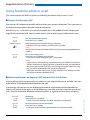
• To suppress your call number display for certain calls only, select the function CLIR per call
before dialling your party's call number.
This function must be stored under a configurable key (see Chapter "Configuring keys", page 62).
You can also execute the function with a */# procedure (see "User’s Guide */# Procedures" User’s
Guide).
Before the call:
Press the function key for <CLIR>.
Notes:
• CLIR works only with external calls.
• This feature depends on the range of services offered by your provider.
■ Tracing Malicious Calls
You are being threatened or molested by a call. You want to identify the caller.
Using the MCID function (MCID: Malicious Call Identification)[a] the provider records the following call data: Your phone number, the caller’s phone number, and the date and time of the call.
MCID has to be enabled by your provider. Your provider will inform you about accessing the
recorded call data.
This function must be stored under a configurable key (see Chapter "Configuring keys", page
62).
During a call:
Press the function key for MCID (MCID).
eud-1093/1.1 – I7.9 – 09.2009
After the call do not hang up: press the function key for MCID (MCID) while you
hear the busy tone.
Aastra 610d
41
Supplementary features
■ Activating personal call routing
You wan to specify which of your phones shall ring when you receive a call.
If your system administrator has set up a phone number with several phones for you as well as
the call routings, you can specify which of your phones shall signal a call by using the personal
call routing. Your system administrator can set up to 5 call routings. You can only answer a call
on phones where the call is signalled. Contact your system administrator for more information.
You can activate a call routing for all phones. If you have not configured a call routing, the factory setting (all phones are ringing) is used as standard.
This function can also be stored under a configurable key (see Chapter "Configuring keys", page
62).
Activating personal call routing:
Press the navigation key to the right or the Menu softkey.
Settings
Scroll to Settings and press the Select softkey.
General
Scroll to General and press the Select softkey.
Pers. call routing
Scroll to Personal call routing and press the Select softkey.
<Setting value>
Select the call routing you want and confirm with the Select softkey.
➔ Personal call routing is activated.
Deactivating personal call routing:
Press Menu > Activated features > Reset.
eud-1093/1.1 – I7.9 – 09.2009
Renaming personal call routing:
Press Menu > Settings > General > Personal call routing > Modify.
42
Aastra 610d
Supplementary features
■ Activating Ring alone
You want to specify which of your phones shall acoustically ring when you receive a call.
If your system administrator has set up a phone number with several phones for you, you can
specify which of your phones shall acoustically signal a call by using Ring alone[a].
When you have activated Ring alone on a phone, the acoustic ringing tone is deactivated for all
other phones ( ). An incoming call is signalled in the display of all phones. You can answer the
call on each of your phones.
Note:
When you have activated Ring alone but deactivated the personal call routing for a phone in parallel, an
incoming call is not acoustically but only visually signalled.
This function must be stored under a configurable key (see Chapter "Configuring keys", page 62).
In idle state:
Press the function key for <Ring alone>.
➔ Ring alone is activated/deactivated.
Setting functions by remote control
This section explains how you can change your phone's settings even if you are not directly at your
phone.
You are not at your desk and want to set various functions on your phone from a different
phone.
You can activate/deactivate many of your phone's functions by remote control from a different
phone.
The remote control is initiated using a special */# procedure. You can then enter the function
commands and */# procedures.
<Setting value>
Using remote control from a third-party phone:
1. Enter */# procedure #36.
2. Enter your phone number.
3. Enter your PIN.
4. Enter the */# procedure for activating/deactivating the function you want.
eud-1093/1.1 – I7.9 – 09.2009
Press the Call key.
➔ Acknowledgement tone sounds; function is activated/deactivated.
Note:
The factory setting "0000" is not accepted. First change the PIN as described in
chapter "Changing the User PIN", page 54 or use the */# procedure *47 (see
"User’s Guide */# Procedures"). If you have forgotten your PIN, your system
administrator can reset it to the factory setting.
Aastra 610d
43
Personalizing Your Phone
These sections explain how to adapt the phone’s basic settings to suit your personal requirements.
Configuring cordless phone functions . . . . . . . . . . . . . . . . . . . . . . . . . . . . . . . 45
Display settings . . . . . . . . . . . . . . . . . . . . . . . . . . . . . . . . . . . . . . . . . . . . . . . . . . . . . 49
Setting the volume . . . . . . . . . . . . . . . . . . . . . . . . . . . . . . . . . . . . . . . . . . . . . . . . . . 50
Profile settings . . . . . . . . . . . . . . . . . . . . . . . . . . . . . . . . . . . . . . . . . . . . . . . . . . . . . . 51
Hands-free and headset settings. . . . . . . . . . . . . . . . . . . . . . . . . . . . . . . . . . . . . 53
General settings . . . . . . . . . . . . . . . . . . . . . . . . . . . . . . . . . . . . . . . . . . . . . . . . . . . . . 53
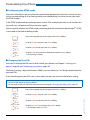
Protection settings . . . . . . . . . . . . . . . . . . . . . . . . . . . . . . . . . . . . . . . . . . . . . . . . . . 58
Managing your private contacts . . . . . . . . . . . . . . . . . . . . . . . . . . . . . . . . . . . . . 59
Configuring Voice Mail . . . . . . . . . . . . . . . . . . . . . . . . . . . . . . . . . . . . . . . . . . . . . . 61
Configuring keys . . . . . . . . . . . . . . . . . . . . . . . . . . . . . . . . . . . . . . . . . . . . . . . . . . . . 62
eud-1093/1.1 – I7.9 – 09.2009
Formulating Functions . . . . . . . . . . . . . . . . . . . . . . . . . . . . . . . . . . . . . . . . . . . . . . 64
44
Aastra 610d
Personalizing Your Phone
Configuring cordless phone functions
This section explains the procedure for making settings on your cordless phone.
■ Switching the cordless phone on/off
You want to switch your phone on or off.
Switching the phone off:
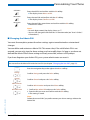
Keep the End call key pressed down for approx. 2 seconds and answer Ok to
the safety prompt.
➔ The phone is switched off.
Or:
Function is also available via the menu: Menu > Settings > General > Switch off.
Notes:
• You cannot switch the phone off in a call.
• When the phone is switched off, incoming calls are stored in the call list.
• When you place the phone in the charging bay, the phone automatically
switches itself on.
Switching the phone on:
Place the phone in the charging bay or keep the End call key pressed down for
approx. 2 seconds.
➔ The phone is switched on.
Note:
If you cordless phone cannot find a system, the display shows "No system". You
can switch to an available system using Menu > Settings > System > System registrations.
■ Locking/unlocking the keypad
You leave your workstation and want to avoid accidentally pressing your phone keys.
You can lock the keypad against unintentional actuation. You can choose whether you want the
keypad to be unlocked automatically when you receive a call or whether you prefer to unlock
the keys manually in any case[a].
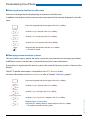
Locking the keypad:
Keep the hash key pressed down for approx. 2 seconds.
➔ The keypad is locked.
eud-1093/1.1 – I7.9 – 09.2009
Unlocking the keypad:
Press the Unlock softkey and the hash key.
➔ The keypad is unlocked.
Unlocking the keypad automatically:
Enable the Auto key lock via Menu > Settings > General.
➔ The keypad is locked automatically after approx. 10 seconds, is displayed. The keypad is automatically unlocked when you receive a call. The
lock is reactivated immediately after the end of the call.
Aastra 610d
45
Personalizing Your Phone
■ Locking your phone
You need to leave your desk and want to ensure that no-one can alter your phone's settings,
look at your private data, or make outside calls from your phone.
You can lock your phone with a PIN consisting of two to ten digits. First change the PIN as
described in chapter "Changing the User PIN", page 54) or use the */# procedure *47 (see "User’s
Guide */# Procedures").
You can lock either just the configuration (Configuration locked) or the entire phone (Phone
locked). With Phone locked your private data cannot be viewed and external calls can only be
made from your phone in accordance with the system settings.
Press the navigation key to the right or the Menu softkey.
Settings
Scroll to Settings and press the Select softkey.
General
Scroll to General and press the Select softkey.
Barring
Scroll to Barring and press the Select softkey.
➔ You are prompted to enter your PIN.
<PIN>
Enter the PIN and confirm with the Ok softkey.
<Setting value>
Select the barring you want and enable with the Select softkey.
➔ The phone is locked, is displayed.
➔ To lock all your phones, execute the *33* <PIN> # function code (see
"User’s Guide */# Procedures").
■ Unlocking your phone
You want to unlock you phone.
You can use your PIN to unlock your phone. If you have forgotten your PIN, your system administrator can reset it to the factory setting.
Press the navigation key to the right or the Menu softkey.
Activated features
<Barring>
46
eud-1093/1.1 – I7.9 – 09.2009
Scroll to Activated features and press the Select softkey.
Select the barring you want and press the Reset softkey.
➔ You are prompted to enter your PIN.
Aastra 610d
Personalizing Your Phone
<PIN>
Enter the PIN and confirm with the Ok softkey.
Free
Scroll to Free and confirm with the Select softkey.
➔ The phone is unlocked.
➔ To lock all your phones, execute the *33* <PIN> # function code (see
"User’s Guide */# Procedures").
■ Activating range alarm and system busy beep
You want to set the system parameters with your cordless phone.
The Range alarm indicates that the connection between your phone and the system is weak.
You can set the phone so that you receive a warning signal if you leave the coverage area
You are making a call and are getting near the limit of the radio area: A warning signal sounds in
the loudspeaker and the LED indicator is flashing red. If you leave the radio area, the call is disconnected.
The System busy beep tells you that the system is overloaded – you need to wait until the system
is available again.
Press the navigation key to the right or the Menu softkey.
Settings
Scroll to Settings and press the Select softkey.
General
Scroll to General and press the Select softkey.
<Setting>
Select the setting you want and switch on or off with the Select softkey.
■ Setting the server alarm
Depending on the system’s settings, you can receive server alarms for specific situations. These
settings are made by your system administrator in the system. Contact your system administrator for more information.
eud-1093/1.1 – I7.9 – 09.2009
When the server alarms are activated in the system, you can select from the alarm signalling as
follows: Vibracall, Progressive ring tone, Suppress ring tone.
A list of all melodies is available.
Press the navigation key to the right or the Menu softkey.
Settings
Scroll to Settings and press the Select softkey.
Aastra 610d
47
Personalizing Your Phone
Server alarm
Scroll to Server alarm and press the Select softkey.
<Setting>
Select the setting you want and switch on or off with the Select softkey.
■ Logging a cordless phone on/off
See (also) the Chapter "Managing communication systems", page 56.
■ Linking the charging contact to direct call answer
You want to choose whether to answer a call simply by lifting the phone out of its charging bay
or whether you also need to press the Call key after lifting out the phone.
You can specify that your cordless phone should behave like a fixed phone when you answer a
call. In this case you do not have to press the Call key when you lift the phone out of its charging
bay.
Press the navigation key to the right or the Menu softkey.
Settings
Scroll to Settings and press the Select softkey.
General
Scroll to General and press the Select softkey.
Scroll to Direct call answer and press the Select softkey.
➔ The setting is stored.
eud-1093/1.1 – I7.9 – 09.2009
Direct call answer
48
Aastra 610d
Personalizing Your Phone
Display settings
This section explains how to set display properties.
■ Setting the display
You want to optimise the display settings.
You can activate or deactivate the following settings:
• Font size (Font)
• Backlight: Brightness, Idle timeout (Duration how long the display backlight remains enabled
after a keystroke), Charging bay timeout (Duration how long the display backlight remains
enabled when the cordless phone is placed in the charging bay), Backlight during call (Enable
function to leave the display dimmed during the entire duration of a call).
Press the navigation key to the right or the Menu softkey.
Settings
Scroll to Settings and press the Select softkey.
Display
Scroll to Display and press the Select softkey.
<Display setting>
Scroll to the display setting you want and press the Select softkey.
Select the setting you want.
Note:
The Select softkey displays the colour scheme you want.
➔ The setting is stored.
eud-1093/1.1 – I7.9 – 09.2009
<Setting value>
Aastra 610d
49
Personalizing Your Phone
■ Setting the LED indicator
You can activate or deactivate the following settings:
•
•
•
•
In Service: The phone is switched on.
Incoming call
Info
Appointment call: Function can only be set with a function code, see Chapter "*/# Procedures", page 64)
• Hands-free operation
• Battery empty
Press the navigation key to the right or the Menu softkey.
Settings
Scroll to Settings and press the Select softkey.
LED indications
Scroll to LED indications and press the Select softkey.
<LED setting>
Scroll to the LED setting you want and confirm with the Select softkey.
Setting the volume
All the ring tone properties are set using the profiles, see Chapter "Profile settings", page 51.
■ Setting the volume during a call
You want to adjust the volume while in a call. The handset and loudspeaker volumes need to be
set separately.
The new volume will remain stored even after the call is ended.
eud-1093/1.1 – I7.9 – 09.2009
Louder: Press top side key.
Quieter: Press bottom side key.
50
Aastra 610d
Personalizing Your Phone
Profile settings
There are five different application profiles to adapt the phones to any given work situation, e.g.
headset or conference mode.
■ Setting up a profile
All your phone’s ringing properties are stored in the profiles.
Three default profiles are factory-set: Normal, Meeting, Charging bay. You can set up to 5 profiles.
A profile comprises a set of ringing and phone settings, which you can specify individually for
each profile. 1 profile is always active in telephone mode. The default profile is the Normal profile. Activate the appropriate profile depending on the situation (e. g. before a meeting you can
activate the Meeting profile). The Charging bay profile is selected automatically whenever the
phone is placed in the charging bay.
You can set the following profile properties:
•
•
•
•
•
•
•
•
•
•
Ring volume
Ring melody for Internal ring, External ring and Discreet ring,
Vibracall
Discreet ring: Phone only rings once.
Auto answer[a]: Phone only rings once and then automatically answers the call without you
having to press for example the call key on the headset. Disable this setting when you do not
make your calls using headset to avoid unnoticed listening by callers.
Suppress ring tone: is displayed.
Progressive ring tone
Loud environment[a]: In a loud environment the phone tries to improve the voice transfer (not
for connections with Bluetooth headset and in hands-free mode). It’s recommended to create a "Loud environment" profile.
Confirmation tone: each keystroke is confirmed with a beep.
Battery warning: battery nearly run-down triggers a warning.
Press the navigation key to the left.
Or:
Profiles are also available via the menu: Menu > Settings > Profiles.
Creating a new profile:
Press the New softkey.
eud-1093/1.1 – I7.9 – 09.2009
New
Aastra 610d
51
Personalizing Your Phone
Modify
Setting up a profile:
1. Scroll to the profile you want and press the Modify softkey.
2. Scroll to the setting you want and confirm your choice of setting with the
Select softkey.
➔ The setting is stored.
Note:
To listen to all the ring properties use the Test softkey.
Rename
Renaming a profile:
Scroll to the profile you want and press the Rename softkey.
➔ The setting is stored.
Delete
Delete profile:
Scroll to the profile you want and press the Delete softkey.
➔ The profile is deleted.
■ Activate profile
In your everyday phoning habits you want to adapt your phone’s ringing properties to each situation.
The ringing properties are stored in different profiles. Select the profile you want from the list of
profiles.
The current profile is indicated on the display (except for Normal profile).
Press the navigation key to the left.
Or:
Profiles are also available via the menu: Menu > Settings > Profiles.
➔ All the profiles are displayed.
Select the profile you want and activate with the Select softkey.
➔ The profile is activated.
eud-1093/1.1 – I7.9 – 09.2009
Select
52
Aastra 610d
Personalizing Your Phone
Hands-free and headset settings
This section explains other ways in which you can make calls with your phone.
■ Connecting a headset
Connect your headset to the socket on the bottom left-hand side of your phone. The headset
mode is then automatically activated.
■ Activating headset operation
You have connected a headset and now want to activate the headset mode.
A headset can be connected in parallel with the handset.
If you answer a call in headset mode using the Call key or Loudspeaker key, the call is provided
on the headset.
This phone supports wireless headsets based on the DHSG standard, which allows you to set up
and to end calls from the headset. Ask your dealer which headsets are particularly well suited
for this phone.
Note:
To find out how to phone with headset, refer to the Chapter "Using a Headset", page 17.
General settings
This section explains other settings you can make on your phone.
■ Selecting the language
The display text is not in the language you want.
You can select a different language. The menu item under which you select your language is
marked by an "*" in front of the word for "language" in the language of your choice, e.g. "*Language" for English.
eud-1093/1.1 – I7.9 – 09.2009
Press the navigation key to the right or the Menu softkey.
<*Language>
Scroll to *Language and press the Select softkey.
<Language>
Aastra 610d
Select the language you want and confirm with the Select softkey.
➔ The display text appears in your selected language.
53
Personalizing Your Phone
■ Configuring the DTMF mode
You want to be able to use your phone to control other equipment or to access certain services,
such as remote polling of an answering machine or telebanking. For these services you need
the DTMF mode[a].
In the DTMF mode each keystroke generates a tone. If for example you enter a call number during a call, your call partner will hear the tone signals.
You can specify whether the DTMF mode should be generally activated or deactivated[a]. DTMF
is activated as the default dialling mode.
Press the navigation key to the right or the Menu softkey.
Settings
Scroll to Settings and press the Select softkey.
General
Scroll to General and press the Select softkey.
DTMF
Scroll to DTMF and activate or deactivate with the Select softkey.
➔ The setting is stored.
■ Changing the User PIN
You want to change the PIN used to lock/unlock your phone (see Chapter "Locking your
phone", page 46 and "Unlocking your phone", page 46).
The factory setting is digit combination "0000"; you can select any 2 to 10-digit combination for
your new PIN.
If you have forgotten your PIN, your system administrator can reset it to the factory setting.
Notes:
• Your User PIN applies to all your phones.
• Do not confuse the User PIN with the Admin PIN (see chapter "Changing the Admin PIN", page 55).
Press the navigation key to the right or the Menu softkey.
Settings
Scroll to Settings and press the Select softkey.
eud-1093/1.1 – I7.9 – 09.2009
General
Scroll to General and press the Select softkey.
New user PIN
54
Scroll to New user PIN and press the Select softkey.
➔ The display shows User PIN.
Aastra 610d
Personalizing Your Phone
<Old PIN>
Enter the old PIN and confirm with the Ok softkey.
➔ The display shows New user PIN.
<New PIN>
Enter the new PIN and confirm with the Ok softkey.
➔ The display shows Confirm user PIN.
<New PIN>
Enter the new PIN a second time and confirm with the Ok softkey.
➔ New PIN is stored.
Notes:
• For each digit entered, the display shows an "*".
• You can also change the PIN with the *47 function code (see "User’s Guide */
# Procedures").
■ Changing the Admin PIN
You want for example to protect the alarm settings against unauthorized or unintentional
changes.
You can define and activate an Admin PIN. This means that, if the valid Admin PIN is not
entered, you can only view the alarm settings and not modify them. As long as you have not
defined the Admin PIN all alarm settings are freely accessible, without a PIN prompt.
If you have forgotten your Admin PIN, your system administrator can reset it.
Note:
Do not confuse the Admin PIN with the User PIN (see chapter "Changing the User PIN", page 54).
Press the navigation key to the right or the Menu softkey.
Settings
Scroll to Settings and press the Select softkey.
General
Scroll to General and press the Select softkey.
Administration
Scroll to Administration and press the Select softkey.
New admin PIN
1. Scroll to New admin PIN and press the Select softkey.
2. Enter the PIN you want and confirm with the Ok softkey.
➔ The setting is stored.
eud-1093/1.1 – I7.9 – 09.2009
Note:
Delete the current PIN if you prefer to enter your alarm settings without the
Admin PIN.
Aastra 610d
55
Personalizing Your Phone
■ Entering display text for the idle state
You want to change the text displayed by your phone in the idle state.
In addition to the date and time you can enter a personal text for the text displayed in the idle
state.
Press the navigation key to the right or the Menu softkey.
Settings
Scroll to Settings and press the Select softkey.
General
Scroll to General and press the Select softkey.
Idle text
Scroll to Idle text and press the Modify softkey.
<Text>
Enter the text and confirm with the Save softkey.
➔ The text is stored.
■ Managing communication systems
This menu allows you to specify the active system for your phone and to manage registrations
to different systems. Contact your system administrator for more information.
If your phone is registered with several systems, the name of the active system is shown on the
display.
The DECT-specific information is retrievable in the DECT identities menu.
For more information on the Download server refer to Chapter "Software", page 67.
Press the navigation key to the right or the Menu softkey.
Settings
Scroll to Settings and press the Select softkey.
System
Scroll to System and press the Select softkey.
System registration
New
56
eud-1093/1.1 – I7.9 – 09.2009
Scroll to System registrations and press the Select softkey.
Registering to a new system:
Press the New softkey, enter AC code, and press the Save softkey.
➔ The phone searches for the system.
Aastra 610d
Personalizing Your Phone
Rename
Renaming a system:
Scroll to the system you want and press the Rename softkey.
Enter a new number and press the Save softkey.
➔ The setting is stored.
Delete
Deleting a system:
Scroll to the system you want, press the Delete softkey and answer Ok to the
safety prompt.
➔ The system is deleted.
Select
Switching system:
Scroll to the system you want and confirm with the Select softkey.
Or:
Switching the phone manually to the next available system (with 2 systems):
Press and hold down key 2[a].
Choice of available systems (with 3-4 systems): Press and hold down key 2 >
Select system[a].
■ Retrieving information on your phone
Your phone’s software-relevant data is stored in this menu.
Press the navigation key to the right or the Menu softkey.
Settings
Scroll to Settings and press the Select softkey.
General
Scroll to General and press the Select softkey.
Information
Scroll to Information and press the Select softkey.
<Information>
Select the setting you want.
➔ The information can now be retrieved.
eud-1093/1.1 – I7.9 – 09.2009
Or:
The software version is also available via key assignment: Press and hold down
key 5 > SW version[a].
Aastra 610d
57
Personalizing Your Phone
Protection settings
This section explains how you can protect yourself against certain types of call.
■ Activating protection against certain types of calls
You want to protect yourself against certain types of calls.
You can set that Do not disturb, Call waiting, Call intrusion, Announcement, Forwarding is not
allowed on your phone. Ask your system administrator whether these functions are enabled on
the system.
Press the navigation key to the right or the Menu softkey.
Settings
Scroll to Settings and press the Select softkey.
Protection
Scroll to Protection and press the Select softkey.
<Setting value>
Select the setting you want and switch on or off with the Select softkey.
➔ The setting is stored.
eud-1093/1.1 – I7.9 – 09.2009
Note:
You can deactivate an activated protection using Menu > Activated features >
Reset.
58
Aastra 610d
Personalizing Your Phone
Managing your private contacts
This section explains how to manage your private contacts.
■ Creating a new contact entry
You want to store your own phone numbers. You can store your own phone numbers as private
contacts.
For each contact you have the possibility of making several call number entries (Business ,
Mobile , Private ). You can specify one of these numbers as the standard call number, the
one which is used whenever you do not make a particular selection.
Press the navigation key downwards.
Or:
Phone book is also available via the menu: Menu > Phone book.
Private contacts
Scroll to Private contacts and press the Select softkey.
New
Press the New softkey.
<Contact>
Default
Enter the user’s contact data (Name , Business , Mobile
Use the navigation key to scroll between the entries.
Confirm with the Save softkey.
➔ The contact is now stored.
, Private
).
Specify the selected phone number as default number using the Default
softkey.
■ Editing or deleting a contact
You want to edit a call number which you have stored in your private contacts.
Note:
You cannot modify entries in other phone books.
Press the navigation key downwards.
Or:
Phone book is also available via the menu: Menu > Phone book.
Private contacts
eud-1093/1.1 – I7.9 – 09.2009
Scroll to Private contacts and press the Select softkey.
Aastra 610d
59
Personalizing Your Phone
Edit
Delete
To change an entry:
Select the entry you want and press the Edit softkey.
Modify the contact data and confirm with the Save softkey.
To delete an entry:
Select the entry you want and press the Delete softkey.
➔ The entry is now deleted.
■ Transferring a call number from the call list to the private contacts
You want to transfer a call number from one of the call lists to your private contacts.
You can add a phone number to an existing contact or create a new contact.
Press the navigation key to the right or the Menu softkey.
Call lists
Scroll to Call lists and press the Select softkey.
<Call list>
Select the call list and user you want and press the Save softkey.
Add to exist. contact
Adding new contact:
Press the Add new contact softkey, select the number type you want, and confirm with the Save softkey.
eud-1093/1.1 – I7.9 – 09.2009
Add new contact
Adding to existing contact:
Press the Add to existing contact softkey, select the contact and number type
you want, and confirm with the Save softkey.
60
Aastra 610d
Personalizing Your Phone
Configuring Voice Mail
This section explains how to set your Voice Mail.
■ Managing a personal greeting
You have the possiblity to record up to 3 different greetings (e.g. for absence or holiday)[a].
Enter the appropriate name for each greeting. If no personal greeting is activated or if none is
available, the global greeting is activated automatically, provided it has been recorded. Contact
your system administrator for more information.
Press the navigation key to the right or the Menu softkey.
Voice Mail>Greeting
Scroll to Voice Mail and Greeting and press the Select softkey.
<Greeting>
Renaming a greeting:
Select the greeting you want and press the Modify softkey.
➔ Enter the appropriate name for your personal greeting.
<Greeting>
Recording a greeting:
Select the greeting you want and press the Record softkey.
➔ Now record your personal greeting text.
<Greeting>
Listening to the greeting:
Select the greeting you want and press the Listen softkey.
➔ You can monitor your personal greeting text and re-record it if necessary.
<Greeting>
Select the greeting:
Select the greeting you want and confirm with the Ok softkey.
➔ The announcement last recorded is automatically activated.
eud-1093/1.1 – I7.9 – 09.2009
Notes:
• To find out how to configure forwarding to your Voice Mail, refer to the Chapter "Forwarding to Voice Mail", page 36.
• For more information on Voice Mail please refer to the Chapter "Listening to
Voice Mail", page 38 or to the "User’s Guide Voice Mail Systems".
Aastra 610d
61
Personalizing Your Phone
Configuring keys
This section explains how to assign phone numbers and functions to a configurable key.
■ Available keys
You can store phone numbers and functions[a] directly on a softkey that are only retrievable in
the idle position.
You can assign each key with a specific type so you can trigger a particular action by simply
pressing that key. Choice available:
• Number key: Storing the phone number;
• Function key: Activating/deactivating a function.
■ Storing a phone number on a key - Number key
You want to retrieve a frequently used phone number with a single keystroke rather than enter
it digit by digit.
On each softkey you can store one call number and the associated name. The key automatically
becomes a number key.
The system administrator can disable any possibility of modifying the configuration of a key
that has already been configured.
<long>
Keep the key you want pressed down for approx. 2 seconds.
Or:
Keys are also available via the menu: Menu > Settings > Keys > Softkeys.
Creating a new key assignment:
Press the New softkey or directly select the Number key, enter the name and
number, and confirm with the Save softkey.
➔ The allocated function is stored.
Modify
Modify a key assignment:
Select the key you want and press the Modify softkey. Make the changes and
confirm with the Save softkey.
➔ The allocated function is stored.
Delete
Deleting a key assignment:
Select the key you want and confirm with the Delete softkey.
➔ The assignment is deleted.
eud-1093/1.1 – I7.9 – 09.2009
New
62
Aastra 610d
Personalizing Your Phone
■ Storing a function on a key – function key
You want to retrieve a frequently used function - for example "call forwarding on no reply" using a single keystroke rather than having to enter it by hand. Usually the function is assigned
so that you:
• activate the function with the first keystroke,
• and deactivate the command again with a second keystroke.
<long>
New
Keep the key you want pressed down for approx. 2 seconds.
Or:
Keys are also available via the menu: Menu > Settings > Keys > Softkeys.
Creating a new key assignment:
Press the New softkey or directly select the Function key, select the function
and confirm with the Save softkey.
➔ The allocated function is stored.
Modify
Modify a key assignment:
Select the key you want and press the Modify softkey. Make the changes and
confirm with the Save softkey.
➔ The allocated function is stored.
Delete
Deleting a key assignment:
Select the key you want and confirm with the Delete softkey.
➔ The assignment is deleted.
eud-1093/1.1 – I7.9 – 09.2009
Note:
Besides the predefined functions you can also define your own function. For
more information please refer to the Chapter "Function Commands", page 64.
Aastra 610d
63
Personalizing Your Phone
Formulating Functions
This section explains how to activate an individual function, for example call forwarding, using function commands and how to assign it to a key.
■ Function Commands
You can use function commands to define a function to suit your personal requirements. A
function can consist of one or more function commands, function codes, and the phone
number.
You can either carry out a function directly or store it on a function key (select Configurable
function).
Tab. 1
The following function commands are available:
"I"
Seize line
"X"
Disconnect
"P"
Pause 1 second before the next operation
"N"
Use the phone number entered in call preparation
"."
Control key function (up-circuit system)
"Z"
Activate/deactivate DTMF mode
"R"
Use the phone number last dialled
"Y"
Disconnect and reseize the line.
Tab. 2
Examples of how to define a function:
"IR"
Seize line ("I"),
Dial phone number last dialled ("R")
"I201"
Seize line ("I") and dial phone number 201
"I*21201X"
Seize line ("I"),
Activate call forwarding ("*21") to phone number 201,
Disconnect ("X")
■ */# Procedures
A list with all */# procedures can be found at http://www.aastra.com/docfinder ("User’s Guide */
# Procedures" User’s Guide).
64
Aastra 610d
eud-1093/1.1 – I7.9 – 09.2009
Notes:
• Text mode has to be activated before you can enter function commands.
• Functions that are not available via the menu can be activated using the */#
procedures (see "User’s Guide */# Procedures").
• You can either type in a */# procedure directly or store it under a key.
• You can only activate certain */# procedures if the same function cannot be
obtained via the menu.
• The availability of certain */# procedures may be restricted depending on the
system and software version.
Installation and
commissioning
These sections explain the setup options available with your phone.
Equipment provided . . . . . . . . . . . . . . . . . . . . . . . . . . . . . . . . . . . . . . . . . . . . . . . . 66
Options . . . . . . . . . . . . . . . . . . . . . . . . . . . . . . . . . . . . . . . . . . . . . . . . . . . . . . . . . . . . . 66
Connecting a cordless phone . . . . . . . . . . . . . . . . . . . . . . . . . . . . . . . . . . . . . . . . 67
Battery. . . . . . . . . . . . . . . . . . . . . . . . . . . . . . . . . . . . . . . . . . . . . . . . . . . . . . . . . . . . . . 68
Carry clip or swivel clip . . . . . . . . . . . . . . . . . . . . . . . . . . . . . . . . . . . . . . . . . . . . . . 69
Carry strap . . . . . . . . . . . . . . . . . . . . . . . . . . . . . . . . . . . . . . . . . . . . . . . . . . . . . . . . . . 69
eud-1093/1.1 – I7.9 – 09.2009
Logging your phone on . . . . . . . . . . . . . . . . . . . . . . . . . . . . . . . . . . . . . . . . . . . . . 70
Aastra 610d
65
Installation and commissioning
Equipment provided
Cordless phone
Battery
Charging bay and plug-in
power supply unit with country-specific adapters
Quick User's Guide and safety
information
Options
Carry strap
eud-1093/1.1 – I7.9 – 09.2009
"Easy" or "Rotary" belt clip
66
Aastra 610d
Installation and commissioning
Connecting a cordless phone
■ Connecting the charging bay
The phone can be operated without modifying the charging bay.
1. Plug the cable connector into the socket on the underside of the charging bay.
2. Feed the cable through the strain relief provided.
3. Plug the plug-in power adapter into an available socket outlet.
Note:
Plug designs vary from country to country.
■ Power supply / Plug-in power supply unit
The power supply unit is rated for 100 V to 240 V AC (50-60 Hz). It is supplied with four interchangeable adapters, which means it can be used more or less worldwide. Where necessary, fit
the standard adapter head for your country to the power supply unit. As the plug-in power supply unit comes in two variants, the assembly differs slightly:
• Variant 1: Set the switch on the power supply unit to OPEN and slide the existing adapter
head upwards and out. Next fit the new adapter head to the power supply unit and lock it
into place using the switch (LOCK).
• Variant 2: First remove any adapter head that may already be fitted by pressing OPEN. Next
fit the new adapter head onto the power supply unit at a slight angle with the end marked
TOP at the top. Press it down until it clicks into place.
■ Software
eud-1093/1.1 – I7.9 – 09.2009
New device software can simply be updated during operation using automatic firmware
updates, reducing maintenance costs as a result.
Aastra 610d
67
Installation and commissioning
Battery
Take also note of the safety information on handling the battery set out in Chapter "Dealing with
batteries", page 9.
■ Inserting the battery
1. Push the battery cover downwards until it is released from the lock, then take it off.
2. Insert the battery with the contacts downwards.
3. Replace the battery cover and push it upwards until it locks.
■ Charging the battery
The batteries are supplied uncharged. To charge the batteries, place the phone in the charging
bay.
It is only after the battery has been charged for the first time that your phone is ready for use,
that calls can be answered and that you can make calls from the phone.
eud-1093/1.1 – I7.9 – 09.2009
Notes:
• It takes several charging cycles before a new battery reaches full capacity.
• The technical data can be found in the Chapter "Technical Data", page 74.
• The descriptions of the display symbols can be found in the Chapter "Display symbols", page 4.
• Poor radio links (sizeable distance to the system’s radio station) will reduce the phone’s standby and
talk times. The standby and talk times are also reduced by high loudspeaker or ring tone volumes, frequently used keypad and display backlighting, and activated vibra alarms.
68
Aastra 610d
Installation and commissioning
Carry clip or swivel clip
■ Fitting / removing the carry clip or swivel clip
The carry clip supplied with the phone is placed on the two openings at the top end of the
phone and pressed in until it snaps into place. To remove the carry clip, press the small recesses
on the edge of the strap and gently pull the strap apart.
The phone can also be equipped with a swivel clip accessory. The holding clip is also placed on
the two openings at the top end of the phone and pressed in until it snaps into place. Next slide
the clip onto the prominent button. To release the phone from the clip, press the upper button.
Carry strap
■ Securing the carry strap
eud-1093/1.1 – I7.9 – 09.2009
The top part of the carry clip has two openings. You can feed the bottom end of the carry strap
through these openings (detach the carry clip first before fitting the strap). Carry straps are
optionally available.
Aastra 610d
69
Installation and commissioning
Logging your phone on
■ Registering your phone on the system
Your system administrator has to prepare the system before you can log on your phone.
Your phone can be operated on a maximum of 4 different communication systems. To do so, it
must be registered on each system. As a rule your phone is registered with the communication
system by your system administrator. Contact your system administrator for more information.
■ Registration
A registration is stored on the phone for each communication system with which your phone is
registered. A registration entry contains, among others, a system name (e. g. A, B, C).
If your phone is registered with several systems, the name of the active system is shown on the
display.
■ Register
eud-1093/1.1 – I7.9 – 09.2009
Once the phone is registered with one or more communications systems, you can make and
receive phone calls (see also Chapter "Managing communication systems", page 56).
70
Aastra 610d
Further information
The following sections contain more useful information about your phone.
Troubleshooting . . . . . . . . . . . . . . . . . . . . . . . . . . . . . . . . . . . . . . . . . . . . . . . . . . . . .72
eud-1093/1.1 – I7.9 – 09.2009
Technical Data . . . . . . . . . . . . . . . . . . . . . . . . . . . . . . . . . . . . . . . . . . . . . . . . . . . . . .74
Aastra 610d
71
Further information
Troubleshooting
This section contains a few tips on how to operate your phone if you encounter any problems.
■ Malfunctions
The display shows: "System overload"
At the moment no connection can be set up via the current system base. The phone is trying to set up
a better radio connection with the same or a different system base. This message appears in standby
mode only.
The display shows: "No System"
You have moved out of the coverage area; the radio connection is interrupted. Move closer to a radio
station.
Leaving the coverage area
You are outside the coverage range. You can set the phone so that you receive a warning signal if you
leave the coverage area (see Chapter "Activating range alarm and system busy beep", page 47).
Display is working, but connection is not possible
Your phone may be locked. Unlock your phone (see Chapter "Locking/unlocking the keypad", page 45).
Insufficient display contrast
The setting for the display contrast is inadequate. Change the setting (see Chapter "Setting the display",
page 49).
Impaired sound quality during hands-free operation
The sound quality can be affected if the volume is too loud – turn down the volume. If the sound quality
fluctuates, contact your system administrator.
eud-1093/1.1 – I7.9 – 09.2009
Note:
For all other messages, faults and questions you may have, contact your system administrator.
72
Aastra 610d
Further information
System and software-related functions
You want to activate a feature described in this User’s Guide but the system will not let you.
Some systems or system versions do not support all the features. The corresponding text sections are identified by a letter inside square brackets [a]. The list below indicates which system
versions support the relevant features. Contact your system administrator for more information.
I7.9
[a]
x
[b]
[c]
eud-1093/1.1 – I7.9 – 09.2009
[d]
Aastra 610d
73
Further information
Technical Data
■ Operation
Standards
DECT, GAP
DECT encryption
supported
Frequency range
1880 MHz up to 1900 MHz
Transmitted power
10 mW (average power per channel)
Range
• up to 300 m outdoors
• up to 50 m in indoors
■ Interfaces
Headset
2,5 mm jack
■ Battery charge and usage times
Battery capacitance
850 mAh lithium-ion (Li-Ion)
Operating time, talk time
up to 12 hours
Operating time, standby
up to 100 hours
Charging time in the charging bay
2 hours for fully charged state
■ Ambient conditions
Operating temperature
5° C to 40° C
Storage temperature
-5° C to +45° C
Class of protection
IP 50
Noise
Ambient noise filter for loud environments
Hands-free operation
Full-duplex hands-free operation
■ Dimensions, weight and surface finish
Length x Width x Depth: 135 x 49 x 22.5 mm
120 g
Charging bay without mains adapter
Length x Width x Depth: 76 x 75 x 24 mm
40 g
Surface finish (sides and front)
Silicone treated
74
eud-1093/1.1 – I7.9 – 09.2009
Cordless phone with battery
Aastra 610d
Index
%, *,+...
D
*/# Procedures . . . . . . . . . . . . . . . . . . . . . . . . . . . . . . . 64
Dealing with batteries . . . . . . . . . . . . . . . . . . . . . . . . . 9
Deflect . . . . . . . . . . . . . . . . . . . . . . . . . . . . . . . . . . . . . . . 37
Deleting a contact . . . . . . . . . . . . . . . . . . . . . . . . . . . . 59
Dialling . . . . . . . . . . . . . . . . . . . . . . . . . . . . . . . . . . . . . . . 13
Dialling by Name . . . . . . . . . . . . . . . . . . . . . . . . . . . . . 25
Dialling from the Call List of Answered Calls . . . 27
Dialling from the Call List of Unanswered Calls . 26
Dialling from the phone book . . . . . . . . . . . . . . . . . 26
Dialling with a softkey . . . . . . . . . . . . . . . . . . . . . . . . 28
Dialling with Redial . . . . . . . . . . . . . . . . . . . . . . . . . . . 27
Dialling with the Phone Number . . . . . . . . . . . . . . 15
Digit keys . . . . . . . . . . . . . . . . . . . . . . . . . . . . . . . . . . . . 20
Dimensions, weight and surface finish . . . . . . . . . 74
Disclaimer . . . . . . . . . . . . . . . . . . . . . . . . . . . . . . . . . . . . 10
Display . . . . . . . . . . . . . . . . . . . . . . . . . . . . . . . . . . . . . . . 49
Display symbols . . . . . . . . . . . . . . . . . . . . . . . . . . . . . . . 4
Disposal (Safety information) . . . . . . . . . . . . . . . . . . 9
Do not disturb (Protection) . . . . . . . . . . . . . . . . . . . 58
Document information . . . . . . . . . . . . . . . . . . . . . . . 11
A
Accessing the menu . . . . . . . . . . . . . . . . . . . . . . . . . . 22
Accessories (Safety information) . . . . . . . . . . . . . . . .9
Activate profiles . . . . . . . . . . . . . . . . . . . . . . . . . . . . . . 52
Adjusting the volume . . . . . . . . . . . . . . . . . . . . . . . . 50
Alpha search . . . . . . . . . . . . . . . . . . . . . . . . . . . . . . . . . 26
Ambient conditions . . . . . . . . . . . . . . . . . . . . . . . . . . 74
Ambient conditions (Safety information) . . . . . . . .8
Announcement (Protection) . . . . . . . . . . . . . . . . . . 58
Answering a Call . . . . . . . . . . . . . . . . . . . . . . . . . . . . . 14
Answering Call Waiting . . . . . . . . . . . . . . . . . . . . . . . 30
Answering Calls . . . . . . . . . . . . . . . . . . . . . . . . . . . . . . 25
Auto answer . . . . . . . . . . . . . . . . . . . . . . . . . . . . . . . . . 51
Availability of telephone connections (Safety
information) . . . . . . . . . . . . . . . . . . . . . . . . . . . . . . . . . . .8
Available keys . . . . . . . . . . . . . . . . . . . . . . . . . . . . . . . . 62
B
Backlight . . . . . . . . . . . . . . . . . . . . . . . . . . . . . . . . . . . . . 49
Battery charge and usage times . . . . . . . . . . . . . . 74
Brokering . . . . . . . . . . . . . . . . . . . . . . . . . . . . . . . . . . . . 32
eud-1093/1.1 – I7.9 – 09.2009
C
Call duration . . . . . . . . . . . . . . . . . . . . . . . . . . . . . . . . . 14
Call Forwarding . . . . . . . . . . . . . . . . . . . . . . . . . . .34, 36
Call list . . . . . . . . . . . . . . . . . . . . . . . . . . . . . . . . . . . .26, 27
Call waiting (Protection) . . . . . . . . . . . . . . . . . . . . . . 58
Call waiting with an internal user . . . . . . . . . . . . . 29
Changing the PIN (Admin PIN) . . . . . . . . . . . . . . . . 55
Changing the PIN (User PIN) . . . . . . . . . . . . . . . . . . 54
Charges . . . . . . . . . . . . . . . . . . . . . . . . . . . . . . . . . . . . . . 14
Charging the battery . . . . . . . . . . . . . . . . . . . . . . . . . 68
CLIR . . . . . . . . . . . . . . . . . . . . . . . . . . . . . . . . . . . . . . . . . 41
Configuring Keys . . . . . . . . . . . . . . . . . . . . . . . . . . . . . 62
Configuring Phone Functions . . . . . . . . . . . . . . . . . 45
Configuring the DTMF mode . . . . . . . . . . . . . . . . . 54
Configuring Voice Mail . . . . . . . . . . . . . . . . . . . . . . . 61
Connect . . . . . . . . . . . . . . . . . . . . . . . . . . . . . . . . . . . . . 33
Connecting a cordless phone . . . . . . . . . . . . . . . . . 67
Connecting a headset . . . . . . . . . . . . . . . . . . . . . . . . 53
Connecting the charging bay . . . . . . . . . . . . . . . . . 67
Correcting your Input . . . . . . . . . . . . . . . . . . . . . . . . 21
Cost control and Data protection
(Safety information) . . . . . . . . . . . . . . . . . . . . . . . . . . . .8
Creating a new contact entry . . . . . . . . . . . . . . . . . 59
Aastra 610d
E
Editing contacts . . . . . . . . . . . . . . . . . . . . . . . . . . . . . . 59
Enabling/disabling function . . . . . . . . . . . . . . . . . . . 23
Ending a Call . . . . . . . . . . . . . . . . . . . . . . . . . . . . . . . . . 14
Enquiry Call During a Call . . . . . . . . . . . . . . . . . . . . . 32
Entering display text for the idle state . . . . . . . . . 56
Enters digits . . . . . . . . . . . . . . . . . . . . . . . . . . . . . . . . . . 20
Enters letters . . . . . . . . . . . . . . . . . . . . . . . . . . . . . . . . . 20
Equipment provided . . . . . . . . . . . . . . . . . . . . . . . . . . 66
F
Firmware update . . . . . . . . . . . . . . . . . . . . . . . . . . . . . 67
First-Time Operation . . . . . . . . . . . . . . . . . . . . . . . . . . 65
Fitting / removing the carry clip . . . . . . . . . . . . . . . 69
Fitting / removing the swivel clip . . . . . . . . . . . . . . 69
Font . . . . . . . . . . . . . . . . . . . . . . . . . . . . . . . . . . . . . . . . . . 49
Formulating Functions . . . . . . . . . . . . . . . . . . . . . . . . 64
Forwarding (Protection) . . . . . . . . . . . . . . . . . . . . . . 58
Forwarding a Call . . . . . . . . . . . . . . . . . . . . . . . . . . . . . 34
Forwarding a call during the ringing phase . . . . 37
Forwarding a Call on No Reply . . . . . . . . . . . . . . . . 35
Forwarding on No Reply . . . . . . . . . . . . . . . . . . . . . . 35
Forwarding to message . . . . . . . . . . . . . . . . . . . . . . . 36
Forwarding to Voice Mail . . . . . . . . . . . . . . . . . . . . . 36
Foxkey . . . . . . . . . . . . . . . . . . . . . . . . . . . . . . . . . . . . . . . . 3
Function Commands . . . . . . . . . . . . . . . . . . . . . . . . . 64
Function key . . . . . . . . . . . . . . . . . . . . . . . . . . . . . . . . . 63
75
H
Organising absences from the desk . . . . . . . . . . . .34
Hands-free mode and Ringing tone (Safety
information) . . . . . . . . . . . . . . . . . . . . . . . . . . . . . . . . . . . 8
Hands-free operation . . . . . . . . . . . . . . . . . . . . . . . . . 16
Headset . . . . . . . . . . . . . . . . . . . . . . . . . . . . . . . . . . . . . . 17
P
Inserting the battery . . . . . . . . . . . . . . . . . . . . . . . . . . 68
Installation . . . . . . . . . . . . . . . . . . . . . . . . . . . . . . . . . . . 65
Intended Purpose . . . . . . . . . . . . . . . . . . . . . . . . . . . . . 10
Interfaces . . . . . . . . . . . . . . . . . . . . . . . . . . . . . . . . . . . . . 74
Intrusion (Protection) . . . . . . . . . . . . . . . . . . . . . . . . . 58
Q
L
Quick search . . . . . . . . . . . . . . . . . . . . . . . . . . . . . . . . . .25
LED indications . . . . . . . . . . . . . . . . . . . . . . . . . . . . . . . 50
LED indicator . . . . . . . . . . . . . . . . . . . . . . . . . . . . . . . . . 23
Linking the charging contact to direct
answering . . . . . . . . . . . . . . . . . . . . . . . . . . . . . . . . . . . . 48
Listening to Voice Mail . . . . . . . . . . . . . . . . . . . . . . . . 38
Locking the phone . . . . . . . . . . . . . . . . . . . . . . . . . . . . 46
Locking/unlocking the keypad . . . . . . . . . . . . . . . . 45
Logging a cordless phone on/off . . . . . . . . . . . . . . 48
R
M
Mains connection (Safety information) . . . . . . . . . 8
Maintenance (Safety information) . . . . . . . . . . . . . . 8
Making a Call . . . . . . . . . . . . . . . . . . . . . . . . . . . . . . . . . 13
Making a call on a third-party phone . . . . . . . . . . 40
Making a Conference Call . . . . . . . . . . . . . . . . . . . . . 33
Making calls . . . . . . . . . . . . . . . . . . . . . . . . . . . . . . . . . . 25
Malfunctions . . . . . . . . . . . . . . . . . . . . . . . . . . . . . . . . . 72
Managing a personal greeting . . . . . . . . . . . . . . . . 61
Managing communication systems . . . . . . . . . . . 56
Managing your private contacts . . . . . . . . . . . . . . . 59
MCID . . . . . . . . . . . . . . . . . . . . . . . . . . . . . . . . . . . . . . . . . 41
MCID function (Malicious Call Identification) . . . 41
Medical equipment (Safety information) . . . . . . . . 8
Menu-Guided Navigation . . . . . . . . . . . . . . . . . . . . . 22
Moving the Cursor . . . . . . . . . . . . . . . . . . . . . . . . . . . . 21
Muting the Microphone . . . . . . . . . . . . . . . . . . . . . . . 16
N
Navigation key . . . . . . . . . . . . . . . . . . . . . . . . . . . . . . . 22
Number key . . . . . . . . . . . . . . . . . . . . . . . . . . . . . . . . . . 62
O
One Number user concept . . . . . . . . . . . . . . . . . . . . . 7
Operating elements . . . . . . . . . . . . . . . . . . . . . . . . . . . 2
Operation . . . . . . . . . . . . . . . . . . . . . . . . . . . . . . . . . . . . 74
Options . . . . . . . . . . . . . . . . . . . . . . . . . . . . . . . . . . . . . . 66
76
Range alarm . . . . . . . . . . . . . . . . . . . . . . . . . . . . . . . . . .47
Reading text messages . . . . . . . . . . . . . . . . . . . . . . . .39
Receiving an Announcement . . . . . . . . . . . . . . . . . .31
Redial . . . . . . . . . . . . . . . . . . . . . . . . . . . . . . . . . . . . .15, 27
Register . . . . . . . . . . . . . . . . . . . . . . . . . . . . . . . . . . . . . . .70
Registering your phone on the system . . . . . . . . .70
Registration . . . . . . . . . . . . . . . . . . . . . . . . . . . . . . . . . . .70
Reject . . . . . . . . . . . . . . . . . . . . . . . . . . . . . . . . . . . . . . . . .37
Rejecting a call during the ringing phase . . . . . . .37
Remote control . . . . . . . . . . . . . . . . . . . . . . . . . . . . . . .43
Requesting a Callback . . . . . . . . . . . . . . . . . . . . . . . . .28
Resetting activated features . . . . . . . . . . . . . . . . . . .23
Retrieving information on your phone . . . . . . . . .57
Ring alone . . . . . . . . . . . . . . . . . . . . . . . . . . . . . . . . . . . .43
Risk of explosion through sparking
(Safety information) . . . . . . . . . . . . . . . . . . . . . . . . . . . .8
S
Safety Information . . . . . . . . . . . . . . . . . . . . . . . . . . . . .8
Securing the carry strap . . . . . . . . . . . . . . . . . . . . . . .69
Selecting the language . . . . . . . . . . . . . . . . . . . . . . . .53
Sending text messages . . . . . . . . . . . . . . . . . . . . . . . .38
Setting the display . . . . . . . . . . . . . . . . . . . . . . . . . . . .49
Setting the LED indicator . . . . . . . . . . . . . . . . . . . . . .50
Setting the server alarm . . . . . . . . . . . . . . . . . . . . . . .47
Setting the volume during a call . . . . . . . . . . . . . . .50
Setting up profiles . . . . . . . . . . . . . . . . . . . . . . . . . . . .51
Signals . . . . . . . . . . . . . . . . . . . . . . . . . . . . . . . . . . . . . . . .23
Softkey . . . . . . . . . . . . . . . . . . . . . . . . . . . . . . . . . . . . 3, 19
Software . . . . . . . . . . . . . . . . . . . . . . . . . . . . . . . . . . . . . .67
Software dependency . . . . . . . . . . . . . . . . . . . . . . . . .73
Starting an Announcement . . . . . . . . . . . . . . . . . . . .30
Store a phone number under a key . . . . . . . . . . . .62
Storing a function on a key . . . . . . . . . . . . . . . . . . . .63
Aastra 610d
eud-1093/1.1 – I7.9 – 09.2009
I
Parking a Call Partner . . . . . . . . . . . . . . . . . . . . . . . . . .34
Personal call routing . . . . . . . . . . . . . . . . . . . . . . . . . .42
Picking up a Call . . . . . . . . . . . . . . . . . . . . . . . . . . . . . .39
Plug-in power adapter . . . . . . . . . . . . . . . . . . . . . . . .67
Power supply . . . . . . . . . . . . . . . . . . . . . . . . . . . . . . . . .67
Pressing a Key . . . . . . . . . . . . . . . . . . . . . . . . . . . . . . . . .19
Private call with PIN . . . . . . . . . . . . . . . . . . . . . . . . . . .31
Protection settings . . . . . . . . . . . . . . . . . . . . . . . . . . . .58
Supplementary features . . . . . . . . . . . . . . . . . . . . . . 24
Suppressing your call number . . . . . . . . . . . . . . . . 41
Switching the cordless phone on/off . . . . . . . . . . 45
System busy beep . . . . . . . . . . . . . . . . . . . . . . . . . . . . 47
System dependency . . . . . . . . . . . . . . . . . . . . . . . . . . 73
System Information . . . . . . . . . . . . . . . . . . . . . . . . . . . .7
T
Technical Data . . . . . . . . . . . . . . . . . . . . . . . . . . . . . . . 74
Text mode . . . . . . . . . . . . . . . . . . . . . . . . . . . . . . . . . . . 20
To activate headset operation . . . . . . . . . . . . . . . . 53
To answer the callback request . . . . . . . . . . . . . . . 29
Tracing a Malicious Call . . . . . . . . . . . . . . . . . . . . . . . 41
Trademarks . . . . . . . . . . . . . . . . . . . . . . . . . . . . . . . . . . 11
Transferring a call number from the call list
to the private contacts . . . . . . . . . . . . . . . . . . . . . . . 60
Transferring a Call Partner . . . . . . . . . . . . . . . . . . . . 33
Trial licences . . . . . . . . . . . . . . . . . . . . . . . . . . . . . . . . . . .7
Troubleshooting . . . . . . . . . . . . . . . . . . . . . . . . . . . . . 72
U
Undoing Actions . . . . . . . . . . . . . . . . . . . . . . . . . . . . .
Unlocking the phone . . . . . . . . . . . . . . . . . . . . . . . . .
Upper and Lower Case . . . . . . . . . . . . . . . . . . . . . . .
User information . . . . . . . . . . . . . . . . . . . . . . . . . . . . .
Using a Headset . . . . . . . . . . . . . . . . . . . . . . . . . . . . . .
Using the Display and Operating Elements . . . .
22
46
21
10
17
18
V
eud-1093/1.1 – I7.9 – 09.2009
Voice Mail . . . . . . . . . . . . . . . . . . . . . . . . . . . . . . . . . . . . 36
Aastra 610d
77
78
Aastra 610d
eud-1093/1.1 – I7.9 – 09.2009
Declaration of Conformity
Aastra Technologies Limited hereby
declares that the equipment Ascotel®
IntelliGate® and the accessories there to
comply with the basic requirements and
other relevant stipulations of Directive
1999/5/EC.
You will find the complete text of the
declaration of conformity and other documents for this device and the Ascotel®
IntelliGate® communications systems
under:
Ascotel® and Intelligate® are registered trademarks of Aastra.
Technical modifications and product availability subject to change without notice.
Copyright © Aastra Technologies Limited
eud-1093/1.1 – I7.9 – 09.2009
http://www.aastra.com/docfinder.