1
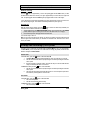
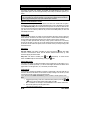
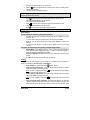
Vehicle Presets Heater When leaving the vehicle it is recommended to preset the accessory controls in preparation for the next remote start. Settings for the blower motor (fan), front and rear, should not be left on HIGH. It is recommended to leave the settings on LOW or MEDIUM instead. Windshield Wipers, Radio & Headlights Certain vehicles require the radio and / or windshield wipers and / or headlights circuits to become energized while running under remote start. When leaving the vehicle you must ensure that the windshield wipers and headlights switches are OFF. Leaving the headlights switch ON on certain types of vehicles could cause them to remain ON even after remote starter shutdown, resulting in a dead battery. RemoteStarting Your Vehicle Setting Your Vehicle Into Ready Mode If your vehicle has a manual transmission you must read the following indications. The unit must first be set to Ready Mode in order to start the vehicle by remote. If the unit is not set to Ready Mode, it cannot remote start the vehicle. Please note that Ready Mode can be enabled by the remote or the handbrake, depending on the option that was selected by your installer. Therefore, you must follow the appropriate procedure between the two described below in order to set your vehicle into Ready Mode. Once the system is set to Ready Mode, the vehicle can be remote started and stopped at any time. The system will exit Ready Mode if a door, the hood or the trunk is opened, if the brake pedal is pressed, if the parking brake is disengaged or if the ignition key is turned to the IGNITION ON (RUN) position. To set the system to Ready Mode: If Ready Mode is enabled by remote If Ready Mode is enabled by handbrake 1. Ensure that all the doors, hood and trunk are closed. Make sure that the gear selector is in the neutral position. 2. With the engine running, apply the parking 2. With the engine running, apply the parking brake once and release the brake pedal. brake twice within 10 sec. 3. Within 20 sec. of engaging the parking 3. Make sure to release the brake pedal. The parking lights will flash 3 times quickly brake, press and hold , or on and remain lit. the transmitter (SmartStart™ uses only the SmartStart™ icon). The parking lights will flash 3 times quickly and remain lit. Release the button. 4. Remove the key: the engine will keep on running. 5. Exit the vehicle. All doors should be closed, including the hood and trunk. The engine keeps going until you press either; • to lock the doors and shut down the engine; • to unlock the doors and shut down the engine; • P.4 to shut down the engine without affecting the doors. User Guide