1
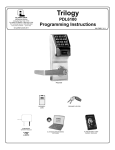
Trilogy
345 Bayview Avenue
Amityville, New York 11701
For Sales and Repairs 1-800-ALA-LOCK
For Technical Service 1-800-645-9440
Publicly traded on NASDAQ
Symbol: NSSC
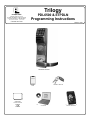
PDL6500 & ETPDLN
Programming Instructions
© ALARM LOCK 2009
WI1835 12/09
PDL6500 & ETPDLN
HID
HID CORPORATION
PROXIMITY KEYFOB
PROXIMITY
CARD
AL-IM SERIES
GATEWAY MODULE
AL-IM80211
AL-IME
AL-IMEPOE
DL-WINDOWS PROGRAMMING
SOFTWARE
AL-PRE PROXIMITY CARD
READER / ENROLLER
1
PDL6500 & ETPDLN LOCKS
THE ALARM LOCK TRILOGY SERIES STAND-ALONE AND NETWORK PROGRAMMABLE ACCESS CONTROL SYSTEM
IS A SERIES OF STATE-OF-THE-ART W IRELESS AND KEYPAD-ENTRY PROGRAMMABLE SECURITY LOCKS.
PDL6500 & ETPDLN
The PDL6500 and ETPDLN mortise locks are designed to allow all features to be programmed either at the keypad or through its radio link to a DL-Windows equipped computer. In addition, Audit Log Data may be transmitted through the radio link back to the
DL-Windows computer.
PDL6500
&
ETPDLN
These locks both feature an HID compatible ProxCard® reader, and a real-time clock/
calendar that automatically adjusts for Daylight Saving Time and allows for automated
programming of events. Up to 5000 unique user codes can be added to the lock, from 36 digits in length.
The PDL6500 Series mortise-based lock provides additional hardware security compared
with standard cylindrical door locks; the ETPDLN Series is also a mortise-based lock, but
is used for exit door push bar applications. Keypad programming is identical for both
locks.
These instructions include manual keypad programming for the PDL6500 and ETPDLN.
For DL-Windows user instructions, see OI237; for configuring your wireless system, see
OI352.
Table of Contents
Lock Features ..............................................................3
Supported Products ...................................................4
Lock Design Overview ...............................................5
Terminology Used in this Manual.............................6
Programming Levels ..................................................8
Conventions Used in this Manual.............................9
LED and Sounder Indicators .....................................9
Wiring and Power Up................................................10
Quick Start..................................................................11
Testing the Codes Entered ......................................13
2
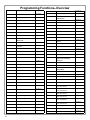
Programming Functions Overview........................ 14
Programming Functions ....................................15-27
Groups and Scheduled Group 1 Examples.....28-29
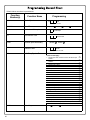
Programming Record Sheet ................................... 30
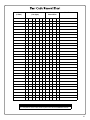
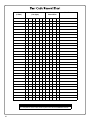
User Code Record Sheet ......................................... 31
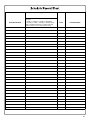
Schedule Record Sheet ........................................... 33
Glossary ................................................................35-36
Warranty..................................................................... 36
Lock Features
Audit Trail
•
•
•
•
40,000 Event Capacity*
Entries Logged with Time and Date
Critical Programming Events Logged
Uploadable using Alarm Lock's DL-Windows software
Lock Features
•
•
•
•
Metal Key Override for all cylindrical locks
Keypad Lockout (see page 22, Functions 60-61)
Non-Volatile (Fixed) Memory
Real-Time Clock (within one second accuracy)
(see page 20, Functions 43-44)
• Programmable Relay (see page 23)
• Visual and Audible Keypad Feedback (see page 9)
• Battery Status Monitor (see page 9)
Scheduling
•
•
•
•
•
•
•
500 Scheduled Events (see pages 24-27)
Automated Unlock/Lock
Enable/Disable Users (see page 16, Function 3)
Enable/Disable Groups (see page 17)
Four "Quick Schedules" (contains 4 most common schedules) (see page 25)
Real-time clock and calendar (see page 19)
Programmable Timeout Functions (see page 16-20)
HID
HID
User Access Methods
•
•
•
•
Keypad Entered User Codes (see pages 11-12, 15)
ProxCard® and ProxKey® Keyfob (see page 12)
User Code and ProxCard® (For highest security) (see page 12)
Batch Enroll - Quickly and easily enroll multiple ProxCards® and ProxKey® keyfobs without the use of a PC
(see page 12). Note: ProxCards® and ProxKey® Keyfobs both function identically. Keyfobs can be substituted for all references to the ProxCard® in this manual.
User Features
• 5000 Users (see pages 11-12, 15)
• 6 Pre-defined Administration User Levels including Master, Installer, Manager, Supervisor and Basic User
Codes (see page 8)
• User Code Lengths from 3-6 digits
• Service Code ("One-Time-Only" Code) (see page 7)
• User Lockout Mode (see page 16, Function 6)
• Users Assignable to 4 Groups (see page 28)
• Ambush Function (see page 22, Function 66)
Keypad and Computer Programming
• All programming may be performed manually from the keypad, or from a PC using Alarm Lock's
DL-Windows Software (see page 7)
3
Supported Products
AL-IM80211
AL-IME
AL-IMEPOE
AL-IM SERIES WI-FI Gateway Module
Each lock contains a radio that transmits and receives--via a private wireless signal--to an
intermediate device called a Gateway module. In turn, this Interface Module is connected
(either wirelessly or wired) to a computer network such as a LAN or corporate Intranet. A
Windows PC connected to this network can control and program all locks by the use of the DLWindow software (see OI237). With access rights to the software, one computer--or several-can control the software and consequently can control the locks in the system. Several
Gateway device models are available; all have the two antennas used to transmit to the locks
via an Alarm Lock proprietary radio connection.
● Gateway "Wireless/Wired" AL-IM80211 - Hardwired/Wireless Gateway Interface Module.
Supplied with its own Class 2 transformer to supply power; connection to a network is
supported via either a wired connection (using a standard RJ-45 Ethernet cable) or a
wireless connection (using a third antenna for 802.11 transmissions). Ensure adequate
802.11 coverage in the area where the "Wireless/Wired" Gateway is mounted. Supports up
to 63 Networx Locks. Ceiling- or wall-mountable.
● Gateway "Wired" AL-IME - Hardwired Gateway Interface Module, supports up to 63
Networx Locks, connects directly to a network using a standard RJ-45 Ethernet cable.
Ceiling- or wall-mountable; powered with Class 2, 6VAC transformer (supplied).
● Gateway "Power over Ethernet" AL-IMEPOE - Hardwired Gateway Interface Module +
POE (Power Over Ethernet), supports up to 63 Networx Locks, connects directly to a
network using a standard RJ-45 Ethernet cable and POE. Ceiling- or wall-mountable.
● Gateway "Plenum Rated POE" AL-IMEPOEP - Same as above "AL-IMEPOE", with
added enclosure protections and installation hardware for mounting above "drop-ceiling"
tiles or other locations subject to air pressure changes (HVAC air-filled spaces, etc.).
Proximity Card Reader/Enroller (AL-PRE)
An AL-PRE is used to quickly enroll multiple proximity cards and keyfobs into DL-Windows
without the need to manually type User Codes. Use the supplied 9-pin DB9 to DB9 serial cable
(see below for description) to connect the AL-PRE to your computer’s serial COM port. Compatible with most HID ProxCards® and ProxKey® keyfobs (37 bits or less). For PDL series locks
only.
HID
ProxCard® / ProxKey® Keyfob
Compatible with most HID ProxCards® and ProxKey® keyfobs (37 bits or less).
HID CORPORATION
Note: ProxCard® and ProxKey® are trademarks of the HID© Corporation.
DB9 to DB9 Serial Cable
Enroll proximity cards and keyfobs quickly by using the AL-PRE to DL-Windows by connecting
one end of this 9-pin male DB9 to female DB9 serial cable to the AL-PRE and the other end to
your computer’s serial COM port. If your computer does not have a serial COM port (DB-9
male) available, use the USB to RS-232 Cable described below.
USB to RS-232 Cable
If your computer does not have a serial COM port (DB-9 male) available, you can plug your ALPCI2 cable into a special USB to RS-232 cable. Order part MX1130 for the USB to RS-232 cable
only.
4
Lock Design Overview
Why Use Software inside a Lock?
With ordinary door locks, the need to make physical copies of metal keys and distributing them can be a huge organizational and
financial task -- and what will you do if someone causes a security breach by losing their key?
The answer lies in the advantage of SOFTWARE. Software (also called "firmware") is not "hard" or "fixed" like hardware is. Software is "soft" -- flexible and changeable to your needs. Software exists inside your Alarm Lock™ series lock, and can be programmed (and re-programmed again and again) to suit your changing requirements. No more metal keys to distribute...instead,
distribute User Codes -- and delete them from the software when needed. (A User Code is the software equivalent of a metal key-it is a series of numbers the User enters into the lock keypad to unlock the lock).
Preparing to Program your Lock
The keypad contains 12 buttons, numbers 1 through 9 plus zero, a star button (:) and a special "AL" button (;). These 12
keypad buttons are all you need to program your lock. In addition to manually programming your lock using the keypad, you can
also program your lock using a computer program called DL-Windows. DL-Windows is not needed--but it makes programming
faster and easier. In addition, the PDL6500 and ETPDLN locks are designed to allow all features to be programmed either at the
keypad or through its radio link to a DL-Windows equipped computer. This guide will show you how to program your lock using
the keypad, without DL-Windows. (For more information about DL-Windows, see User Guide OI237 and OI352).
Programming your lock begins after you unpack it from the box -- there is a specific procedure outlined in "Quick Start" (page 11)
in which you "wake up" the lock to prepare it for programming. This "Quick Start" procedure shows you all the steps required to
get your lock to start working. To begin programming, you must first enter something called "Program Mode".
What is Program Mode?
The software has only two "modes"--"Normal Mode" and "Program Mode". When you want to make changes to the lock program,
you enter "Program Mode". When you finish programming and wish to put the lock into use, you exit "Program Mode" to enter
"Normal Mode".
You can enter Program Mode using the keypad by pressing the Master Code of the lock that was set at the factory. The Master
Code is basically a secret "passcode" that allows you to enter Program Mode. But since all locks are identical and leave the factory with the same Master Code, this factory Master Code is therefore not very secret--and should be changed to your own personal Master Code. This way, only YOU can enter Program Mode and make changes to the lock programming.
Once the new Master Code is set , then you can continue with the Quick Start procedure and set the weekday, date and time. After this, you can start entering User Codes for people to use. All changes to the lock are organized by their Function Number.
Want to change the date? Use Function Number 38. Want to add a User Code? Use Function Number 2. There are 99 Functions in total, some that you will use often, and others that you may never need.
Notice that when you program your lock, programming tends to follow a consistent 5-step pattern: (1) Enter Program Mode
(2) Press ; followed by the Function # (3) Press ; and enter data (4) Press : to end (5) Exit Program Mode to
put the lock into use.
Turn the page and learn about the special terminology used with your lock. Once that is clear, use the Quick Start procedure on page 11 to help you get up and running.
"STAR" (:) Key
Red LED
Green LED
Special "AL" (;) Key
Proximity Reader
5
Terminology Used in this Manual
What is a Lock Program?
A Lock Program contains the instructions that the lock uses to perform its various functions. You can use the keypad to create a Lock
Program stored within the lock. You can also use DL-Windows
(defined below) to create a Lock Program on your computer, and
then transfer and store the Program in the circuitry contained inside
the lock itself. The Lock Program is essentially a computer database file that maintains feature settings, schedules, audit trails, etc.
Using DL-Windows, Lock Programs can be created with default information, edited on your PC, and then sent to (and even received
from) locks. The Lock Program consists of 4 areas: User Codes,
Features, Time Zones, and Schedules, all defined below:
What are User Codes?
Also called User Access Codes or PIN No. Codes, User Codes are
numbers the User enters into the lock keypad to unlock the lock.
The User Codes are part of the Lock Program, and the Lock Program is stored in the lock circuitry awaiting the Users to key in their
User Codes.
What are Features?
Your lock is designed to support many options and functions. Using
the keypad or DL-Windows software, you can select the features
you wish to activate, such as if the lock will automatically adjust for
Daylight Saving Time in the spring and autumn, or if the lock
sounder should be disabled or enabled.
What is a TimeZone?
Events (recorded lock activities) can be programmed to occur at
certain times. It is these times (for example, “every Tuesday at
5PM”) that are referred to as TimeZones. TimeZones can be created manually through the keypad. In DL-Windows, you can use
the Schedule-TimeZone screen to create these TimeZones, and
once created, you can link events to these TimeZones.
What is a Schedule?
Your lock can be programmed to maintain a schedule in which certain events can occur automatically. For example, you can program
the lock to allow Groups of Users (with their User Codes) access
ONLY during specific business hours. With another example, you
can program another lock to UNLOCK at 9AM, LOCK at noon for
lunch, UNLOCK at 1PM, and LOCK again at 5PM--every weekday.
As you can see, many different combinations of Schedules can be
created to suit the needs of the Users. First you create TimeZones
(see above). Next you create events and link them to your TimeZones (also using the Schedule-TimeZone screen in DLWindows). When finished, you can view (in DL-Windows) your
schedule in the Schedule View screen.
What is a User?
A User is a person who is authorized to operate or make certain
programming changes to the lock. This User can be anyone--from
a one-time visitor (who will almost certainly have no authority to
make programming changes) to the owner of the building in which
the lock is installed (who may wish to have total authority to make
changes). The PDL6500 and ETPDLN locks can hold up to 5000
Users (each with their own User Code) in its programming memory,
and each User possesses a pre-defined level of authority--a Programming Level--as to their ability to use or make changes to the
lock.
What is a Programming Level?
The Programming Level defines the range of programming tasks a
6
User is allowed to perform. The higher the Level, the more programming tasks the User is allowed (with Master allowing ALL
tasks).
Note: Since the Programming Level is closely associated with the
type of User and their abilities, a User who holds a certain Programming Level is sometimes referred to by their “User Type”.
For example, PDL6500 and ETPDLN locks can hold up to 5000
Users in its programming memory, and each User is associated with
a User Number (see definition of "User Number" below) and therefore a specific Programming Level, as follows:
Master: Always associated with User Number 1. Is always enabled and can program all functions.
(Abbreviated as
Programming Level = M).
Installer: Always associated with User Numbers 2 and 3. Can
program all functions except changing the Master Code.
(Abbreviated as Programming Level = 4).
Manager: Always associated with User Numbers 4, 5, and 6.
Can program all functions except functions relating to lock
configuration. (Abbreviated as Programming Level = 3).
Supervisor: Always associated with User Numbers 7, 8 and 9.
Can only program functions relating to day to day operation.
(Abbreviated as Programming Level = 2).
Print Only Users: In previous versions of the ALARM LOCK
Trilogy series locks, Print Only Users were always associated
with User Numbers 10 & 11 and were restricted to printing
event logs only, using a special AL-IR1 handheld printer. With
the PDL6500 and ETPDLN locks no longer requiring (or allowing) the use of this AL-IR1 printer, Print Only Users are also
no longer required. Although the attributes of User Numbers 10
and 11 have been changed to replicate those of "Basic Users",
to ensure compatibility with previous lock model versions we do
not recommend the use of User Numbers 10 and 11.
Basic Users: Always associated with User Number 12 and
higher (except 297-300). No programming ability allowed.
Most Users are Basic Users, who are given their own personal
User Codes and are only allowed to simply unlock the lock
when desired.
Programming Levels are hierarchical--higher levels are allowed to
do anything the levels below them can do. For example, if you are a
Manager, you are allowed to do anything that Supervisors and Basic Users can do in addition to those tasks allowed for Managers
(Level 3).
What is the Minimum Required Program Level?
This Programming Level abbreviation is the minimum programming
level required to access the particular Function. (The higher the
level number, the more programming tasks the User is allowed, with
Master allowing all tasks).
In this manual, Programming Levels are abbreviated as follows: M
= Master, 4 = Installer, 3 = Manager, 2 = Supervisor.
All other Levels are hierarchical, with higher levels being allowed to
do anything the levels below them can do. Therefore Level 4 is
"higher" than level 3. See the chart on page 8.
What is a User Number?
(User Number = Location Number = User Location = Slot in Lock)
User Numbers are used and are significant within each individual
lock only. The User Number determines the Programming Level for
each User. For example, PDL6500 and ETPDLN locks can hold
up to 5000 Users in its programming memory. This memory can be
thought of as simply a numbered list from 1 through 5000. Each
entry in the list is represented by a User Number. Therefore, where
a User is located in this list--their User Location--is a commonly
Terminology Used in this Manual (cont'd)
used description of their User Number. Because of their similarities, a User Number, User Location and Location Number can be
used interchangeably. In some DL-Windows screens, the word
"Slot" is also used. They all mean the same thing.
Since User Numbers are fixed, knowing a User Number will specify the associated Programming Level, and will in turn indicate a
User’s programming abilities. For example, User Number 1 is always the Master, who can perform all programming tasks.
Programming Levels are hierarchical--higher levels are allowed to
do anything the levels below them can do. For example, if you are
User 2, you are allowed to do anything that Users 3 through 11
can do.
What is a Group?
With many lock applications, it is convenient for large numbers of
similar Users to be grouped together. Placing Users into Groups
(by assigning them specific User Numbers) allows large numbers
of Users to be controlled all at once rather than individually--saving
time and effort. Groups are controlled via schedules, and a typical
example involves enabling or disabling a Group at a certain time.
Default Group associations are specified in the table on page 8.
For example, if you wish to add a User to Group 1, assign this
User a User Number between 51 and 100. These default Group
associations can be changed if needed to allow Groups larger than
the default number of 50 (by using keypad Function 35). (See
page 17 for some Group function examples).
What is DL-Windows?
DL-Windows is a computer program that allows you to program
your ALARM LOCK T3 Security Lock. You do not need DLWindows to program your lock, but it makes programming much
faster and easier. With DL-Windows, you can quickly create Lock
Programs (programs that make the lock perform its many functions) add multiple Users (who have access), add proximity cards
and keyfobs, retrieve event logs, and create Schedules. The
benefit of DL-Windows is that it allows you to set up all lock programming in advance (on your computer), and then later send the
information to the locks at your convenience.
DL-Windows version 4.0.1 software (or later) allows you to upload
and download programming features wirelessly using the Trilogy
Networx™ series door locks and a computer network. See OI237
for more information.
How do the Emergency Commands work?
For use with all wireless locks enrolled into the Trilogy Networx™
radio network, these wireless commands can be sent to all locks
in an Account during a crisis or other urgent situation.
Any User Code can be programmed to allow the use of these
Emergency Commands by simply adding that User Code to an
"emergency function list" within DL-Windows. When an enabled
User Code is pressed at any PDL6500 or ETPDLN keypad, first
the physical lock unlocks, then the lock permits the use of these
emergency commands to be sent to all locks in the network, as
follows:
• ...press 911 to issue "Global Lock Down", to
lock all doors in the Account;
• ...press 000 to issue "Global Passage", to
unlock all doors in the Account;
• ...press 123 to return all locks in the Account
to "normal" (non-emergency) operation.
Note: 3 chirps sound after each emergency command entry.
See the DL-Windows user guide OI352, "Emergency Lock Down"
for more information. Note: DL-Windows does not need to be
running to allow these "Emergency" commands to be initiated;
any wireless lock keypad can be used to disseminate these commands throughout the system.
Who are Users 297-300?
Users assigned to User Numbers 297, 298, 299 and 300 have
special abilities, as follows:
User 297: Quick Enable User 300
User 297 possesses the unique ability to enable the User Code
associated with User 300. User 297 does this by first entering
their own User 297 User Code into the lock keypad. When
User 300 subsequently enters their User 300 User Code, the
lock allows access (for one time) and then the User 300 User
Code becomes disabled.
For example, you wish to allow one-time access to a temporary
worker. Simply enter the User 297 User Code into the lock
keypad. Later, when the temporary worker enters the User
300 User Code into the lock keypad, the User 300 User Code
allows access (for one time only) and then becomes disabled.
Later, if you wish to grant the temporary worker re-access, simply re-enter the User 297 User Code and the User 300 User
Code will be re-enabled (again for one time only). Note: From
the factory, the User 300 User Code is blank; when the User
300 User Code is added, it is automatically enabled by default.
In addition, each time Features or Users are uploaded to the
lock, the User 300 User Code is re-enabled in ALL the locks in
the Account.
User 298: Reserved
In previous versions of the ALARM LOCK Trilogy series locks,
User Number 298 initiated the sending of data to or from the
lock, and a special "AL-PCI" cable was used to physically connect the lock to a PC running DL-Windows. With the PDL6500
and ETPDLN locks no longer requiring a wired connection,
User Number 298 is also no longer required and has been removed as an active code. Note that the User 298 code does
provide a "Guard Tour" type function (logging the code entry
with a time and date stamp in the Event Log / Audit Trail), but
to ensure compatibility with previous lock model versions, the
use of User 298 is not recommended. Note: User 298 is not
an access code (it is a "non-pass" code) and therefore does
not allow passage through the door. See "User 299: Guard
Tour Code" below.
User 299: Guard Tour Code
A Guard Tour Code is used to log the movement of a security
guard as he or she makes rounds from one assigned guard
tour station to the next. Entering the User 299 code provides
precise verification and accountability of a guard's movement
by logging the location with a time and date stamp in the Event
Log (Audit Trail).
Note: User 299 is not an access code (it is a "non-pass" code)
and therefore does not allow the security guard to pass through
the door.
User 300: One-Time Only Service Code
This is a One-Time Only Service User Code enabled by User
297. For example, User Code 300 is sometimes used for
guard tour duties. See User 297: Quick Enable User 300
above.
7
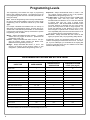
Programming Levels
The Programming Level defines the range of programming
tasks a User is allowed to perform. The higher the Level, the
more programming tasks the User is allowed (with Master allowing ALL tasks).
Note: Since the Programming Level is closely associated with
the type of User and their abilities, a User who holds a certain
Programming Level is sometimes referred to by their “User
Type”.
For example, PDL6500 and ETPDLN locks can hold up to
5000 Users in its programming memory, and each User is associated with a User Number (see definition of "User Number"
in the previous "Terminology" section) and therefore a specific
Programming Level, as follows:
Master: Always associated with User number 1. Is always
enabled and can program all functions. (Abbreviated as
Programming Level = M).
Installer: Always associated with Users 2 and 3. Can program all functions except changing the Master Code.
(Abbreviated as Programming Level = 4).
Manager: Always associated with Users 4, 5, and 6. Can
program all functions except functions relating to lock
configuration. (Abbreviated as Programming Level = 3).
Supervisor: Always associated with Users 7, 8 and 9. Can
only program functions relating to day to day operation.
(Abbreviated as Programming Level = 2).
Print Only Users: In previous versions of the ALARM LOCK
Trilogy series locks, Print Only Users were always
associated with User Numbers 10 & 11 and were restricted
to printing event logs only, using a special AL-IR1
handheld printer. With the PDL6500 and ETPDLN locks
no longer requiring (or allowing) the use of this AL-IR1
printer, Print Only Users are also no longer required. Although the attributes of User Numbers 10 and 11 have
been changed to replicate those of "Basic Users", to ensure compatibility with previous lock model versions we do
not recommend the use of User Numbers 10 and 11.
Basic Users: Always associated with User number 12 and
higher (except 297-300). No programming ability allowed.
Programming Levels are hierarchical--higher levels are allowed to do anything the levels below them can do. For example, if you are a Manager, you are allowed to do anything that
Supervisors and Basic Users can do in addition to those tasks
allowed for Managers (Level 3).
Lock Defaults for PDL6500 and ETPDLN Locks
Users added will default to a Group Association and a Programming Level ability as follows:
USER NUMBER
GROUP DEFAULT
ASSOCIATION
MINIMUM PROGRAM
LEVEL (See page 6)
1
-
M
Installer Codes
2&3
none
4
Manager Codes
4-6
none
3
Supervisor Codes
7-9
none
2
(Reserved--see above)
10 - 11
none
--
Basic User Codes
12 - 50
none
none
Basic User Codes Group 1
51 - 100
1
none
Basic User Codes Group 2
101 - 150
2
none
Basic User Codes Group 3
151 - 200
3
none
Basic User Codes Group 4
201 - 250
4
none
Basic User Codes
251 - 296
none
none
Quick Enable User 300 Code
297
none
none
(Reserved--see page 7)
298
none
none
Guard Tour Code*
299
none
none
Service Code
300
none
none
301-5000
none
none
USER TYPE
Master Code
Basic User Codes
*This code is a Non-Pass code and therefore does not allow passage through the door.
8
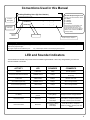
Conventions Used in this Manual
2
Enabling/Disabling Users (By User Number)
Minimum Required Program Level
User Number must be between 2 and 5000.
NOTE: Will Enable/Disable users even if the user is associated with an enabled group.
Function
Description
Program Levels are abbreviated as follows:
3. Disable User
;3
;[___]:
4. Enable User
;4
;[___]:
Programming
Information
Function
Number
M = Master
4 = Installer
3 = Manager
2 = Supervisor
This Program Level abbreviation is the
minimum program level required to
access the particular Function. (The
higher the level, the more programming
tasks the User is allowed, with Master
allowing all tasks).
Function Name
Programming Key Sequence.
General Program Mode Information
If a wrong key is pressed during code entry, press the ; key until the error sound is heard (7 short beeps), this will clear the entry. Reenter the key sequence again.
All program sequences are followed by the : key; 2 short beeps indicate a successful program sequence.
LED and Sounder Indicators
The PDL6500 and ETPDLN locks provide visual and audible keypad feedback. With a fully charged battery, the LED and
sounder feedback is as follows:
ACTIVITY
LED
SOUNDER
COMMENTS
Keypress
1 RED Flash
1 Beep
Normal Operation
Access Granted or Remote Release
3 GREEN Flashes
3 Beeps
Remote release enabled through activation of relay
Invalid Code
6 RED Flashes
6 Beeps
Re-enter User Code
Successful Program Entry
2 GREEN Flashes
2 Beeps
When in Program Mode
Unsuccessful Program Entry
7 RED Flashes
7 Beeps
When in Program Mode
Exit Program Mode
1 RED, 2 GREEN Flashes
10 Beeps
Valid but Disabled Code
1 GREEN, 4 RED Flashes
1 long, 5 short beeps
Code exists in memory, but disabled
Low Battery
RED Flash during key
presses
Pulsing Beeps
See page 10 before changing batteries
User Code Entered
RED Flash
Sequence of 7 Beeps
followed by
4 slow Beeps
A clock error has been detected. Under
this condition, unexpected operation is
possible. Remove power and restart.
RED Flash
Sequence of 7 Beeps
followed by
5 slow Beeps
A memory error has been detected.
Under this condition, unexpected
operation is possible. Remove power and
restart.
User Code Entered
9
Wiring and Power Up
WIRING
See the Installation Manual for more information.
Batteries:
Use only 1.5 volt Alkaline size-AA batteries.
External Power:
Red / Black wires - External 7.5 VDC Power Source
must be used for operation without batteries.
Remote Input:
White / White wires - Wire a Normally Open Contact
to wires (white and white). Momentarily close to allow
person to pass through door. NOTE: Remote Input
is enabled from the factory. (See page 22)
Relay:
COM-Orange / NO-Yellow / NC-Green - See Function
67 for programming options for the Relay.
Wiring to Disarm a Burglary Control Panel
Burglary Control Panel wiring. See page 26.
POWER UP
FIRST TIME
• When applying power to the lock for the first time,
stop and follow the procedure outlined in "Quick Start,
First time Power Up" further in this manual.
POWER RE-APPLIED
• When power is re-applied to a lock that was already
operational, proceed as follows:
1. Disconnect battery pack connector.
2. With battery power disconnected, press and hold
down ; for 10 seconds to insure discharge of all
capacitors.
3. Re-connect battery pack (lock will sound 3 short
beeps). If beeps are not heard, then restart at step 1.
4. Do not press any keys for 15 seconds.
5. After 15 seconds, the LED will flash red 6 times and 6
beeps will sound.
The lock is now ready for use. The pre-existing program
is loaded from fixed memory. Set the clock using
functions 38, 39 and 40.
10
ERASE ALL PROGRAMMING
(The "out of box" factory default will be loaded)
1. Remove the battery pack.
2. With battery power disconnected, press and hold
down ; for 10 seconds to ensure discharge of all
capacitors.
3. Re-install the battery pack (lock will sound 3 short
beeps). If beeps are not heard, then restart at step 1.
4. Within 5 seconds after hearing the 3 short beeps,
press and hold ; until the lock begins to beep, then
release.
5. A series of 5 RED LED and 5 beeps will be heard
followed by 10 seconds of silence, then 3 GREEN
LEDs and 3 fast beeps.
All settings and programming have been erased and the
lock is now ready for use. Note: All lock programming
can also be erased (without need to disconnect the
batteries) by entering Function 99.
BATTERY REPLACEMENT
When a valid code is entered and the batteries are weak,
the red LED will light when the keys are pressed and the
sounder will sound pulsing beeps.
PDL6500 and
ETPDLN locks use five (5) AA-size 1.5 volt alkaline
batteries. Always replace weak batteries as soon as
possible.
CAUTION: Do not press any keys while batteries are
disconnected or you may erase the real-time clock
settings.
1. At the back of the lock, remove the screw at the
bottom of the lock housing and remove the cover.
2. Pull out the battery pack and quickly replace all 5
batteries - within 1 minute.
3. If you do not hear the 3 beeps when power is reapplied, all programming and settings have been retained, and the lock is ready for use. Go to step 5.
4. If you do hear 3 beeps when power is re-applied, do
not press any keys for 15 seconds. After the 15
second period, the LED will flash red 6 times and 6
beeps will sound. Reset the clock using functions 38,
39 and 40.
5. Replace the cover and tighten the screw.
Quick Start
First Time Start Up
1. Unpack the lock.
2. With the batteries disconnected, hold down the ; key for 10 seconds and release.
3. Connect the batteries and listen for 3 beeps. Within 5 seconds of hearing the 3 beeps, press and hold ; until beeping
starts. This will clear the lock of all programmed data. Important: If you do not hear these 3 beeps, you must start over at
step 2.
4. Listen for another series of beeps and LED flashes followed by 10 seconds of silence. The lock is now ready to program.
Failure to follow this exact procedure can result in erratic lock behavior. Important Note: When entering any key sequence below, do not pause more than 25 seconds between any key presses--otherwise you must start again.
Enter Program Mode and Change Factory Master Code
1. Press the default Master Code: 1 2 3 4 5 6.
2. Wait for the green light and press ; until multiple beeps are heard. You are now in Program Mode.
Note: The lock will beep every 6 seconds as a reminder that you are in Program Mode.
3. Enter a new personal 6-digit Master Code number by pressing the following keys:
; 1 ; [new Master Code] ; [new Master Code] : (the second set of digits must be exactly the same).
(For example, if you want your new Master Code to be "664433". Press:
; 1 ; 664433 ; 664433 :).
Now that the Master Code has been changed, there is no need to change it again (unless you want to). Since you are
still in Program Mode, you can now proceed directly below and program various functions. Note: Programming any
Function, such as setting the clock, follows a consistent 5-step pattern: (1) Enter Program Mode (2) Press ;
[Function #] (3) Press ; and enter data (4) Press : to end (5) Exit Program Mode.
Note: There is a 3 minute Program Mode timeout if no keys are pressed when in Program Mode. A steady tone will sound
for the final 15 seconds of the 3 minute timeout period as a warning. To remain in Program Mode, press any key.
Set the Weekday
1. Enter Program Mode (if not in already).
2. Press ; 40 ; [number of weekday] :. (Use 1= Sunday, 7 = Saturday).
(For example - Friday - press ; 40 ; 6 :).
Set the Date
1. Enter Program Mode (if not in already).
2. Press ; 38 ; [MMDDYY] :.
(For example - May 10, 2002 - press ; 38 ; 051002 :).
Set the Time
1. Enter Program Mode (if not in already. If you just finished the above procedure, you are still in Program Mode).
2. Press ; 39 ; [HHMM] :. (Use 24-hour military format, where PM adds 12 hours).
(For example - 2:30pm - press ; 39 ; 1430 :).
Enter User Codes
1. Enter Program Mode (if not in already).
2. Press ; 2 ; [User Number] ; [new User Code] :.
(For example, John Smith is designated as User 21. You want him to use the code of "232323" to unlock the door.
Program the lock by pressing: ; 2 ; 21 ; 232323 :).
3. Repeat step 2 for each new user.
11
Quick Start (cont’d)
Delete a User Code
1. Enter Program Mode (if not in already).
2. Press ; 2 ; [User Number] :.
The lock will flash a green LED and beep continuously for 6 seconds. When the red LED flashes, the User Code is deleted.
3. Repeat step 2 for each new User.
User Code Conflicts
Care should be taken not to program a new User Code which matches the first digits of any other User Code (only the User
Code with the least number of digits will be recognized). Example: If User Codes 123 and 123456 are both entered in the
system, only code 123 would be recognized, unless the ENTER Key has been enabled (see Function 69, see page 24). In addition, an error will sound if you try to program a new User Code that matches the first digits of the Master Code.
WARNING: When attempting to change an existing Master Code, it is HIGHLY recommended that you enable all
Groups (see Function 23 on page 17), exit Program Mode, and enter the new anticipated Master Code to verify that the
anticipated sequence does not currently open the lock. If the lock does not open, the anticipated Master Code can be
used as the new Master Code; if the lock opens, the anticipated Master Code already exists in the lock (as a User
Code), and the anticipated Mater Code should NOT be used. Always repeat this procedure with any new anticipated
Master Codes.
Enroll Proximity Cards at the Lock
If you wish to enroll only one proximity card ("Single Enrolling") or many ("Batch Enrolling"), the process is basically the
same.
1. Enter Program Mode (if not in already).
2. Press ; 2 ; [User Number] :. (Enter the User Number you wish to match with the first proximity card).
3. Lock will beep continuously. Place a new proximity card in front of the reader (under the lock keypad). When the
lock beeps three times, the card has been enrolled.
4. Press ; to end the process. To return to normal operation, exit Program Mode (see below).
(For example, you wish to enroll two proximity cards for User 14 and User 15 respectively. Press ; 2 ;
1 4 :. and place the first card in front of the reader (hear 3 beeps) and then within 10 seconds, place the
second card in front of the reader (hear 3 beeps)).
You can continue entering cards in this way, automatically incrementing the User number with each presentation of a
proximity card. When finished, press ;.
Note: Batch Enrolling will not program Users 297 through 300, as these are Special Function User Codes. After a
proximity card for User 296 has been Batch Enrolled, the next card presented will enroll as User 301.
High Security Access (ProxCard & User Code Access)
Program the lock for High Security Access for User Number 15, with a proximity card and a User Code of 7452 required for
access:
1. Enter Program Mode (if not in already).
2. Press ; 2 ; 1 5 :.
3. Lock will beep continuously. Place a new proximity card in front of the reader (under the lock keypad). When the lock
beeps three times, the card has been enrolled.
4. Press ; 2 ; 1 5 ; 7 4 5 2 :.
In order for User 15 to open the Lock, a User Code must be entered and a proximity card must be presented to the lock.
User may enter code or present card in either order to open the lock. The sounder will beep for up to 10 seconds, waiting
for the User to enter their User Code and present their card.
Delete a High Security Access Code
Note: Deleting a proximity card associated with a User Number will also delete the User Code programmed for that User
Number. Delete the proximity card by not presenting any card for enrollment, as follows:
1. Enter Program Mode (if not in already).
2. Press ; 2 ; _ :. (Enter the User Number matched to the proximity card you want to delete).
12
3. Lock will beep continuously. Do not present ANY card during this step. Wait until lock stops beeping, about 10 seconds.
4. Press ; to end.
Exit Program Mode
Hold Down any key for 3 seconds. Program Mode exit is confirmed by several beeps. You are now in normal operation.
Re-enter Program Mode
If you wish to re-enter Program Mode, key-in your new 6-digit Master Code, and press ;.
You are now ready to mount and install your PDL series lock and give out your User Codes. Before installation, it is suggested
you test and verify that all User Codes entered are active (see below).
Testing the Codes Entered
Verifying Basic Keypad User Codes
Test a valid User Code:
VALID CODE - The Green LED will flash momentarily and the sounder will beep a few times after a valid code is entered.
INVALID CODE - The RED LED will flash several times and the sounder will beep several times after an invalid code is entered.
Use Function 2 to re-program the code.
Verifying Proximity Card and Keyfob Access
Test a programmed proximity card or keyfob:
• Present the Programmed proximity card (or keyfob ) to the proximity reader in front of the lock.
VALID CARD - The Green LED will flash momentarily and the sounder will beep a few times after a valid card or keyfob has
been presented to the lock.
INVALID CARD - The RED LED will flash several times and the sounder will beep several times after an invalid valid card or
keyfob has been presented to the lock. Use Function 2 to re-program the code.
Verifying High Security Access (Proximity Card and User Code)
Test proximity card programmed for High Security Access. The proximity card (or keyfob) and a User Code are both required
for access.
1. Enter the User Code for the User Number programmed for High Security Access. The sounder will beep slowly for up to 10
seconds.
2. Present the proximity card programmed for the same User Number.
User may enter User Code or present the proximity card in either order to open the lock. The sounder will beep for up to 10
seconds, waiting for the User to enter User Code or to present the proximity card / keyfob. Note: Do not present the proximity
card / keyfob and enter the User Code simultaneously.
13
Programming Functions--Overview
Function 1
Change Master Code
See page 15
Function 48
Enable Passage Mode
See page 21
Function 2
Add/Delete/Change User Codes
See page 15
Function 49
Disable Passage Mode
See page 21
Function 3
User Disable (By User Number)
See page 16
Function 50
Return Lock to Normal Passage
Mode Schedule
See page 21
Function 4
User Enable (By User Number)
See page 16
Function 51
Passage Mode Configuration
See page 21
Function 5
User Enable with Timeout
See page 16
Function 52 - 54
Pass Time
See page 21
Function 6
Enable Total User Lockout
See page 16
Function 55
Reserved
--
Function 7
Disable Total User Lockout
See page 16
Function 56
Reserved
--
Function 8
Reserved
Function 57
Reserved
--
Function 58
Reserved
--
Function 9
Enable User 300 (Service Code)
See page 16
Function 59
Reserved
--
Function 10
Erase All Users Except the
Master Code
See page 16
Function 60
See page 22
Function 11
Reserved
Number of Attempt Before
Lockout
Function 61
Set the Attempts Lockout Time
See page 22
Function 12
Clear All Schedules and Timeout
Functions
See page 17
Function 62 - 63
Reserved
Function 13
Clear All Timeout Functions
See page 17
Function 64 - 65
Disable/Enable Remote Input
See page 22
Function 14 - 17
Group 1-4 Disable
See page 17
Function 66
Ambush Code
See page 22
Function 18
Disable All Groups
See page 17
Function 67
Add Relay/System Features
See page 23
Function 19 - 22
Group 1-4 Enable
See page 17
Function 68
See page 23
Function 23
Enable All Groups
See page 17
Delete All Relay Functions and
System Options added by
Function 67
Function 69 - 70
Enable/Disable Enter Key
See page 24
Function 24
Reserved
Function 71
Reserved
Function 25 - 28
Group Disable with Timeout
See page 18
Function 72 - 73
See page 24
Function 29
Disable All Groups with Timeout
See page 18
Scheduled Enable/Disable
Passage Mode
Function 74 - 77
Schedule Enable Group 1 - 4
See page 24
Function 30 - 33
Group Enable with Timeout
See page 18
Function 78
Schedule Enable All Groups
See page 24
Function 34
Disable All Groups with Timeout
See page 18
Function 79 - 82
Schedule Disable Group 1 - 4
See page 24
Function 35
Group Add/Delete Association
See page 18
Function 83
Schedule Disable All Groups
See page 24
Function 36 - 37
Reserved
Function 84 - 87
Quick Schedules - Enable Group
See page 25
Function 38
Set Date
See page 19
Function 88
Passage Mode
(Open Time Window)
See page 25
Function 39
Set Time
See page 19
Function 89
Passage Mode
(Close Time Window)
See page 25
Function 40
Set Weekday
See page 19
Function 90
Relay Activation
(Open Time Window)
See page 26
Function 41
Daylight Saving Time Start Date
See page 19
Function 91
Relay Activation
(Close Time Window)
See page 26
Function 42
Daylight Saving Time End Date
See page 19
Function 92
Enable Group 4
(Open Time Window)
See page 27
Function 43
Speed Up Clock
See page 20
Function 93
See page 27
Function 44
Slow Down Clock
See page 20
Enable Group 4
(Close Time Window)
Function 94
Disable Radio
See page 27
Function 45 - 46
Passage Mode Enable/Disable
See page 20
Function 95 - 98
Reserved
Function 47
Timed Passage Mode
See page 20
Function 99
Clear All Lock Programming
14
--
--
--
--
--
--
-See page 27
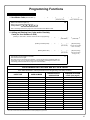
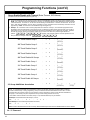
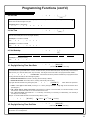
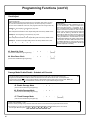
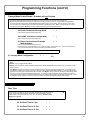
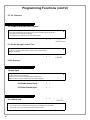
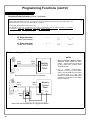
Programming Functions
USERS
;1
1. New Master Code (User Number 1)
;[______]
;[______]:
(New Master Code)
• Master Code must be 6 digits-only.
• Master Code is Keypad Code Access only.
• Factory Default = 123456
(Confirm New Master Code)
M
• See "Lock Design Overview" on page 5 for more information about Master Codes.
2. Adding and Deleting User Codes and/or Proximity
Cards (for User Numbers 2-5000)
(Entering a "User Code" / "PIN No. Code" into the lock programming)
;2 ;[____]
;[______]:
(User Number)
(Entering a Proximity Card)
;2 ;[____]
(User Number)
(Deleting Entire User)
;2 ;[____]
(User Number)
• User Number must be between 2 and 5000.
• User Code must be 3-6 digits.
• Each User Code can be thought of as a person. As long as each person possesses their own
unique User Code, you can control access to the lock by adding or deleting User Codes. See
"Terminology Used in this Manual" on page 6 for more information.
(User Code)
: [Beep Beep Beep]
(Present card to reader
within 10 seconds)
: [Beep Beep Beep]
(Wait 10 seconds for
beeping to end)
3
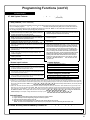
Lock Defaults for PDL6500 and ETPDLN Locks
Users added will default to a Group Association and a Programming Level ability as follows:
USER TYPE
Master Code
Installer Codes
GROUP DEFAULT
ASSOCIATION
MINIMUM PROGRAM
LEVEL (See page 6)
1
-
M
2&3
none
4
USER NUMBER
Manager Codes
4-6
none
3
Supervisor Codes
7-9
none
2
10 - 11
none
--
Basic User Codes
12 - 50
none
none
Basic User Codes Group 1
51 - 100
1
none
Basic User Codes Group 2
101 - 150
2
none
Basic User Codes Group 3
151 - 200
3
none
Basic User Codes Group 4
201 - 250
4
none
Basic User Codes
251 - 296
none
none
(Reserved--see above)
Quick Enable User 300 Code
297
none
none
(Reserved--see page 7)
298
none
none
Guard Tour Code*
299
none
none
300
none
none
301-5000
none
none
Service Code
Basic User Codes
*This code is a Non-Pass code and therefore does not allow passage through the door.
15
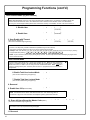
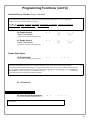
Programming Functions (cont'd)
USERS (Continued)
User Enable/Disable (By User Number)
• User Number must be between 2 and 5000.
2
NOTE: Will Enable/Disable Users even if the User is associated with an enabled Group. Use Feature 3 to disable a specific User
Number and their associated User Code. If the disabled User Code is entered, the lock will flash 1 Green and 4 Red Flashes
(with 1 long and 5 short beeps) indicating that the User Code exists in memory, but is disabled. Function 4 will "undo" Function 3.
3. Disable User
;3
;
[____]:
(User Number)
4. Enable User
5. User Enable with Timeout
(Enter Timeout, XXX Hours)
(This Function enabled through keypad only)
•
•
•
•
;4
;
[____]:
(User Number)
;5
;[____]
;[____]:
(User Number)
(XXX Hours)
With Function 5, User Numbers must be between 2-5000, hours must be between 001-999.
2
Function 5 can temporarily override a disabled User (disabled using Function 3 above).
Since this is a temporary feature, Function 5 can only be enabled using the keypad.
Example: Brian, User Number 1157, rarely works at the office, but when he does, enable him for his 8 hour work day by entering
Program Mode and pressing: ; 5 ; 1157 ; 008 :.
• NOTE: Up to 4 Timeout Functions may be pending at any one time. An error beep will sound when attempting to program more
than 4 Timeout Functions.
User Lockout Mode
Prevents all User Codes (Except User 1 Code) from operating the lock. Note: No other programming
functions or schedules (including a DL-Windows data transfer) will re-enable Users. Users must be reenabled with Function 7. Note: Does not change the User enable/disable status. Note: If the lock is
currently in Passage Mode (door "unlocked") and Function 6 is programmed, the lock will remain in
Passage Mode.
6. Enable Total User Lockout Mode
(This Function enabled through keypad only)
7. Disable Total User Lockout Mode
M
;6:
;7:
(This Function enabled through keypad only)
8. Reserved
9. Enable User 300 (Service Code)
;9:
Service Code is a One-Time-Only Code. Once it is used, it is disabled until enabled again.
NOTE: User Number 297 is used to reset Service Code Use. See "Terminology Used in
this Manual" on page 7 for more information and examples regarding special Users 297-300.
10. Erase All Users Except the Master Code (User 1)
(This Function enabled through keypad only)
Erases all User Codes except the Master Code (User 1).
• Function 10 can only be performed using the keypad.
11. Reserved
16
;10
2
;000:
M
Programming Functions (cont'd)
CLEAR FUNCTIONS
12. Clear All Schedules and Timeout Functions
;12
;000:
Function 12 clears all programmed Schedules and all Timeout Functions. (To clear All Timeout Functions only, see
Function 13 below). Function 12 will clear all of the following: All Schedule Functions 72 through 93, Timeout Functions
5, 25 through 34 and Function 47. Note: Function 12 also resets Passage Mode and any disabled Groups. After using
Function 12, your Scheduled/Timeout features must be manually re-programmed.
NOTE: Up to 4 Timeout Functions may be pending at any one time. An error beep will sound when attempting to
program more than 4 Timeout Functions. This Function only disables the timeout; the event associated with the timeout
will remain.
13. Clear All Timeout Functions
(This Function enabled through keypad only)
;13
3
;000:
Function 13 clears all Timeout Functions. (To clear All Schedules and Timeout Functions, see Function 12 above).
Function 13 will clear all of the following: All Timeout Functions 5, 25-34 and Function 47. After using Function 12, your
Scheduled/Timeout features must be manually re-programmed.
NOTE: Up to 4 Timeout Functions may be pending at any one time. An error beep will sound when attempting to
program more than 4 Timeout Functions. This Function only disables the timeout; the event associated with the timeout
will remain.
3
Important: It is the responsibility of the lock programmer to verify the proper lock/unlock conditions and Group conditions
after programming the lock with Function 12 and 13.
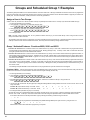
GROUPS
Group Enable/Disable
Enter the functions below to Enable/Disable Groups. Functions 14 - 23 will each override
existing scheduled events. Therefore, Functions 14 - 23 are temporary, take effect immediately, and are always overridden by future scheduled events that already exist within
the lock programming.
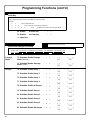
14. Disable Group 1
;14:
15. Disable Group 2
;15:
16. Disable Group 3
;16:
17. Disable Group 4
;17:
18. Disable All Groups
;18:
19. Enable Group 1
;19:
20. Enable Group 2
;20:
21. Enable Group 3
;21:
22. Enable Group 4
;22:
23. Enable All Groups
;23:
2
PRIORITY ORDER
1.
2.
3.
4.
Disabled Users
Enabled Groups
Disabled Groups
Enabled Users
The Priority Order details which Function will
take effect before ("have priority over") others.
For example, as per the list above, Enabled
Users have the lowest priority, and other Functions can affect the status of these Users. Disabling a Group (Functions 14-18) will take priority over the enabled Users in that Group,
disabling them. Enabling Groups (Functions
19-23) will take priority over those tasks lower
in the list, and finally disabling a User (Function
3) takes priority over all other tasks listed.
24. Reserved
17
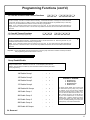
Programming Functions (cont'd)
NOTE:
GROUPS
Clear All Timeout Functions by entering Function 13.
Group Enable/Disable with Timeout (Enter Timeout, XXX Hours)
(Functions 25-34 are enabled through the keypad only)
• Hours must be between 001-999. Enter the functions below to Enable/Disable Groups for the amount of time entered in hours.
2
NOTE: Only 4 Timeout Functions are allowed at any one time. An error beep will sound when attempting to program more than
4 Timeout Functions. Functions 25 - 34 will each override existing scheduled events. Therefore, Functions 25 - 34 are temporary, take effect immediately, and are always overridden by future scheduled events that already exist within the lock
programming. NOTE: Functions 25-34 are enabled through the keypad only.
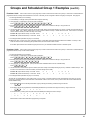
• Example: All 15 members of the Accounting Department are members of Group 4, and a schedule programmed in the
department's door lock reflects their normal working hours of 9 AM through 5 PM, Monday through Friday. But one day a
special event occurs, and all Accounting Department members are requested to stay an extra hour until 6 PM. Therefore,
at 5 PM, the manager (wishing to temporarily enable Group 4 users for an extra hour) enters Program Mode and
presses: ; 33 ; 001 :. Likewise, if the manager wished to send his department home
early at 3 PM, the manager could enter ; 28 ; 002 :.
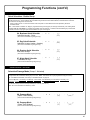
25. Timed Disable Group 1
;25
26. Timed Disable Group 2
;26
27. Timed Disable Group 3
;27
28. Timed Disable Group 4
;28
29. Timed Disable All Groups
;29
30. Timed Enable Group 1
;30
31. Timed Enable Group 2
;31
32. Timed Enable Group 3
;32
33. Timed Enable Group 4
;33
34. Timed Enable All Groups
;34
35. Group Add/Delete Association
;
[___]:
(XXX Hours)
;
[___]:
(XXX Hours)
;
[___]:
(XXX Hours)
;
[___]:
(XXX Hours)
;
[___]:
(XXX Hours)
;
[___]:
(XXX Hours)
;
[___]:
(XXX Hours)
;
[___]:
(XXX Hours)
;
[___]:
(XXX Hours)
;
[___]:
(XXX Hours)
; 35
;[___]
(User Number)
;[____]:
(Groups)
As per the chart on page 8, the lock's default programming from the factory associates certain User Numbers with certain
Groups. To override these default Group associations, Function 35 manually associates (or disassociates) a selected
User with a selected Group. During programming, Groups not selected are then disassociated from the User. Function
35 is helpful when the number of Users you wish to add to a Group outgrows the number of User Numbers defaulted to a
Group (50); or if an existing User joins a department and you wish to simply add them to a Group.
• User Number must be between 2 and 5000; Groups 1-4 (to associate with User) may be selected.
Add Example: To associate User 67 with Groups 1, 2 and 4;
Enter: ; 3 5
;67
;124:
Delete Example: To remove all Group associations for User 67;
Enter: ; 3 5
;67:
NOTE: If a User is associated with more than one Group, all associated Groups would have to be disabled before the User is disabled.
36 - 37. Reserved
18
3
Programming Functions (cont'd)
CLOCK SETTINGS
38. Set Date
;38
;[
______]:
(Date)
• Use Month Day Year format - MMDDYY - Single digit months and days are entered with a preceding zero.
• Enter ONLY the last two digits of the year.
For Example: March 8, 2002; Enter:
;38
;03 08
3
02:
39. Set Time
;39
;
[____]:
(Time)
• Time must be 4 digits
• Use 24 Hour Format (add 12 hours to program PM time)
3
For Example: To set time to 8:25PM;
Enter: ; 3 9
;2025:
For Example: To set time to 8:25AM;
Enter: ; 3 9
;0825:
;40
40. Set Weekday
;
[_]:
(Day)
• For day enter: 1 for Sunday, 2 for Monday, 3 for Tuesday, 4 for Wednesday, 5 for Thursday, 6 for Friday and 7 for Saturday.
3
For Example: To set day to Sunday;
Enter: ; 4 0
;1:
41. Daylight Saving Time Start Date
;41;[
MMWD]:
(DST Starting Month, Month, Week, Day)
The manner in which Daylight Saving Time (DST) is observed varies with location, therefore the DST adjustment is fully flexible to
accommodate these regional differences. Function 41 allows the entry of a DST Start Date (month, day and week), and Function 42
allows the entry of a DST End Date (month, day and week). DST begins and ends at 2AM on the programmed date. Enter ;
4
4 1 ; 0 0 0 : to disable DST. All locks leave the factory with DST enabled and pre-programmed to the
following start and end dates (for the USA beginning 2007):
• Default DST Start Date: March, Week 2, Sunday ("Second Sunday in March")
• Default DST End Date: November, Week 1, Sunday ("First Sunday in November")
To program the DST start date using the keypad, press: ; 4 1 ; [
M M W D ] : where "M M W D" represents:
• "M M" = Two digits of the month (01 through 12 = January through December. Single digit months are entered with a
preceding zero).
• "W" = Single digit for "week of the month" (valid entries are 1-5 where "1" is the first week, "2" is the second week, "3" is the
third week, "4" is the fourth week and "5" is the last week of the month.
• "D" = Day of the week (valid entries are 1-7: 1 for Sunday, 2 for Monday, 3 for Tuesday, 4 for Wednesday, 5 for Thursday, 6
for Friday and 7 for Saturday).
Example: To set the default start date of "second Sunday in March", press:
;41;[
0 3 2 1 ] : (03 = "March", 2 = "2nd week", 1 = Sunday).
42. Daylight Saving Time End Date
;42;[
MMWD]:
(DST Ending Month, Month, Week, Day)
End date of Daylight Saving Time (month, week, day). Enter ; 4 2 ; 0 0 0 : to disable DST.
4
See Function 41 for full explanation.
19
Programming Functions (cont'd)
CLOCK ADJUST
Clock Adjust
Number of seconds to adjust (speed up/slow down) the clock each day must be between 0-55 seconds.
Note: Repeated use of these Functions are not "cumulative" (this means, for example, if the clock has already been set to speed up 10 seconds per day, and then is
found to need an additional 10 seconds, then program 20 seconds using Function 43).
4
Clock Accuracy
The internal oscillator is factory calibrated to an accuracy of ±5 minutes/year. Changes in ambient temperature may affect accuracy. If necessary, the accuracy of the internal clock may be adjusted by first updating the correct time via Function 39. After an interval
of about 1 month, re-set the correct time via Function 39
and then view the Audit Log. Because the Audit Log
displays both the "New Clock Time" and the "Old Clock
Time", a daily accuracy (in seconds) can be determined
by taking the difference in seconds between the "Old"
and "New" times divided by the number of days between
the two Function 39 entries. Note: Because the minimum available adjustment is 1 second per day, the inaccuracy of the clock must exceed about 6 minutes per
year before adjustment is necessary.
Example 1: Clock is losing 13 seconds every day, enter:
;43
; 1 3 :.
This example assumes that the Clock Adjust setting was at the factory default of zero.
Example 2: Clock is gaining 13 seconds every day, enter:
;44
; 1 3 :.
This example assumes that the Clock Adjust setting was at the factory default of zero.
Example 3: To set the clock adjust setting back to the factory default of zero, enter:
; 4 3 : or ; 4 4 :
43. Speed Up Clock
(This Function enabled through keypad only)
44. Slow Down Clock
(This Function enabled through keypad only)
;43
;
[_ _]:
(seconds)
;44
;
[_ _]:
(seconds)
PASSAGE MODE
Passage Mode Enable/Disable - Schedule will Override
• Function 45 allows passage through the door without the need for a User Code. Re-Lock using Function 46.
• Programmed Schedules will override the state of the lock when Functions 45 and 46 are used. If it is required that
2
programmed schedules do not override Passage Mode, enable/disable Passage Mode using Functions 48/49. Note: Because of the temporary nature of these features, Functions 45-47 can only be enabled using the keypad.
45. Enable Passage Mode
(This Function enabled through keypad only)
46. Disable Passage Mode
(This Function enabled through keypad only)
47. Timed Passage Mode
;45:
;46:
;47
(This Function enabled through keypad only)
;
[___]:
(XXX Hours)
• Hours must be between 1 - 999.
Function 47 allows passage through the door without the need for a User Code for the programmed amount of time.
• For example, if you wish your office door lock to be unlocked (unlocked = "Passage Mode") for the next 3 hours,
enter Program Mode and press: ; 47 ; 003 :
20
2
Programming Functions (cont'd)
PERMANENT PASSAGE MODE
Passage Mode Enable/Disable - Schedule will not Override
• Function 48 allows passage through the door without the need for a User Code. Re-Lock using Function 49.
• Programmed Schedules will not override the state of the lock using functions 48 and 49. If it is required that programmed
2
schedules override Passage Mode, Enable/Disable Passage Mode using Functions 45/46. Use Function 50 to "undo" Functions 48 and/or 49, and therefore return the lock to all pre-existing scheduled functions. Note: Functions 48-50 can only be
enabled using the keypad. Warning: Function 49 will inhibit all scheduled Passage Mode events.
48. Enable Permanent Passage Mode
(This Function enabled through keypad only)
49. Disable Permanent Passage Mode
(This Function enabled through keypad only)
50. Return Lock to Normal Passage
Mode Schedule
;48:
;49:
;50:
(This Function enabled through keypad only)
(Locks will lock or unlock depending on the current schedule). Use Function 50 to "undo" Functions 48 and/
or 49, and therefore return the lock to all pre-existing scheduled functions.
NOTE:
See Scheduled functions 72 and 73 for Scheduled Passage Mode.
51. Passage Mode Configuration
;51;
[_]
:
(Mode)
• Mode 1 (Normal): Passage Mode must be enabled/disabled using Function 45 and 46. Mode 1 (Normal) is the factory de-
4
fault.
Mode 2: Group 2 toggles Passage Mode.
•
• Mode 3: Group 2 enables, Group 3 disables Passage Mode. Disable Passage Mode has priority if User is a member of both
Groups 2 and 3.
With Mode 2, each time any member of Group 2 enters their User Code, they will toggle Passage Mode. For example, if Passage Mode is enabled, and a Group 2 User enters their User Code, Passage Mode will be disabled. If a few seconds later they
enter their User Code again, Passage Mode will be enabled. With Mode 3, Group 2 members will always enable Passage Mode,
and Group 3 members will always disable Passage Mode. For example, if Passage Mode is already enabled, and a Group 2
User enters their User Code, the Passage Mode status will not be changed due to the Function 51 Mode 3 configuration. If Passage Mode is already enabled, and a Group 3 User enters their User Code, Passage Mode will become disabled.
PASS TIME
Pass Time
The Pass Time is the length of time the lock stays unlocked after a valid User Code is
entered. When the Pass Time expires, the lock will re-lock automatically. Use the
functions below to change the Pass Time to 3, 10 or 15 seconds. The Pass Time is
defaulted to 3 seconds.
52. Set Pass Time to 3 Sec.
;52:
53. Set Pass Time to 10 Sec.
;53:
54. Set Pass Time to 15 Sec.
;54:
4
21
Programming Functions (cont'd)
55 - 59. Reserved
LOCKOUT
60. Number of Attempts Before Lockout
• Number of attempts before lockout must be 1-9 attempts.
• The number of attempts is reduced by half every time the keypad is locked out without a
successful code entry (default is 6 attempts).
• The attempt count is reset each time a valid code is entered.
;60
4
;
[_]:
(Number of Attempts)
61. Set the Attempts Lockout Time
• Lockout Time must be 1-60 seconds.
How long the keypad is locked-out after a series of unsuccessful attempts
(default is 18 seconds).
;61
4
;
[__]:
(Lockout Time)
62-63. Reserved
REMOTE INPUT
Remote Input
• Wire a Normally Open Contact to Wires (White & White). Momentarily close switch to unlock door
to allow person to pass through door.
• Enter the functions below to Disable/Enable the Remote Input.
NOTE: The Remote Input is enabled as part of the default program.
64. Disable Remote Input
;64:
65. Enable Remote Input
;65:
2
AMBUSH
66. Ambush Code
;66
;[
_ _]:
(Ambush Code)
• Ambush code must be 2 digits.
• An error will sound if the Ambush Code matches the 1st two digits of any User Code.
See Function 67 for more information about the Ambush Function.
22
3
Programming Functions (cont'd)
SYSTEM FEATURES
67. Add System Features
;67
;
[__]:
(Event Number)
4
• Relay Features (12-23. Reserved)
Use Function 67 to program one or more lock events and the Relay will energize when the programmed event(s) listed below occurs. For example, program ; 6 7 ; 3 : and when an attempted entry fails (such as a User who enters an
incorrect or un-programmed User Code), the Relay will energize for 2 seconds. Note: For more information about the Remote Input, see page 10 (Wiring, Remote Input) and page 22 (Function 65).
1.
2.
3.
4.
5.
6.
7.
8.
Remote Input switch closed and Function 65 Remote Input enabled.
Because the Remote Input is enabled by factory default, the Relay will
energize when the Remote Input switch is closed.
Remote Input switch closed and Function 64 Remote Input disabled. If the Remote Input is disabled with Function 64, the Relay will
energize when the Remote Input Switch is closed.
Failed attempted entry. Relay energizes for 2 seconds when an attempted User Code entry (or proximity card / keyfob) fails.
Disabled User or Group. Relay energizes for 2 seconds when a disabled User or disabled Group member enters a User Code (or proximity
card / keyfob).
Follow Access Granted. When a valid User Code is entered into the
keypad and the lock unlocks, the Relay energizes for 2 seconds. Compare with Event 31.
Group 1 User Code. Relay energizes for 2 seconds when a scheduled
Group 1 User Code (or proximity card / keyfob) is entered. See
Function 90, page 26.
Scheduled Lock Event. Relay energizes for 2 seconds when lock is
locked by a Schedule.
Scheduled Unlock Event. Relay energizes for 2 seconds when lock is
unlocked by a schedule
9.
Lock Out. Relay energizes for 2 seconds when a Lock Out occurs (i.e.
number of attempts is exceeded, see Function 60).
10. Ambush. Relay energizes for 2 seconds when Ambush is tripped. See
Function 66, page 22.
11. First Key Press. Relay energizes for 2 seconds at the first key press of
any sequence.
31. Follow Access Granted--No Time Limit.** When a valid User Code is
entered into the keypad and the lock unlocks, the Relay energizes for
the same amount of time as the programmed Pass Time. (The Pass
Time is the length of time the lock stays unlocked after a valid
User Code is entered. See functions 52-54). Use this feature for
remote monitoring or other activation as this feature works independently of all other relay options. Programming this feature will supersede
all other programmed relay features. Subsequent relay feature programming will not take effect while this feature is active. Before programming any other relay features, press ; 6 8 ; 0
0 0 : to delete this feature.
• Remote Input Functions
• System Options
29. Toggle Passage Mode. Remote Input toggles Passage Mode.
24. One Time Access for Group 3 Users***
30. Forced Unlock Follows Remote Input.** When Remote Input switch
is closed, regardless of the current state of the lock, the lock unlocks for
the duration of the Remote Input switch closure.
25. Disable Sounder
32. Remote Input Disables Unit.** Regardless of the current state, that
state will remain unchanged (and keypad will be disabled) for the duration of Remote Input switch closure.
28. 45 sec. Delayed Entry *
34. Forced Lock Follows Remote Input ** When Remote Input switch is
closed, regardless of the current state of the lock, the lock will lock for
the duration of the Remote Input switch closure.
26. 5 sec. Delayed Entry *
27. 15 sec. Delayed Entry *
• Enable Emergency Commands
38. Emergency Commands Enable (default = ON)
39. User Lockout on Emergency (default = ON)
* Features 26, 27 & 28 will delay User Codes 12 and higher only (except 297, 298 and 299, and any Emergency Command enabled User).
** Features 30, 31 & 32 should be used with External DC Power unless feature is used for short a duration and infrequently (sustained closure of remote
input or Relay will drain batteries, and scheduled events will not occur during sustained closure of remote input). Sustained closure of remote input may
affect proper audit trail operation. NOTE: Enter ; 6 7 ; 0 0 0 : to delete all Relay Features added by Function 67 (identical
to Function 68).
*** Feature 24, "One Time Access for Group 3 Users", allows the creation of multiple 'one time only' User Codes. When activated, an entry by a Group 3 User
allows entry only once, then user becomes disabled. Note: When the User Code is entered for the first time and access is granted, the Event Log will read
"Entry" followed by "User Disabled". If the User Code is entered a second time, access will be denied, and the Event Log will read "User Denied Access".
To Enable the Feature: Enter Program Mode and enter the key sequence ; 6 7 ; 2 4 :. To assign the selected User
Codes to Group 3: For example, to assign User Number 15 to Group 3, press: ; 3 5 ; 1 5 ; 3 :.
Ambush Function
1.
2.
3.
4.
Connect relay to a device able to properly monitor dry contacts for an Ambush condition.
Program the Relay for Ambush Tripped using Program Function 67(10) above.
Set the Ambush Code using Program Function 66.
When the Ambush Code is entered followed by a valid User Code, the relay will close for 2 seconds.
Notes: The Ambush Code defaults to 99. An error will sound if you try to program a new User Code starting with the Ambush Code.
68. Delete All Relay Features added by Function 67.
;68 ;000:
Enter ; 6 8 ; 0 0 0 : to delete all Relay Features added by Function 67.
4
23
Programming Functions (cont'd)
ENTER KEY
Enter Key
• When this function is enabled, the User must press : after any valid User Code entry. Therefore,
this Function allows User Codes to be subsets of other User Codes.
4
Examples:
1 2 3 : can be a valid user code;
1 2 3 4 : can be a valid user code within the same lock.
1 2 3 4 5 6 : (Hold ;) for Master User Code to enter Program Mode.
69. Enable : as Enter Key
;69:
70. Disable : as Enter Key
;70:
71. Reserved
SCHEDULES
NOTE:
Clear All Schedule and Timeout Functions by entering Function 12.
To set the time, see Function 39.
Scheduled Passage and Group
Use the functions below to enable Passage Mode and enable/disable Groups at the time programmed.
• For day enter: 1 for Sunday, 2 for Monday, 3 for Tuesday, 4 for Wednesday, 5 for Thursday, 6 for
Friday, 7 for Saturday, 8 for Monday to Friday, 9 for Saturday and Sunday, and 0 for all days of week.
Passage
Mode
Groups
72. Schedule Enable Passage
Mode ("Unlock")
;72
73. Schedule Disable Passage
Mode ("Lock")
;73
74. Schedule Enable Group 1
;[_]
(Day)
;[_]
(Day)
;74
;[_]
(Day)
75. Schedule Enable Group 2
;75
;[_]
(Day)
76. Schedule Enable Group 3
;76
;[_]
(Day)
77. Schedule Enable Group 4
;77
;[_]
(Day)
78. Schedule Enable All Groups
;78
;[_]
(Day)
79. Schedule Disable Group 1
;79
;[_]
(Day)
80. Schedule Disable Group 2
;80
;[_]
(Day)
81. Schedule Disable Group 3
;81
;[_]
(Day)
82. Schedule Disable Group 4
;82
;[_]
(Day)
83. Schedule Disable All Groups
;83
;[_]
(Day)
24
3
;[____]:
(Time)
;[____]:
(Time)
;[____]:
(Time)
;[____]:
(Time)
;[____]:
(Time)
;[____]:
(Time)
;[____]:
(Time)
;[____]:
(Time)
;[____]:
(Time)
;[____]:
(Time)
;[____]:
(Time)
;[____]:
(Time)
Programming Functions (cont'd)
QUICK SCHEDULES
Quick Schedules - Enable Group
For your convenience, your lock comes pre-programmed with Quick Schedules, which, when programmed, enable Groups for
popular blocks of time. Group members will be enabled during the blocks of time defined below, but will still need to enter their
User Codes into the keypad to unlock the lock.
• Group number must be 1-4; enter the number of the Group that is to be enabled for the time specified by the Quick
Schedules below.
Note: These Quick Schedules can only be programmed through the keypad (not through DL-Windows), and existing Quick
Schedules will be over-written by schedules downloaded from DL-Windows. Therefore, after downloading any DL-Windows
schedules, be sure to re-program your Quick Schedules into your Lock Program.
84. Business Quick Schedule
7AM-5PM, Monday - Friday
;84
3
;[_]:
(Group)
(This Function enabled through keypad only)
85. Day Quick Schedule
;85
7AM-5PM, All days, Sunday - Saturday
;[_]:
(Group)
(This Function enabled through keypad only)
86. Evening Quick Schedule
3PM-1AM, All days
;86
;[_]:
(Group)
(This Function enabled through keypad only)
87. Night Quick Schedule
11PM-9AM, All days
;87
;[_]:
(Group)
(This Function enabled through keypad only)
SCHEDULES GROUP 1 ACTIVATED
Scheduled Passage Mode (Group 1 Activated)
Functions 88 and 89 allow you to set up a window of time where if any Group 1 User Code is entered within this window,
Passage Mode will be activated, allowing anyone to enter. Note: This feature can only be programmed using the lock keypad. For additional information, see "Group 1 Activated Features" on page 28.
3
• For the day enter: 1 for Sunday, 2 for Monday, 3 for Tuesday, 4 for Wednesday, 5 for Thursday, 6 for Friday, 7 for
Saturday, 8 for Monday to Friday, 9 for Saturday and Sunday, and 0 for all days of week.
• Enter time of day in 24 hour format (for example, for 2:15 PM, enter 14:15).
Note: Do not use this feature in "Residency" mode.
88. Passage Mode
(Open Time Window)
;88
;[_]
(Day)
;[____]:
(Time)
(This Function enabled through keypad only)
89. Passage Mode
(Close Time Window)
;89
;[_]
(Day)
;[____]:
(Time)
(This Function enabled through keypad only)
25
Programming Functions (cont'd)
SCHEDULES GROUP 1 ACTIVATED
Scheduled Relay Activation (Group 1 Activated)
Functions 90 and 91 allow you to set up a window of time where if any Group 1 User Code is entered within this window,
the relay will be activated for 2 seconds. This relay is for use with a Control Panel that has a key switch disarm option. For
additional information, see "Group 1 Activated Features" on page 28.
• Also program Relay Function 6 using Function 67 (; 6 7
3
; 6 :).
• For day enter: 1 for Sunday, 2 for Monday, 3 for Tuesday, 4 for Wednesday, 5 for Thursday, 6 for Friday, 7 for Saturday,
8 for Monday to Friday, 9 for Saturday and Sunday, and 0 for all days of week.
• Enter time of day in 24 hour format (for example, for 2:15 PM, enter 14:15).
90. Relay Activation
(Open Time Window)
;90
91. Relay Activation
(Close Time Window)
;91
;[_]
(Day)
;[_]
(Day)
;[____]:
(Time)
;[____]:
(Time)
To Disarm a Burglary Control Panel
NOTES
Relay
Output
Switc h
Input
Burglary
Control
Panel
Alarm Panel with Switched Input for Disarming
Relay
Output
External
Relay
Switc h
Input
Burglary
Control
Panel
Armed
Lug
Power
Alarm Panel with Switched Input for Toggled Arm/Disarm
26
1. Group 1 Disarms a Burglary Control
Panel will always disarm an alarm
system. Arming should be performed
by other means (such as Alarm Panel
Keypad/Schedule).
2. Use a qualified electrical/alarm
specialist to review your current alarm
system and add additional components
as needed (such as a relay, wire,
resistors, connectors and/or diodes) and
re-program the operation of your alarm
system as needed.
Programming Functions (cont'd)
Scheduled Group 4 Enable (Group 1 Activated)
Functions 92 and 93 allow you to set up a window of time where if any Group 1 User Code is entered within this window,
Group 4 members will be enabled. (Group 4 members will still need to enter their User Codes to enter). For additional information, see "Group 1 Activated Features" on page 28.
3
• For day enter: 1 for Sunday, 2 for Monday, 3 for Tuesday, 4 for Wednesday, 5 for Thursday, 6 for Friday, 7 for Saturday, 8
for Monday to Friday, 9 for Saturday and Sunday, and 0 for all days of week.
• Enter time of day in 24 hour format (for example, for 2:15 PM, enter 14:15).
92. Enable Group 4
(Open Time Window)
;92
;[_]
;[____]:
(Day)
(Time)
(This Function enabled through keypad only)
93. Enable Group 4
(Close Time Window)
;93
;[_]
;[____]:
(Day)
(Time)
(This Function enabled through keypad only)
Disable Radio Signal
94. Disable Radio
(This Function enabled through keypad only)
;94
;
000:
Disables the radio signal (RF) link inside the lock, rendering all wireless communication with the selected lock inoperative.
3
When using a lock without the DL-Windows RF link, it is highly recommended to enter this command to disable all radio access to the
lock. If enrollment in a wireless system should be desired later, simply restart the lock either through the power up "ERASE ALL
PROGRAMMING" procedure (see page 10) or through the use of the ;99; 000: command, then
enroll and reprogram the lock through the DL-Windows interface.
95 - 98. Reserved
CLEAR ALL PROGRAMMING
99. Clear All Lock Programming
(This Function enabled through keypad only)
;99
Clears all programming, and returns lock to factory default settings. Audit Trail contents
are maintained.
;000:
M
27
Groups and Scheduled Group 1 Examples
The following examples detail the more advanced features of the PDL series locks. Although all features and device functions can be programmed
using the lock keypad, when programming becomes more complex you may find it easier to use DL-Windows software to program your Alarm Lock
security lock. For more information, contact your Alarm Lock security professional.
Assign a User to Two Groups
Create a User 101 (all Users 101-150 are members of Group 2 by default) and include User 101 in Group 3 (as well as the default Group 2).
1. Enter Program Mode (if not in already).
2. Using Function 2, create User 101 with a User Code of "789":
Press ; 2 ; 1 0 1 ; 7 8 9 :.
3. Using Function 35, make User 101 a member of Group 2 and 3:
Press ; 3 5 ; 1 0 1 ; 2 3 :.
4. Exit Program Mode.
Note: See step 3 above--although User 101 is by default a member of Group 2, you must include Group 2 when using Function 35 or the
Group 2 association will be removed.
The example to add Users to Group 2 and Group 3 has been selected due to the fact that Group 1 Activated Functions require that a member
of Group 1 enter their User Code to activate the Function, and it may become necessary to assign Users to Groups.
Group 1 Activated Features: Functions 88/89, 90/91 and 92/93
• Function 88 and 89 allow for a window of time to be created where if any Group 1 User Code is entered within the programmed window,
Passage Mode will be activated (the device physically unlocks, allowing passage for all). If a Group 1 User does not enter their User Code
during the specified window, Functions 88/89 remain inactive.
• Function 90 and 91 allow for a window of time to be created where if any Group 1 User Code is entered within the programmed window, an
internal Relay will be activated for 2 seconds. This Relay can be used with a burglar alarm control panel that has a key switch disarm option.
See To Disarm a Burglary Control Panel on page 26. If a Group 1 User does not enter their User Code during the specified window, Functions 90/91 remain inactive.
• Function 92 and 93 allow for a window of time to be created where if any Group 1 User Code is entered within the programmed window, the
User Codes in Group 4 will be enabled. If a Group 1 User does not enter their User Code during the specified window, Functions 92/93 remain inactive. Companies typically use this feature to allow Group 1 Managers the ability to enable all Group 4 staff members during a certain window of time.
The following examples illustrate how Functions 88-93 can be programmed into your PDL Series lock via the keypad:
Functions 88/89: Use Function 88 to set an Open Time Window (during which the Group 1 User must enter their User Code), and then use
Function 89 to set the time to close the Window. Re-lock the door at night manually (Function 46).
1. Enter Program Mode (if not in already).
2. Using Function 2, create User 4 with a User Code of "456789":
Press ; 2 ; 4 ; 4 5 6 7 8 9 :.
3. Because User 4 does not have a default Group association, make User 4 a member of Group 1 using Function 35:
Press ; 3 5 ; 4 ; 1 :.
4. Use Function 88 and Function 89 (see page 25) to designate Passage Mode as being between the hours of 8:30 A.M. and 10 A.M. for all
days of the week:
Function 88 (Open Window Time) = 8:30 A.M.: Press ; 8 8 ; 0 ; 0 8 3 0 :
Function 89 (Close Window Time) = 10:00 A.M.: Press ; 8 9 ; 0 ; 1 0 0 0 :
5. Exit Program Mode (hold down any key for 3 seconds).
The lock will now be put in Passage Mode (device physically unlocked) if User 4 (or any Group 1 member) enters their User Code between
8:30 A.M. and 10 A.M. If a Group 1 User does not enter their User Code during the specified window, Functions 88/89 remain inactive
• The device will have to be manually locked each night by entering the following command using Function 46:
;46:
• The device can also be programmed to automatically lock (disable Passage Mode) each night at 5 P.M. by using Function 73:
;73;0;1700:
• Remember to exit Function Mode when programming is complete.
28
Groups and Scheduled Group 1 Examples (cont'd.)
Functions 90/91:
Use Function 90 and 91 (see page 26) to create a window of time where if any Group 1 User Code is entered within the
programmed window, a Relay will be activated for 2 seconds. The Relay can be configured to disarm a burglary control panel. See page 26.
1. Enter Program Mode (if not in already).
2. Connect Relay to a burglar control panel with switch input for disarming.
3. Using Function 2, create User 4 with a User Code of "456789":
Press ; 2 ; 4 ; 4 5 6 7 8 9 :.
4. Because User 4 does not have a default Group association, make User 4 a member of Group 1 using Function 35:
Press ; 3 5 ; 4 ; 1 :.
5. Use Function 90 to set the time to open the window (8:30 A.M. all days of the week) allowing any Group 1 member to close the Relay for 2
seconds. Note: Only 1 Relay closure will occur even if another member of Group 1 enters their User Code. Use Function 91 to set the
time to close the window (10 A.M. for all days of the week):
Function 90 (Open Window Time) = 8:30 A.M.: Press ; 9 0 ; 0 ; 0 8 3 0 :
Function 91 (Close Window Time) = 10:00 A.M.: Press ; 9 1 ; 0 ; 1 0 0 0 :
6. Exit Program Mode (hold down any key for 3 seconds).
The Relay will close, one time only, when a member of Group 1 enters their User Code between 8:30AM and 10:00AM. If a Group 1 User
does not enter their User Code during the specified window, Functions 90/91 remain inactive
• The alarm panel will have to be armed at night by the User or by an automatic schedule function of the alarm panel.
Functions 92/93:
Use Function 92 and 93 (see page 27) to create a window of time where if any Group 1 User Code is entered within the
programmed window, Group 4 Users will be enabled.
1. Enter Program Mode (if not in already).
2. Using Function 2, create User 4 with a User Code of "456789":
Press ; 2 ; 4 ; 4 5 6 7 8 9 :.
3. Because User 4 does not have a default Group association, make User 4 a member of Group 1 using Function 35:
Press ; 3 5 ; 4 ; 1 :.
4. Using Function 17, disable Group 4. (Group 4 will need to be "disabled" before it can be "enabled" later).
Press ; 1 7 :.
5. Use Function 92 to set the time to open the window (8:30 A.M. all days of the week) allowing any Group 1 member to enable Group 4. Use
Function 93 to set the time to close the window (10:00 A.M. all days of the week).
Function 92 (Open Window Time) = 8:30 A.M.: Press ; 9 2 ; 0 ; 0 8 3 0 :
Function 93 (Close Window Time) = 10:00 A.M.: Press ; 9 3 ; 0 ; 1 0 0 0 :
6. Exit Program Mode (hold down any key for 3 seconds).
The lock will now enable Group 4 User Codes if User 4 (or any Group 1 member) enters their User Code between 8:30 A.M. and 10 A.M.
If no Group 1 member arrives to enter their User Code between 8:30 A.M. and 10 A.M., Group 4 User Codes will not be enabled and will
remain disabled all day.
• The device will have to be manually locked each night by entering the following command using Function 82:
;46:
• The device can also be programmed to automatically disable Group 4 members each night at 5 P.M. by using Function 82:
;82;0;1700:
• Test the device by creating User 222 (with User Code 466466) and adding User 222 to Group 4:
;2;222;466466:
;35;222;4:
• Remember to exit Function Mode when programming is complete.
29
Default Values are shown in parentheses.
Function
Number(s)
43/44
Function Name
Clock Adjust
Programming
+/-
0-55
(0)
52/53/54
Pass Time
60
Set Lockout Attempts
Seconds
(0)
(3 sec)
10 sec
15 sec
1-9 Attempts
(6)
61
Set Lockout Time
1-60 seconds
(1)
64/65
Remote Input Momentary
66
Ambush Code
(Enable)
Add Relay/System Features
Disable
00-99
(9)
67
(8)
(9)
Ambush Code
Check all that apply:
1. Remote Input switch closed and Function 65 Remote Input
enabled
2. Remote Input switch closed and Function 64 Remote Input
disabled
3. Failed attempted entry
4. Disabled User or Group
5. Follow Access Granted
6. Group 1 User Code
7. Scheduled Lock Event
8. Scheduled Unlock Event
9. Lock Out
10. Ambush
11. First Key Press
24. One Time Access for Group 3 Users
25. Disable Sounder
26. 5 sec. Delayed Entry
27. 15 sec. Delayed Entry
28. 45 sec. Delayed Entry
29. Toggle Passage Mode
30. Forced Unlock Follows Remote Input
31. Follow Access Granted--No Time Limit
32. Remote Input Disables Unit
34. Forced Lock Follows Remote Input
38. Emergency Commands Enable (default = ON)
39. User Lockout on Emergency (default = ON)
69/70
30
Enter Key
Enable
(Disable)
User Number
(1-5000)
User Code
(3-6 digits)
Group
Association
1
2
3
User Name
4
Note:
For a complete list of user codes, obtain a printout from the DL-WINDOWS software.
31
User Number
(1-5000)
User Code
(3-6 digits)
Group
Association
1
2
3
User Name
4
Note:
For a complete list of user codes, obtain a printout from the DL-WINDOWS software.
32
Day(s)
Function Number
Up to 500 scheduled functions can be programmed. For
Day Enter :
1 = Sunday, 2 = Monday, 3 = Tuesday, 4 = Wednesday
5 = Thursday, 6 = Friday, 7 = Saturday, 8 = Monday through
Friday, 9 = Saturday and Sunday, 0 = All days of the week
Enter time of day in 24-hour format (00:00- 23:59)
Time
Function Name
:
:
:
:
:
:
:
:
:
:
:
:
:
:
:
:
:
:
:
:
:
:
:
:
:
:
:
:
:
:
33
Day(s)
Function Number
Up to 500 scheduled functions can be programmed. For
Day Enter :
1 = Sunday, 2 = Monday, 3 = Tuesday, 4 = Wednesday
5 = Thursday, 6 = Friday, 7 = Saturday, 8 = Monday through
Friday, 9 = Saturday and Sunday, 0 = All days of the week
Enter time of day in 24-hour format (00:00- 23:59)
Time
:
:
:
:
:
:
:
:
:
:
:
:
:
:
:
:
:
:
:
:
:
:
:
:
:
:
:
:
:
:
34
Function Name
Glossary
ACCESS = Entry into a restricted area.
AMBUSH = A special Code entered at the keypad when the
User is forced to unlock a security device. The device
unlocks but sends a silent alarm with no indication at the
keypad. Can be used to trip a relay, to alert security, or
trip a silent alarm on a burglary control panel.
AUDIT TRAIL = A date/time stamped log of previous lock
events.
BURGLARY CONTROL PANEL = Provides local alarm
and remote communication to request security for
burglary/break-in. An internal lock relay output used for
Ambush can provide a silent alarm and call-for-help.
CLOCK
• REAL TIME CLOCK = An accurate built-in clock that
allows date/time stamping of events. The clock can
be slowed or speeded up to fine tune long term
accuracy to within three minutes per year (see
Functions 43 and 44).
• CLOCK SPEED = The clock can be adjusted to allow
faster/slower speeds and therefore increasing clock
accuracy (see Functions 43 and 44).
CODE = Numeric sequence of numbers (such as: 1234)
entered at the keypad. If Star-Enter key is required,
must be followed by a : key.
• AMBUSH CODE = See Ambush.
• BASIC USER CODE = User Codes assigned to User
Numbers 12+ (except Users 297-300). (Does not
allow programming)
• INSTALLER CODE = User Codes assigned to User
Numbers 2 and 3. (Allows all programming except
Master functions).
• INVALID CODE = A numeric sequence of numbers
entered via the keypad buttons that have not been
programmed in the lock.
• MANAGER CODE = User Codes assigned to User
Numbers 4 through 6.
(Allows most of the
programming functions).
• MASTER CODE = User Code assigned to User Number 1. Default (factory) Master Code is 123456. The
User with the Master Code has complete control of
the lock.
• QUICK ENABLE USER 300 CODE = Refers to the
User Code entered by User 297 which (when entered at the keypad) enables the User Code assigned to User 300 for one time only.
• SERVICE CODE = User 300 User Code. Allows only
one entry, then needs to be re-enabled by the User
297 User Code to regain access.
• SUPERVISOR CODE = User Codes assigned to Users 7, 8 and 9. Can only program day-to-day
operation.
• USER CODE = Code used by Users. Code is 3 to 6
numeric digits long, allowing controlled entry.
• VALID CODE = A numeric sequence of numbers entered via the keypad buttons that have been programmed in the lock and identified by the lock as a
User Code.
DATE = Month, Day and Year entered as MMDDYY.
DAY OF WEEK = Sunday through Saturday (where 1 =
Sunday and 7 = Saturday).
DEFAULT = Default settings are the original settings that
were set at the factory; in other words, it is the lock's
original factory condition when the lock was first taken
out of its box. The default settings are permanently encoded within the lock's fixed memory, and when the lock
is first started, or when power is removed and re-applied
(see Wiring and Power-Up, page 10), the original factory
default settings are re-loaded and take effect.
DISABLE = Turn off.
DOWNLOAD = Send data to the lock.
ENABLE = Turn on.
EVENTS = Recorded lock activity.
FUNCTION (also called Programming Functions) = are
the numbers used to program lock features (enabling/
disabling Users, User Groups, Passage Mode,
Schedules, etc.).
GROUP
• USER GROUP = Defining a User to specific Groups,
allows User entry when the Group is allowed entry.
• GROUP 1 DISARMS BURGLAR CONTROL = A
Group 1 USER CODE entry can disarm an alarm
panel during a predefined schedule. Should the
Group 1 enter the lock outside of the scheduled time,
the alarm will not disarm. The alarm panel must be
armed through other means (such as an alarm
control panel keypad). The burglary alarm control
panel must be programmed to disarm from an armed
state only and the zone input must be programmed
for input disarming.
• GROUP 1 ENABLES GROUP 4 USERS = A Group 1
USER CODE entry during a predefined schedule will
allow access to Group 4 Users.
• GROUP 1 PUTS UNIT IN PASSAGE = A Group 1
USER CODE entry during a pre-defined schedule
will unlock unit.
INSTALLER = See.... CODE, INSTALLER CODE.
KEYPAD = 10-numeric keys, : and special ; key.
• KEYPAD LOCKOUT = Keypad is programmed to
lockout Users, for a specified period of time, when a
specified number of invalid User Codes are entered.
• KEYPAD PROGRAMMING = Ability to program the
lock through the keypad.
KEYPRESS = Pressing a button on the Lock's Keypad.
LEVEL ABILITY = Predefined User types (such as Master,
Installer, Manager and Supervisor) have specific abilities
to program and /or control the lock.
LOCKOUT ATTEMPTS = A specified number of invalid
User Code entries (1-9), that will disable the keypad for
a predefined period of time (1-60 seconds).
LOCKOUT TIME = A predefined time (1-60) seconds that
the lock will stop accepting User Codes, after a specified
number of invalid User Code entries (1-9).
LOG = See... AUDIT TRAIL.
MANAGER = See... CODE, MANAGER CODE.
MASTER = See... CODE, MASTER CODE.
PASSAGE = Allow anyone to pass through the door without
USER CODES (door is unlocked).
PROGRAM MODE = A mode allowing program / data to be
35
Glossary (cont'd)
entered through the keypad. Only specific Users can
program a lock manually, by entering their USER CODE,
followed by the ; key. To exit program mode, hold
any key until repeated beeps are heard.
PROGRAMMABLE RELAY FUNCTIONS = The relay can be
programmed for one or more functions.
RELAY = Switched output allowing remote control of other
devices. For an explanation of all relay features, see
Function 67 on page 23.
REMOTE INPUT = Entry into a restricted area, by pressing a
button connected to the REMOTE INPUT WIRES (white
and white) by someone on the other side of the door.
SCHEDULE = A programmed operation (enable/disable,
lock/unlock, etc.) on a specific day (Sunday through
Saturday) and time.
SCHEDULES, QUICK = Any one of four most common types
of schedules can be programmed.
TIME = Hours and Minutes in the HHMM format.
TIME/DATE STAMP = A recorded date and time that an
event occurred.
TIMEOUT = Immediate operation for a specified number of
hours.
UPLOAD = Receive data from the lock.
USER = A person who has been provided with a USER
CODE for access through the door.
USER LOCKOUT, TOTAL = All Users (except for Master
Code) have been locked out.
ALARM LOCK LIMITED WARRANTY
ALARM LOCK SYSTEMS, INC. (ALARM LOCK) warrants its products to be free from manufacturing defects in materials and workmanship for 24
months following the date of manufacture. ALARM LOCK will, within said period, at its option, repair or replace any product failing to operate
correctly without charge to the original purchaser or user.
This warranty shall not apply to any equipment, or any part thereof, which has been repaired by others, improperly installed, improperly used,
abused, altered, damaged, subjected to acts of God, or on which any serial numbers have been altered, defaced or removed. Seller will not be
responsible for any dismantling or reinstallation charges.
THERE ARE NO WARRANTIES, EXPRESS OR IMPLIED, WHICH EXTEND BEYOND THE DESCRIPTION ON THE FACE HEREOF. THERE IS
NO EXPRESS OR IMPLIED WARRANTY OF MERCHANTABILITY OR A WARRANTY OF FITNESS FOR A PARTICULAR PURPOSE.
ADDITIONALLY, THIS WARRANTY IS IN LIEU OF ALL OTHER OBLIGATIONS OR LIABILITIES ON THE PART OF ALARM LOCK.
Any action for breach of warranty, including but not limited to any implied warranty of merchantability, must be brought within the six months
following the end of the warranty period. IN NO CASE SHALL ALARM LOCK BE LIABLE TO ANYONE FOR ANY CONSEQUENTIAL OR
INCIDENTAL DAMAGES FOR BREACH OF THIS OR ANY OTHER WARRANTY, EXPRESS OR IMPLIED, EVEN IF THE LOSS OR DAMAGE IS
CAUSED BY THE SELLER'S OWN NEGLIGENCE OR FAULT.
In case of defect, contact the security professional who installed and maintains your security system. In order to exercise the warranty, the product
must be returned by the security professional, shipping costs prepaid and insured to ALARM LOCK. After repair or replacement, ALARM LOCK
assumes the cost of returning products under warranty. ALARM LOCK shall have no obligation under this warranty, or otherwise, if the product has
been repaired by others, improperly installed, improperly used, abused, altered, damaged, subjected to accident, nuisance, flood, fire or acts of
God, or on which any serial numbers have been altered, defaced or removed. ALARM LOCK will not be responsible for any dismantling,
reassembly or reinstallation charges.
This warranty contains the entire warranty. It is the sole warranty and any prior agreements or representations, whether oral or written, are either
merged herein or are expressly canceled. ALARM LOCK neither assumes, nor authorizes any other person purporting to act on its behalf to
modify, to change, or to assume for it, any other warranty or liability concerning its products.
In no event shall ALARM LOCK be liable for an amount in excess of ALARM LOCK's original selling price of the product, for any loss or damage,
whether direct, indirect, incidental, consequential, or otherwise arising out of any failure of the product. Seller's warranty, as hereinabove set forth,
shall not be enlarged, diminished or affected by and no obligation or liability shall arise or grow out of Seller's rendering of technical advice or
service in connection with Buyer's order of the goods furnished hereunder.
ALARM LOCK RECOMMENDS THAT THE ENTIRE SYSTEM BE COMPLETELY TESTED WEEKLY.
Warning: Despite frequent testing, and due to, but not limited to, any or all of the following; criminal tampering, electrical or communications
disruption, it is possible for the system to fail to perform as expected. ALARM LOCK does not represent that the product/system may not be
compromised or circumvented; or that the product or system will prevent any personal injury or property loss by burglary, robbery, fire or otherwise;
nor that the product or system will in all cases provide adequate warning or protection. A properly installed and maintained alarm may only reduce
risk of burglary, robbery, fire or otherwise but it is not insurance or a guarantee that these events will not occur. CONSEQUENTLY, SELLER
SHALL HAVE NO LIABILITY FOR ANY PERSONAL INJURY, PROPERTY DAMAGE, OR OTHER LOSS BASED ON A CLAIM THE PRODUCT
FAILED TO GIVE WARNING. Therefore, the installer should in turn advise the consumer to take any and all precautions for his or her safety
including, but not limited to, fleeing the premises and allege police or fire department, in order to mitigate the possibilities of harm and/or damage.
ALARM LOCK is not an insurer of either the property or safety of the user's family or employees, and limits its liability for any loss or damage
including incidental or consequential damages to ALARM LOCK's original selling price of the product regardless of the cause of such loss or
damage.
Some states do not allow limitations on how long an implied warranty lasts or do not allow the exclusion or limitation of incidental or consequential
damages, or differentiate in their treatment of limitations of liability for ordinary or gross negligence, so the above limitations or exclusions may not
apply to you. This Warranty gives you specific legal rights and you may also have other rights which vary from state to state.
Trilogy® is a registered trademark of Alarm Lock. ProxCard® and ProxKey® are trademarks of the HID© Corporation.. Microsoft® and Windows® are trademarks of their the Microsoft Corporation.
36