1
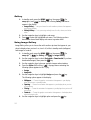
1. Enter characters while in Alpha (ABC) mode by pressing the key with the
desired characters (such as, pressing
ghi
once for “g”).
2. Press the key repeatedly until the desired character appears in the display
(such as, pressing
ghi
two times for “h”).
3. Pause briefly and the displayed character is accepted and inserted into
your message.
4. Press the
key to enter a space.
Entering Text in T9 Word Mode
T9 Word recognizes commonly used words for a sequence of keypresses and
inserts the word into your message. Using T9 mode is much faster than the more
traditional method Alpha mode, since T9 requires only one key press per letter of the
word that you are spelling.
Note: See “Changing the Text Entry Mode” on page 47 for instructions on changing text entry modes.
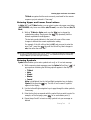
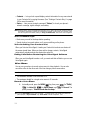
1. While in T9 Word mode, press each key that corresponds to a desired
letter, in sequence, one time.
For example, if you press the key sequence
word “bad” appears on the screen.
abc
def
abc
, and the
2. When you have completed pressing all the keys for the desired word,
review the word displayed in your text.
3. If the word is not the one you meant to enter, press the
key to show
the next word that matches the sequence of keys that you pressed.
For example, when you press the key sequence
, the
word “and” appears on the screen. Suppose the word you want is “cod”.
Just press the
key until “cod” appears in the display.
mno
abc
def
Note: If more than one word shares the same numeric sequence (such as, “263” for both “and” and
“cod”), T9 Word provides the most commonly used word (such as, “and” for “263”). Press the
key to display other words, if any are available.
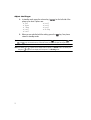
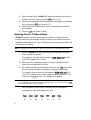
Now, for practice, enter the work ‘Samsung’ into your message by
pressing each of the following keys only once:
pqrs
S
48
abc
A
mno
M
pqrs
S
tuv
U
mno
N
ghi
G