1
Supported types of paper
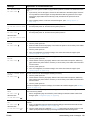
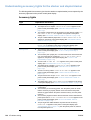
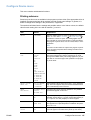
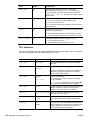
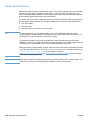
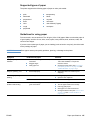
The printer supports the following types of paper or other print media:
plain
letterhead
prepunched
bond
color
rough
transparency
labels
recycled
card stock
user-defined (5 types)
envelopes
preprinted
Guidelines for using paper
For best results, use conventional 75 to 90 g/m2 (20 to 24 lb) paper. Make sure that the paper is
of good quality, and free of cuts, nicks, tears, spots, loose particles, dust, wrinkles, voids, and
curled or bent edges.
If you are unsure what type of paper you are loading (such as bond or recycled), check the label
on the package of paper.
CAUTION
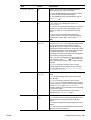
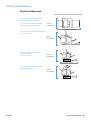
Some paper causes print-quality problems, jamming, or damage to the printer.
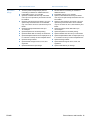
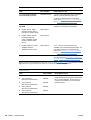
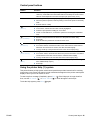
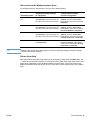
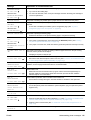
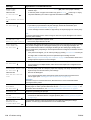
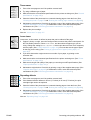
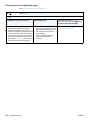
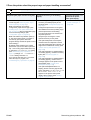
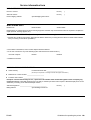
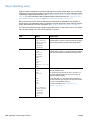
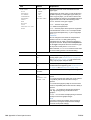
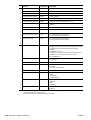
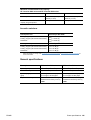
Symptom
Problem with paper
Solution
Poor print quality or toner
adhesion.
Too moist, too rough, too smooth, or
embossed.
Ragged edges.
Faulty paper lot.
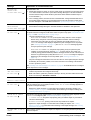
Dropouts, jamming, curl.
Stored improperly.
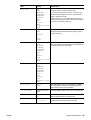
Store paper flat in its moisture-proof
wrapping.
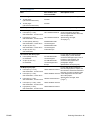
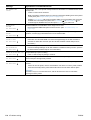
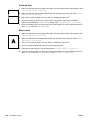
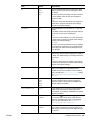
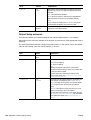
Increased gray background
shading.
Too heavy.
Use lighter paper.
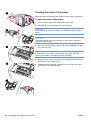
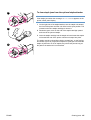
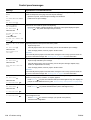
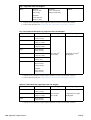
Open the rear output bin.
Too smooth.
Use less smooth paper.
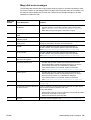
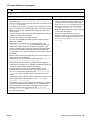
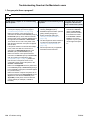
Too moist, wrong grain direction, or short- grain construction.
Excessive curl.
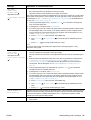
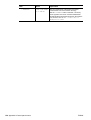
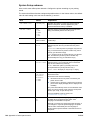
Problems with feeding.
ENWW
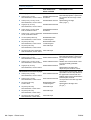
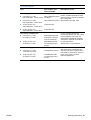
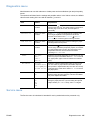
Try another kind of paper, between
100 to 250 Sheffield, 4 to 6 percent
moisture content.
Change the fuser mode. (See “Correcting
print-quality problems” on page 124 and
“FUSER MODES” on page 160.)
Use the rear output bin.
Turn the paper stack over in the tray.
Use long-grain paper.
Store paper in a drier environment.
Change the fuser mode. (See “Curl or wave”
on page 128 and “FUSER MODES” on
page 160.)
Paper specifications 187