1
BASIC OPERATION
disc slot has been retracted.
PLAYBACK OF A SELECTED
INDEX POINT
If the various tracks of the CD have a
call up index, you can select a particular
index during playback.
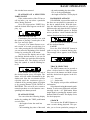
Press the appropriate INDEX key
until the desired index appears on the display, e.g.:
CONTINUOUS PLAY
Continuous play provides you with
the option of playing a certain part of the
disc over and over again.
Example: You want to listen to a certain section of a track several times in a
row. After pressing the PLAY/PAUSE key
you can select the beginning of the desired
section by pressing the A-B button .
You can use the display unit to help
you find the desired section or you can set
it by ear. When you reach the desired point,
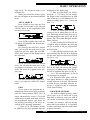
press button A-B. The display unit will
show the symbol A- and the flashing letter B.
If the scanner has reached the end of
the desired section, press A-B again. The
letters A-B will remain illuminated in the
display unit. Now the set selection will be
repeated until the continuous play is
switched off by pressing button A-B again
or by pressing buttons STOP, INTRO or
RANDOM. The unit will now return to
normal operation or to the function corresponding to the button pressed.
PLAYBACK TIME
You can select the following display
modes by pushing the TIME push-button
several times.
- the length of time the track has
played
- the remaining play time of the track
E60
- the total remaining play time of the
CD or of the programming
- the length of time the CD has played
RANDOM PLAYBACK
If RANDOM is pressed the tracks on
the discs are not played in consecutive order but in random order. With this function, the individual tracks are played in a
different order each time the disc is played.
The word RANDOM appears in display
unit to provide a visual reminder that the
random function has been activated.
Press the RANDOM button to switch
off the random function.
PAUSE
Press the PLAY/PAUSE” button in
order to stop for a moment during play.
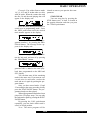
The message below appears in the display
unit:
Press Pause again to restart play.
TRACK SELECTION
The SKIP buttons can be pressed to
select a desired track in either direction.
Press one of the buttons and hold it down
until the desired track appears in the display unit.
>>| = forwards
|<< = backwards
The display unit provides additional
information.
Select the track using the numeric pushbuttons. To select a two-digit track, select the
tens digit via the “+10” push-button. Select
single digits by pressing the numeric pushbuttons within 4 seconds. The display serves
for check purposes.
SEARCH
You can use the SEARCH buttons to
start a search during playback. This permits you to locate particular passages at
Instructions For Use. Page 9