1
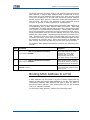
Chapter 8 IGMP Snooping Configuration
Command
Function
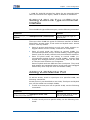
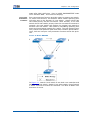
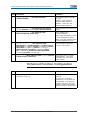
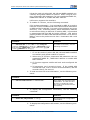
ZXR10(config)#ip igmp snooping mode proxy vlan <vlan
This enables IGMP proxy
function.
id>
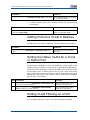
Restricting a Multicast Group
Step Command
Function
1
ZXR10(config-vlanX)#igmp snooping acl<acl-number>
This makes a ACL filtering for
multicast group.
ZXR10(config-vlanX)#igmp snooping max-group-
This configures maximum
group number allowed by the
VLAN.
2
num <number>
3
ZXR10(config-vlanX)#igmp snooping max-host-in-gr
oup<ip-address>[limit-num<num>]
This configures maximum
host group allowed by the
VLAN.
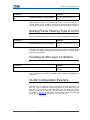
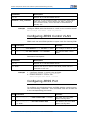
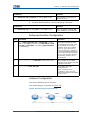
Configuring Static IGMP SNOOPING
The static configuration is not aging but deleted statically.
Step Command
Function
1
This configures static user
in VLAN. If a user needs to
join a multicast group without
IGMP. IGMP snooping cannot
monitor the request. In this
case, static configuration can
be made.
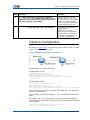
ZXR10(config-vlanX)#igmp snooping static
<ip-address> interface <port-name>
2
ZXR10(config-vlanX)#igmp snooping mrouter
interface <port-name>
This configures multicast
route port in the VLAN.
This command is used
when PIM-Snooping is not
configured or connecting
multicast router that does not
send query packets.
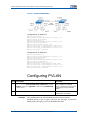
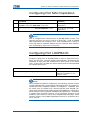
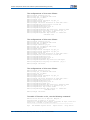
Modifying Default Time
Step Command
Function
1
This modifies aging time of
the user.
ZXR10(config-vlan)#igmp snooping host-time-out
<time>
Confidential and Proprietary Information of ZTE CORPORATION
71