1
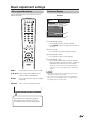
Useful adjustment settings
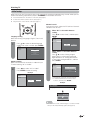
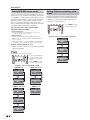
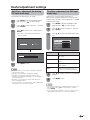
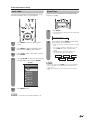
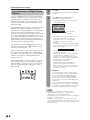
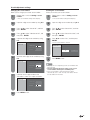
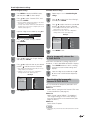
Input Label
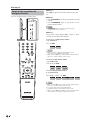
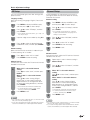
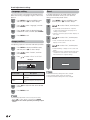
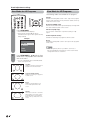
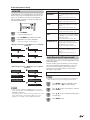
Sleep Timer
Lets you set the input terminal displayed when using
the INPUT SOURCE menu or channel display.
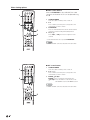
Allows you to set a time when the TV automatically
switches to standby.
1
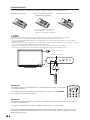
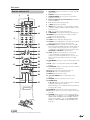
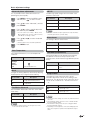
Press SLEEP.
• The remaining time displays when the sleep timer
has been set.
Sleep Timer: Remaining
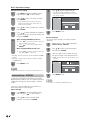
1
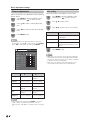
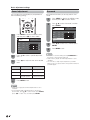
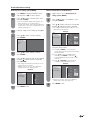
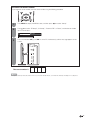
Press INPUT to select the desired input
source.
2
Press MENU to display the MENU screen,
and then press c/d to select “Setup”.
3
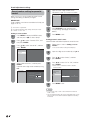
Press a/b to select “Input Label”, and then
press ENTER.
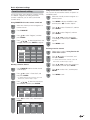
4
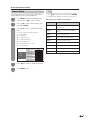
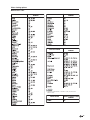
Press a/b/c/d to select the new name for
the input mode, and then press ENTER.
Example
INPUT SOURCE
TV
DVD
2
30
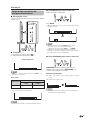
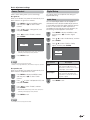
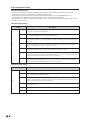
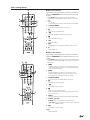
Each time you press SLEEP, the remaining
time switches as shown below.
• When set, the time automatically starts counting
down.
• If you want to adjust the sleep timer, you can
press SLEEP twice then change the time
setting.
• Five minutes before the time expires, the
remaining time displays every minute.
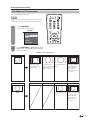
Off
30
120
60
90
NOTE
• Select “Off” by pressing SLEEP to cancel the sleep timer.
• The TV will enter the standby when the remaining time
reaches zero.
• When the sleep timer is set, its indicator on the TV lights
red.
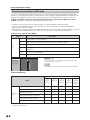
INPUT2
INPUT3
INPUT4
INPUT5
INPUT6
INPUT7
5
Press MENU to exit.
NOTE
• You cannot change labels if the INPUT SOURCE is TV.
35