1
Handset and Base Operation
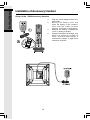
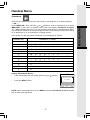
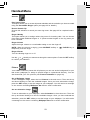
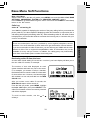
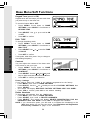
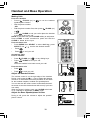
Line in Use Indication
12:00AM
On the handset:
VTECH
When the telephone line is currently being used by i 5871
handset or base or another phone in your home, the screen
will display:
Line in Use
REDIAL
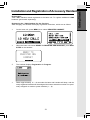
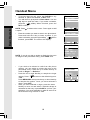
On the base:
CALL LOG
Similar to handset, when a i 5871 handset or another phone in
your home is in use, your i 5871 base screen will display
LINE IN USE.
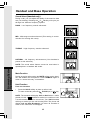
Conference Calling
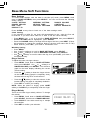
The i 5871 is capable of supporting conference calls with up to three registered handsets
and the base unit. To enter a conference call, simply access the line with as many as
three handsets and the base by pressing
base. The phone icon
/FLASH (on) or
on the handset or
will be displayed.
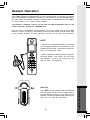
Transferring Calls
You can transfer calls on the i 5871 system from the base to handset, handset to
handset, or handset to base.
Announced Transfer
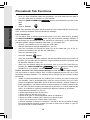
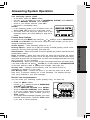
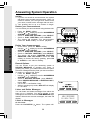
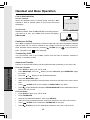
Perform an announced transfer (call and advise another extension) of an active call:
Answering System
Operation
From the Handset:
•
Press HOLD to place your call on hold.
•
Press MENU\SEL, then use
to confirm.
•
Press the
•
Press the MENU\SEL again.
•
When the ringing handset or base answers, announce that there’s an active call on
hold.
•
Press
•
Press
on the destination handset or SPEAKERPHONE on the destination base to
pick up the call on hold.
or
NavKey scroll to Intercom, press MENU\SEL again
NavKey to the desired destination.
/CLEAR (off) on the handset or INTERCOM on the base.
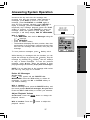
From the Base:
•
Press HOLD to place your call on hold.
•
Press INTERCOM.
•
Scroll to the desired destination, then press SELECT.
•
When the ringing handset answers, announce that there’s an active call on hold.
•
Press
•
Press
/CLEAR on the handset or INTERCOM on the base.
/FLASH (on) on the destination handset to pick up the call on hold.
42