1
Introduction & Contents
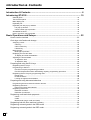
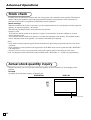
Actual stock quantity inquiry .................................................................................................. 60
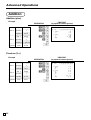
Single item cash sales ........................................................................................................... 61
Addition .................................................................................................................................. 62
Addition (plus) .................................................................................................................................. 62
Premium (%+) .................................................................................................................................. 62
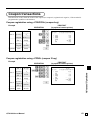
Coupon transactions .............................................................................................................. 63
Coupon registration using <COUPON> (coupon key) .................................................................... 63
Coupon registration using <CPN2> (coupon 2 key) ........................................................................ 63
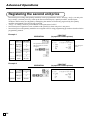
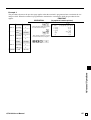
Registering the second unit price .......................................................................................... 64
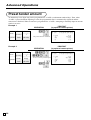
Preset tender amount ............................................................................................................ 66
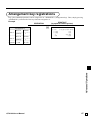
Arrangement key registrations ............................................................................................... 67
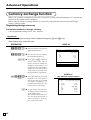
Currency exchange function .................................................................................................. 68
Registering foreign currency ...........................................................................................................68
Full amount tender in a foreign currency .................................................................................... 68
Partial tender in a foreign currency ............................................................................................ 69
Temporarily releasing compulsion ......................................................................................... 70
VAT breakdown printing ......................................................................................................... 71
Registering loan amounts ...................................................................................................... 72
Registering pick up amounts ................................................................................................. 72
Changing media in drawer ..................................................................................................... 72
Scanning PLU ........................................................................................................................ 73
Item registration ...............................................................................................................................73
Unit price inquiry .................................................................................................................... 73
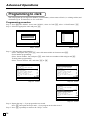
Programming to clerk............................................................................................................. 74
Programming procedure ..................................................................................................................74
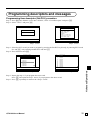
Programming descriptors and messages .............................................................................. 75
Programming item descriptor (flat-PLU) procedure ........................................................................ 75
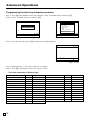
Programming function key character procedure ............................................................................. 76
Programming receipt/slip message procedure ................................................................................ 77
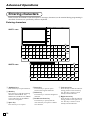
Entering characters ............................................................................................................... 78
Entering characters .........................................................................................................................78
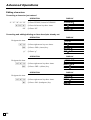
Editing characters ............................................................................................................................ 80
Correcting a character just entered ............................................................................................80
Correcting and adding/deleting an item descriptor already set ................................................. 80
Printing read/reset reports ..................................................................................................... 81
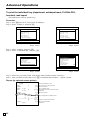
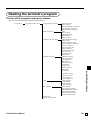
The tree of X/Z menu window ......................................................................................................... 81
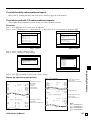
To print the individual key (department, subdepartment, PLU/flat-PLU, function) read report ....... 82
Procedure ................................................................................................................................... 82
Report (by optional remote printer) ............................................................................................82
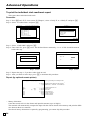
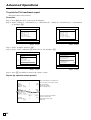
To print the financial read report .....................................................................................................83
Procedure ................................................................................................................................... 83
Report (by optional remote printer) ............................................................................................83
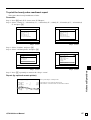
To print the individual clerk read/reset report .................................................................................. 84
Procedure ................................................................................................................................... 84
Report (by optional remote printer) ............................................................................................84
E
8