1
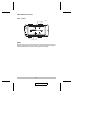
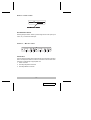
Right Side View
Port Selection Switch
Port Selection Switch:
Pressing this push button switch cycles through the four CPU ports (A B
C D A, etc.), to select the active port.
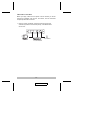
Front / Rear View
1
2
1
3
2
3
Connectors:
The front and rear panels each contain two sets of connectors for the CPU
Ports. The left panel contains one set of connectors for the console. Each
connector is indicated by an appropriate icon.
1. Video Connector
2. PS/2 Style Keyboard Connector
3. PS/2 Style Mouse Connector
-7-
2001 - 02 -07