1
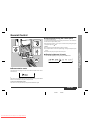
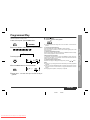
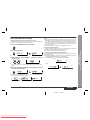
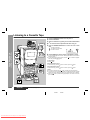
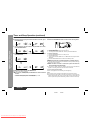
To interrupt playback:
Press the
button.
To resume playback from the same point, press the
„ To locate the beginning of a track
button again.
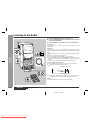
To move to the beginning of the next track:
Turn the jog dial slowly clockwise by one position during playback.
To stop playback:
Press the button.
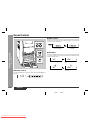
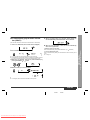
To exchange other CDs whilst playing a disc:
Press the button for the stopped disc and exchange discs.
z You can skip to any track by turning the jog dial until the desired track number
appears.
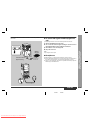
button.
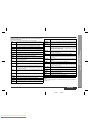
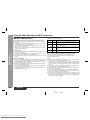
Caution:
z Do not place two CDs in one disc tray.
z Do not push the disc tray whilst it is moving.
z If the power fails whilst the tray is open, wait until the power is restored.
z If the disc tray is stopped forcibly, "E-CD20" will appear in the display and the unit
will not function. If this occurs, press the ON/STAND-BY button to enter the power
stand-by mode and then turn the power on again.
z If TV or radio interference occurs during CD operation, move the unit away from
the TV or radio.
z If a disc is damaged, dirty, or loaded upside down, the disc will be skipped.
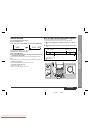
To restart the track being played:
Turn the jog dial slowly anti-clockwise by one position during playback.
z You can skip to any track by turning the jog dial until the desired track number
appears.
Notes:
z You can locate the beginning of a track on a single disc only.
z The
or
button on the remote control allows you to locate the beginning of a
track.
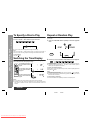
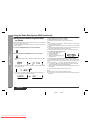
„ To locate the desired portion
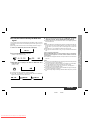
For audible fast forward:
Press and hold down the
button during playback.
For audible fast reverse:
Press and hold down the
button during playback.
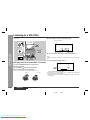
CD Playback
After use:
Press the ON/STAND-BY button to enter the power stand-by mode.
-Listening to a CD (CDs)-
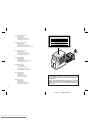
To remove the CDs:
Whilst in the stop mode, press the desired
Notes:
z Normal playback will resume when the
or
button is released.
z When the end of the last track is reached during fast forward, "DISC END" will
appear on the display and CD operation will be paused. When the beginning of the
first track is reached during fast reverse, the disc will start playback automatically.
z You can locate the desired portion on a single disc only.
ENGLISH
01/1/9
Downloaded From Disc-Player.com Sharp Manuals
E2.fm
E-15