1
b
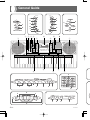
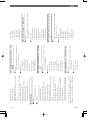
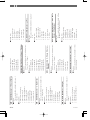
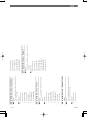
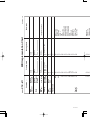
• Key, button, and other names are indicated in the text of this manual using bold type.
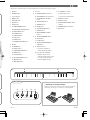
1 Speaker
C Tone list
2 POWER button
D a) INTRO/ENDING 1/2 buttons
H a) CHORD root names
b) Chord types name
3 Power indicator
b) VARIATION/FILL-IN 1/2 buttons
4 MODE switch
c) SYNCHRO/FILL-IN NEXT
button
I MIDI OUT terminal
d) START/STOP button
K SUSTAIN/ASSIGNABLE JACK
terminal
5 VOLUME slider
6 Rhythm list
e) TEMPO buttons
7 Equalizer list
E a) BANK button
8 a) SONG MEMORY button
J MIDI IN terminal
L PHONES/OUTPUT terminal
b) REGISTRATION buttons
b) ONE TOUCH PRESET button
c) Percussion instrument list
M DC 9V jack
c) STORE button
9 a) EQUALIZER button
d) SONG MEMORY TRACK
buttons
b) REVERB button
c) CHORUS button
F a) AUTO HARMONIZE button
d) DSP button
b) SPLIT button
e) MIXER button
c) LAYER button
f) ACCOMP VOLUME button
d) TOUCH/TRANSPOSE/SETTING button
0 Display
A a) DEMO button
G a) Number buttons
b) SYNTH button
• For input of numbers to
change displayed settings.
c) ADVANCED TONE button
b) [+]/[–] buttons (YES/NO)
d) TONE button
• Negative values can be
changed only by using [+] and
[–] to increment and decrement the displayed value.
e) RHYTHM button
B a) [왗] / [왘] CURSOR buttons
b) [왖] EXIT button
c) [왔] ENTER button
a
H
b
c
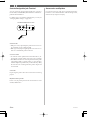
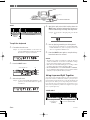
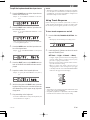
Rear Panel
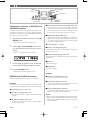
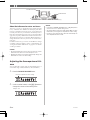
* Attaching of the Score Stand
Firmly press the music stand provided with the keyboard
all the way into the groove on the top of the keyboard.
J
I
OUT
703A-E-015A
MIDI
IN
K
L
PHONES/
SUSTAIN/
ASSIGNABLE JACK OUTPUT
M
DC 9V
E-13