1
5112l_guide.qxp
2.
5/9/2006
9:19 AM
Page 28
If the Hot Keypad feature has been turned off, you must first lift the handset
or press the SPEAKER button before dialing.
AUTO CAMP-ON
When you want to automatically camp on to a busy station without pressing the
camp on button every time you call a busy station, you can set your phone for auto
camp-on.
•
•
•
With the handset on-hook, press TRANSFER and then dial 110.
Dial 081 to turn ON auto camp-on or 080 to turn it OFF.
Press TRANSFER to store your selection.
From the LCD:
•
•
•
•
•
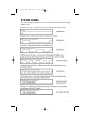
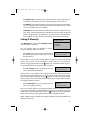
Press the MENU button.
Scroll to CONFIG option and press ENTER.
Scroll to STATION ON/OFF and press ENTER—OR—you may dial 0 and
immediately enter the option.
Scroll to AUTO CAMPON option. Press ENTER to change status.
Press CANCEL to return to main configuration screen—OR—press END to
return to idle screen.
CALLING YOUR SYSTEM OPERATOR
•
•
Dial 0 and press SEND button to call your system operator or group of operators.
If you want to call a specific operator, dial that person’s extension number.
NOTE: If the Hot keypad feature has been turned off, you must first lift the handset
or press the SPEAKER button before you begin dialing.
22