1
Advanced Calling Features
One Touch PTT
3 Press
One Touch PTT sets your phone to call the most recent
Private ID or SDG list on the recent calls list, or a Private ID
you choose, or activate the Voice Dialing every time you
press the external PTT or the Smart button
.
Enabling Voice Activation
.
Setting One Touch PTT
To the Most Recent Private ID or SDG List
1 From the main menu, select Settings > 2-Way Radio
> One Touch PTT.
2 Set this option to Last Call.
To A Private ID
1 From the main menu, select Settings > 2-Way Radio
> One Touch PTT > Assigned Number.
2 To enter the Private ID you want your phone to call
every time you press the external PTT or the Smart
button
.
Enter the number using your keypad. -or Press under Search. Select Contacts, Recent Calls,
or Memo. Select the number you want to enter.
Tip: If you are entering a Talkgroup number, enter #
before the number.
.
A
o.
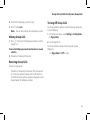
1 From the main menu, select Settings > 2-Way Radio
> One Touch PTT.
2 Set this option to Voice Activation.
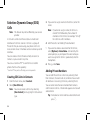
Quick PTT
Note: This feature may not be offered by your service
provider.
Quick PTT lets you quickly access any Private IDs on your
phone so that you can make a Private call, or create a SDG
list and make a SDG call. For more information about SDG
lists, see "Selective Dynamic Group (SDG) Calls" on page 52.
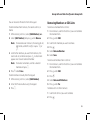
To view a list of Contacts and SDG lists with Private IDs in
Contacts:
1 From the idle screen, press .
2 Select Quick PTT.
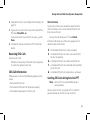
To move between Contacts, the recent calls list, and Memo:
Scroll left or right. -or-
m
Press
* or #.
47