1
- The phone book -
5
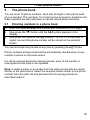
The phone book
You can store 10 phone numbers, each with 20 digits, in the phone book
of your handset. The numbers 1 to 9 and 0 serve as memory locations and
these numbers are also used later to call the stored phone numbers.
5.1
Entering numbers in a phone book
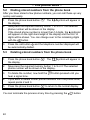
1.
Enter the required telephone number with a maximum of 20 digits.
2.
Now press the
button until the
symbol appears in the
display.
Now press the required storage location 1 to 9 or 0.You will hear a
signal tone and the phone number will be stored on the selected
button.
3.
You can terminate the process at any time by pressing the
button.
Phone numbers already stored will be automatically deleted when a new
number is stored on the same button.
If a call is received during the storing process, entry of the number is
interrupted and will have to be repeated.
Note: A redial number or a number from the caller list can also be stored
directly in the phone book. Select the required redial number or the phone
number from the caller list and proceed with the saving process as
described under 2.
39