1
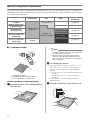
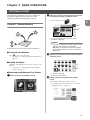
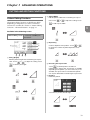
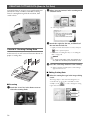
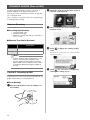
PATTERN SELECTION
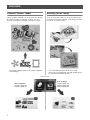
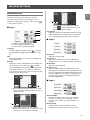
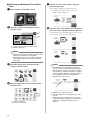
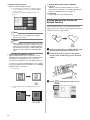
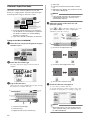
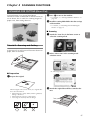
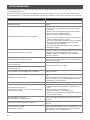
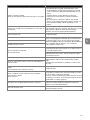
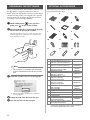
Four pattern selection functions are available in the
layout editing screen depending on your preference.
X Touch
b
in the pattern layout screen to use
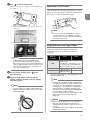
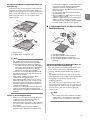
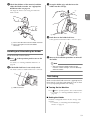
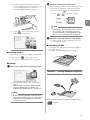
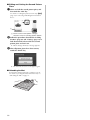
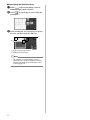
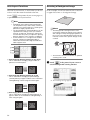
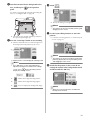
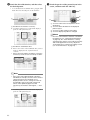
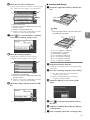
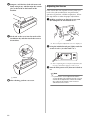
Individually touch all the patterns you want to
select in the screen, and then touch the “OK”
key.
the pattern selection functions.
2
Memo
• Touching a selected (surrounded with a red
box) pattern again clears its multiple selection.
• Touching any blank space in the screen clears
all the pattern selections.
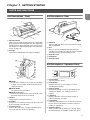
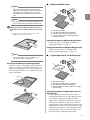
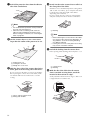
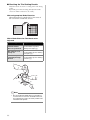
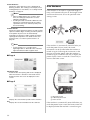
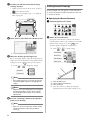
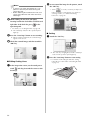
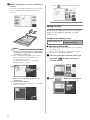
Selecting a Single Pattern
Select an individual pattern to be edited by either
touching it in the editing screen or using
and
, and then touch the “OK” key.
The selected pattern is surrounded with a red box.
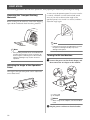
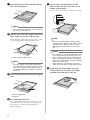
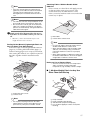
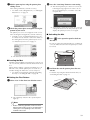
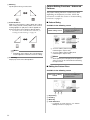
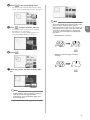
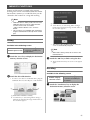
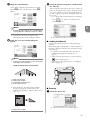
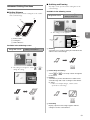
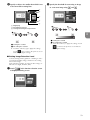
■ Selecting All Patterns
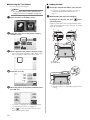
a
b
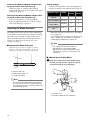
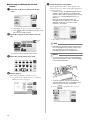
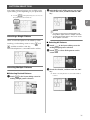
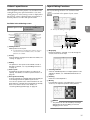
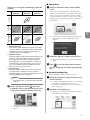
Selecting Multiple Patterns
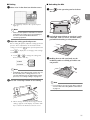
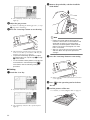
■ Selecting Desired Patterns
a
Touch
in the layout editing screen for
making multiple pattern selection.
c
Touch
in the layout editing screen for
making multiple pattern selection.
Touch
screen.
to select all the patterns on the
Check the selection, and then touch the “OK”
key.
X All the selected patterns are surrounded with a
red box.
31