1
Specifications
Troubleshooting
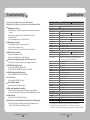
If you have trouble operating your camera, refer to the following table.
If the guidelines do not enable you to solve the problem, contact an authorized technician.
● Nothing appears on the screen.
▶ Check that the power cord and line connection between the camera and monitor are properly
connected.
▶ Check that you have properly connected UTP cable or BNC cable to the camera. ▶ Check the type of lens.
▶ Check the pin arrangement for the UTP cable.(TIA/EIA-568B)
● The image on the screen is dim.
▶ Is lens stained with dirt? Clean your lens with soft, clean cloth.
▶ Set the monitor to the proper condition.
▶ If the camera is exposed to very strong light, change the camera position.
● The image on the screen is dark.
▶ Adjust the contrast feature of the monitor.
▶ If you have an intermediate device, set the 75Ω / Hi-z properly.
● The camera is not working properly, and the surface of the camera is hot.
▶ Check that you have properly connected the camera to an appropriate power source.
● The SENS-UP function does not work.
▶ Check that AGC of EXPOSURE SETUP menu is ‘OFF’.
▶ Check that SHUTTER of EXPOSURE SETUP menu is ‘A.FLK’ or ‘MANUAL’.
● The Motion Detection function does not work.
▶ Check that MOTION DET of SPECIAL SETUP menu is ‘OFF’.
● Color is not correct.
▶ Check the setting of WHITE BAL SETUP menu .
● The screen flickers continually.
▶ Ensure the camera is not pointing towards the sun.
● When coaxial communication is not available:
▶ Make sure that the camera and monitor are installed within the recommended distance.
▶ U se the video amplifier equivalent to coaxitron if the recommended installation distance is exceeded.
● Picture is distorted.
▶ Check the length of the UTP cable (900m(3000ft) or less).
● The camera does not work, and the video feed from the camera is not being received.
▶ Check the Power Supply to see whether the connection status and pin arrangement for the
camera's UTP cable and the Camera Input UTP cable are normal.
COLOR CCD CAMERA
34 User Guide
SUB-2000N
ELECTRICAL
Input Voltage
Power Consumption
VIDEO
Imaging Device
Total / Effective Pixels
Scanning System
Synchronization
Frequency
Horizontal Resolution
Min. Illumination
S/N (Y Signal)
Video Output
UTP Output
OPERATIONAL
Electronic Shutter Speed
Shutter Mode
On Screen Display
SSDR
Backlight Compensation
Day & Night
Gain Control
White Balance
SENS-UP
Motion Detection
Privacy Masking
SSNRIII
Digital Zoom
DIS
Camera Title
Sharpness
Flip / Mirror
Coaxial Communication
RS-485 Communication
ENVIRONMENTAL
Operating Temperature / Humidity
MECHANICAL
Lens Mount
Back Focus Adjustment
Dimension / Weight
SUB-2000P
AC 24V ±10% / AC 28V ±10% / DC12V±10%
Max 3.5W
1/3 inch, Diagonal 6mm Super HAD CCD
811(H) x 508(V) / 768(H) x 494(V)
795(H) x 596(V) / 752(H) x 582(V)
2:1 Interlace
Internal / Line-Lock
H : 15.734KHz / V : 59.94Hz
H: 15.625KHz / V: 50.00Hz
600TVL
0.05 Lux (50IRE, @F1.2), 0.0001Lux (SENS-UP, x512)
52dB (Weight On, AGC OFF)
CVBS : 1.0Vp-p, 75Ω composite
Built-in UTP TX (Maximum transmission length 900m(3000ft)) : Balanced differential signal 100Ω
1/60sec~1/120ksec
1/50sec ~ 1/120ksec
ESC, MANUAL, A.FLK, FIXED
NTSC : English, Korean, Japanese, Spanish, French, Portuguese, Taiwanese
PAL : English, Chinese, German, Italian, French, Spanish, Russian, Czech, Polish,
Romanian, Serbian, Swedish, Danish, Turkish, Portuguese
ON / OFF (Level adjustable)
BLC / HLC / OFF
COLOR / B/W / AUTO
LOW / HIGH / OFF
ATW / OUTDOOR / INDOOR / MANUAL / AWC (1,700°K ~ 11,000°K)
Auto / OFF (Selectable x2 ~ x512)
ON / OFF (8 Programmable zones)
ON / OFF (12 Programmable zones)
ON / OFF (Level adjustable)
ON / OFF (x1 ~ x16)
ON / OFF
ON / OFF (Display 15 Characters)
ON / OFF (Level adjustable)
ON / OFF
Pelco Coaxitron
SAMSUNG-T, SAMSUNG-E, PELCO-D, PELCO-P, BOSCH, HONEYWELL, VICON, PANASONIC
-10°C ~ +50°C / 30% ~ 80% RH
C / CS Mount
Manual
58(W) x 52(H) x 121(D) / 290g
※ The specification for this product may change without prior notice for product improvement.
※ This specification is based on a transmission distance of 500 meters; in cases of long-distance
transmissions, some degradation in picture quality may occur depending on the operating environment.
COLOR CCD CAMERA
35 User Guide