1
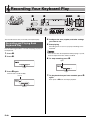
Recording Your Keyboard Play
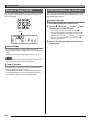
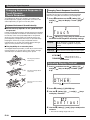
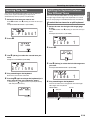
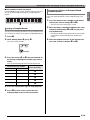
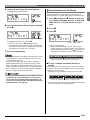
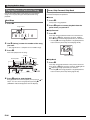
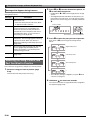
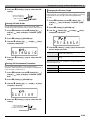
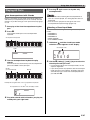
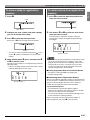
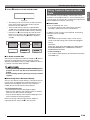
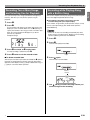
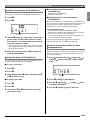
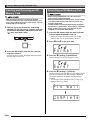
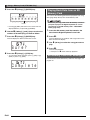
5. Press bm to cycle through the parts in the
sequence shown below.
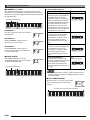
Right-hand Recording
Left-hand Recording
Both-hand Recording
Saving Recorded Data on an
External Device
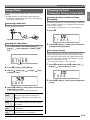
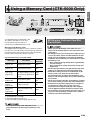
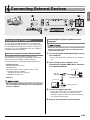
You can save data you record with the Digital Keyboard onto
an SD memory card or on your computer’s hard disk. In the
case of an SD memory card, you can save recorded song
data as a standard MIDI file (SMF 0 format).
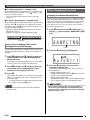
■ To save data to an SD memory card
(CTK-5000 only)
See page E-61.
■ To save data on your computer’s hard disk
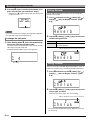
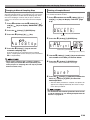
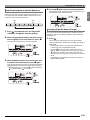
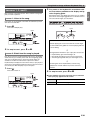
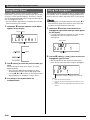
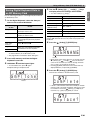
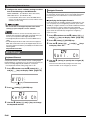
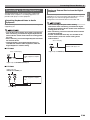
Example: Left-hand part recording
See page E-68.
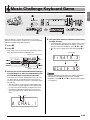
Flashes
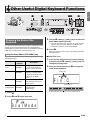
• Configure tone and tempo settings at this time as well.
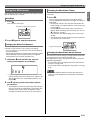
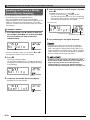
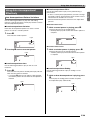
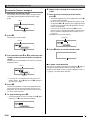
6. Press bl to start built-in song playback and
recorder recording.
Play along with the playback.
• To stop recording part way through, press bl.
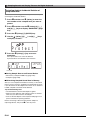
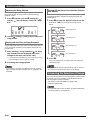
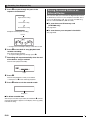
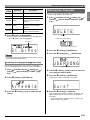
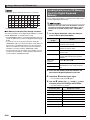
7. Recording will stop automatically when the end
of the built-in song is reached.
This will enter playback standby.
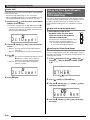
Lights
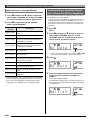
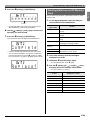
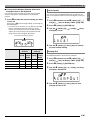
8. Press bl.
This will start playback of what you recorded.
• Each press of bl starts and stops playback.
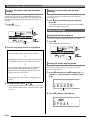
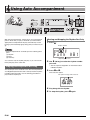
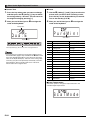
9. Press 4 twice to exit the recorder mode.
Disappears
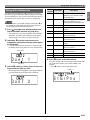
■ To delete recorded data
After step 2 of the above procedure, do hold down 4 until the
message “Song Del?” appears on the display. Press [+] (YES)
to delete the song.
E-52
B