1
Contents
English
Other Useful Digital Piano
Functions .................................. E-51
Changing the Scale of the Keyboard................E-51
Using Music Preset ..........................................E-53
Using the Arpeggiator.......................................E-54
Deleting User Song Data..................................E-55
Deleting All Data in Digital Piano Memory........E-55
Using a Memory Card............... E-56
SD Memory Card and Card Slot Precautions...E-56
Inserting and Removing an
SD Memory Card..............................................E-57
Formatting an SD Memory Card.......................E-57
Saving Digital Piano Data to an
SD Memory Card..............................................E-58
Loading Data from an SD Memory Card
into Digital Piano Memory.................................E-59
Deleting Data from an SD Memory Card..........E-60
Playing Back Data from an
SD Memory Card..............................................E-61
SD Memory Card Error Messages ...................E-61
Connecting External Devices..... E-62
Connecting a Computer ...................................E-62
MIDI Settings ....................................................E-63
Storing and Loading Piano Memory Data.........E-65
Connecting to Audio Equipment .......................E-66
Reference .................................. E-67
Troubleshooting................................................E-67
Specifications ...................................................E-69
Operating Precautions......................................E-70
Error Messages ................................................E-71
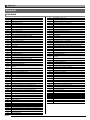
Song List ..........................................................E-72
Chord Chart ......................................................E-73
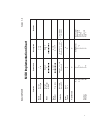
MIDI Implementation Chart
Included Accessories
Separately Available Accessories
● Music Stand
● Song Book
● Leaflets
• Safety Precautions
• Appendix
• Other (Warranty, etc.)
Items included as accessories are subject to change without notice.
• You can get information about accessories that
are separately for this product from the CASIO
catalog available from your retailer, and from the
CASIO website at the following URL.
http://world.casio.com/
E-3