1
Operation
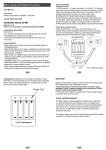
Power Supply
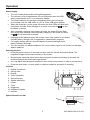
• The unit includes three Ni-MH rechargeable batteries.
• The unit can run from the batteries or from USB power when the USB
cable is connected to a PC or to the power adaptor.
• The Ni-MH batteries will recharge automatically when the microscope
is connected, with the USB cable, to a PC or to the USB power adapter.
• When the recharger is in the power-off mode, the white LEDs will flash twice
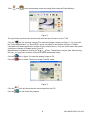
icon will
every three seconds. If the recharger is in power-on mode, the
be shown on screen.
• After completely charging in the power-off mode, the white LEDs will flash
once every three seconds. After completely charging in the power-on mode,
icon will be shown on screen.
the
• Recharge Ni-MH batteries every few months, even if the system is not used to
maintain battery strength, this is suggested to extend battery longevity.
• For lengthy storage periods, remove batteries to prevent damage due to
battery leakage/ discharge.
• The unit may also use alkaline batteries. Do not mix battery types in use and do not recharge
alkaline batteries.
Powering the Unit
•
Press the power button for 2 seconds and then enter the normal observation Mode. The
magnified images should now be shown on the screen.
•
By placing the observed object below the aiming mark located on the back of the case, the
screen will display the observed image desired.
•
You may adjust the transparent protector in front of the lens protector in order to provide focus.
•
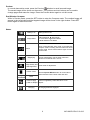
Press the save button, or zoom wheel, to capture images for purposes of recording.
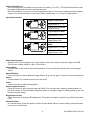
Controls
1. Optical zoom/focus
2. Aiming mark
3. Display
4. Zoom/ Snapshot
5. Return/Preview
6. Special effects/Up
7. Power
8. Tools
9. Brightness
10. Set/Save/Compare
11. Indicator
1 2
11
3
4
5
6 7
10
9 8
Optical Zoom/Focus dial
3
MC108-EU-EN-V2.2-4/12