1
Table of Contents
About this manual......................................................................................................7
Conventions used in this manual.............................................................................. 8
Icons..................................................................................................................................... 8
Typography........................................................................................................................ 8
Safety precautions.....................................................................................................9
Using your Notebook PC............................................................................................... 9
Caring for your Notebook PC...................................................................................... 10
Proper disposal................................................................................................................. 11
Chapter 1: Hardware Setup
Getting to know your Notebook PC....................................................................14
Top View.............................................................................................................................. 14
Bottom................................................................................................................................. 17
Right Side........................................................................................................................... 19
Left Side.............................................................................................................................. 21
Front Side........................................................................................................................... 22
Chapter 2: Using your Notebook PC
Getting started............................................................................................................26
Install the battery pack. ................................................................................................ 26
Charge your Notebook PC............................................................................................ 27
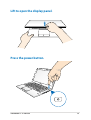
Lift to open the display panel...................................................................................... 29
Press the power button................................................................................................. 29
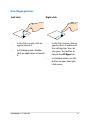
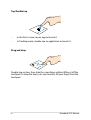
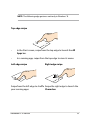
Gestures for the touchpad......................................................................................30
Moving the pointer......................................................................................................... 30
Using ASUS Smart Gesture......................................................................................35
Enabling the rotate gesture......................................................................................... 35
Enabling the three-finger gestures........................................................................... 37
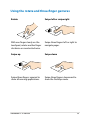
Using the rotate and three-finger gestures........................................................... 39
Using the keyboard....................................................................................................40
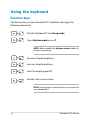
Function keys.................................................................................................................... 40
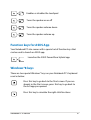
Function keys for ASUS App........................................................................................ 41
Windows®8 keys.............................................................................................................. 41
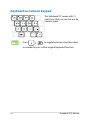
Keyboard as numeric keypad .................................................................................... 42
Notebook PC E-Manual