1
!"#$%&"'()* Operators Manual
21
Day Alarm
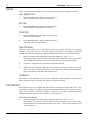
Day alarm allows a combination of zones to be monitored during the disarmed state by
beeping the codepad buzzer. Only your installer can program zones 1 – 4 to operate for day
alarm.
Example
An example set-up of a day alarm could be the front door of a shop that has a pressure mat or
electronic beam that customers activate as they enter to and from the shop. As the customers
walk onto the pressure mat or break the electronic beam, the codepad buzzer will beep.
How To Turn Day Alarm ON and OFF (Software Version 1.10 Only)
1.
Enter your Master Code followed by 7 and the # button (eg. 2580 + 7 + #).
Three beeps will be heard when you turn day alarm on. Two beeps will be heard
when you turn day alarm off.
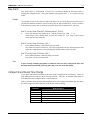
How To Turn Day Alarm ON (Version 1.20+)
1.
Press and hold button 4 until three beeps are heard.
Day alarm will now be turned on. All zones programmed for day alarm operation will
cause the codepad buzzer to beep during the disarmed state when activated.
How To Turn Day Alarm Off (Version 1.20+)
1.
Press and hold button 4 until two beeps are heard.
Day alarm will now be turned off.
Note
If your security company programs an output to latch on when a day alarm zone has
become faulted (unsealed), pressing the # key once will reset the output.
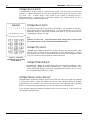
Codepad ID and Buzzer Tone Change
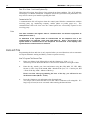
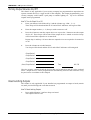
If you press and hold down button 8, the tone of the codepad buzzer will change. There are
fifty different tones to choose from between 1500 Hz – 5000 Hz. If multiple codepads have
been installed, each codepad can have a different tone.
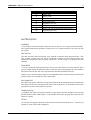
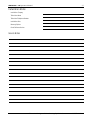
If the system has been partitioned into multiple areas, the codepad will display the area that it
has been assigned to before the tone of the buzzer starts to change.
Zone
Indicator
None
1
2
3
4
7
Area Assigned
Not Assigned
Area 1
Area 2
Area 3
Area 4
Master Partitioned Keypad
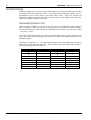
Table 8: Codepad ID and Buzzer Tone Change
Electronics Design and Manufacturing Pty Limited
ISSUE160.DOC