1
CHAPTER
QUICK START CONFIGURATION
Introduction
This chapter describes the minimum configuration of a Vipersat CDD-56X
Series Demodulator Router that is necessary in order for the equipment to function in a Vipersat network.
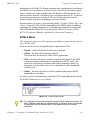
The Vipersat CDD-56X Demodulator Router stores its configuration in an
ASCII file named the PARAM file. Equipment Configuration is typically
performed through the use of the Command Line Interface (CLI), particularly
the initial configuration. Once the equipment is functioning in the network,
additional configuration can be performed via the VMS.
Refer to Chapter 3, “Using the Command Line Interface (CLI)”, for a detailed
description on the usage of this feature.
This manual covers the configuration specifics of the CDD-56X when used in a
Vipersat network. Refer to the CDD-564L L-band Quad Demodulator Installation and Operation Manual for general instruction on setting up, installing and
configuring this equipment.
NOTE
Note: Before attempting to configure a CDD-56X to be used in a Vipersat
network, make certain it has the Vipersat option installed and enabled.
C h ap t e r 2 - Q u i c k S t a r t C o n f i g u r a t i o n
2-1