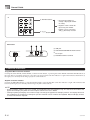
1
Playing a Built-in Tune
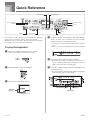
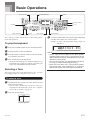
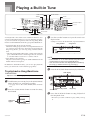
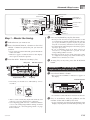
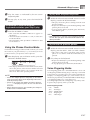
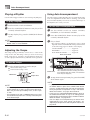
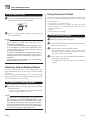
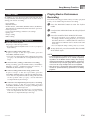
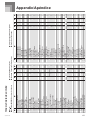
To play back a Piano Bank tune
1
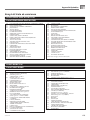
Find the tune you want to play in the PIANO BANK
List, and note its number.
• See page A-9 for the PIANO BANK List.
2
Press the PIANO BANK button to specify the Piano
Bank group.
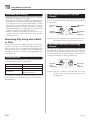
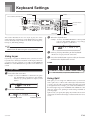
Adjusting the Tempo
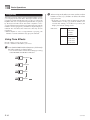
Each tune has a preset default tempo (beats per minute) that
is set automatically whenever you select a tune. While the
tune is playing, you can change the tempo setting to a value
in the range of 30 to 255.
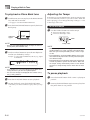
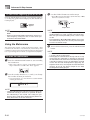
To set the tempo
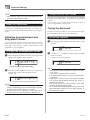
1
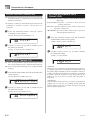
Use the TEMPO buttons to set the tempo.
: Increases the tempo value.
: Decreases the tempo value.
Indicators
appear
Flash
NOTE
Tempo value
• Pressing the PIANO BANK button changes the tone to
stereo piano (Tone Number 000).
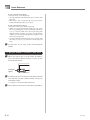
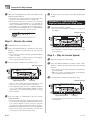
3
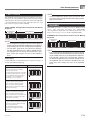
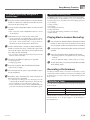
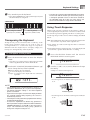
Use the number buttons to input the two-digit tune
number you looked up in step 1.
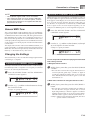
Example: To select tune number 44 (Ode To Joy), input
4 and then 4.
Od eTo J o y
NOTE
• Tune Number 00 is the initial default Piano Bank tune
setting whenever you turn on keyboard power.
• You can also change the displayed tune number using
the [+] and [–] buttons.
4
5
NOTE
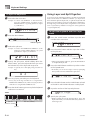
• While the tempo value is flashing, you can also use the
number buttons or [+] and [–] to input a three-digit value.
Note that you must input leading zeros, so 90 is input
as 090.
• Pressing both the and TEMPO buttons at the same
time automatically returns the currently selected rhythm
to its default tempo.
• Piano Bank tunes have tempo changes part way through
in order to produce specific musical effects. Note that
the tempo setting automatically returns to the default
whenever a tempo change occurs within one of these
tunes.
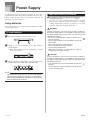
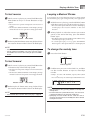
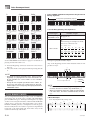
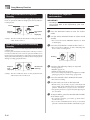
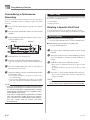
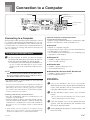
To pause playback
1
Press the PLAY/STOP button to start playback.
To stop playback, press the PLAY/STOP button.
• The tune you select continues to play until you stop
it.
E-20
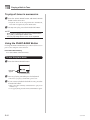
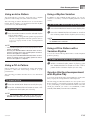
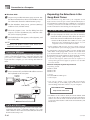
2
Press the PAUSE button while a tune is playing to
pause it.
Pressing the PAUSE button again resumes play from
the point where it was paused.
706A-E-022A