1
3
1 SKORPIO™ X3
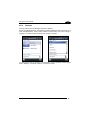
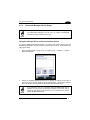
802.11 a/b/g radio module is on by default. In order to avoid wasting
energy, you can switch it off using the SCU.
NOTE
NOTE
Suspending the terminal powers off the 802.11 a/b/g radio and drops
the radio connection. When the terminal resumes, depending on the
radio power mode and security protocol selected, it may take up to
30 seconds for the 802.11 a/b/g radio driver to re-associate the radio
to the network.
Area coverage and radio performance may vary, due to
environmental conditions, access points types or interference caused
by other devices (microwave ovens, radio transmitters, etc.).
NOTE
In case of heavy usage the Skorpio X3 could get warm. This is
normal and does not mean a malfunction.
NOTE
24