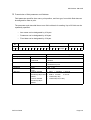
1
SECTION 4
:FREE MODE
7
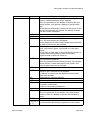
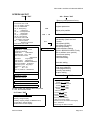
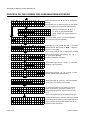
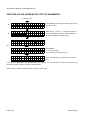
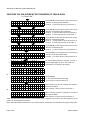
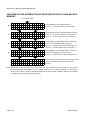
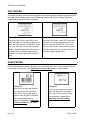
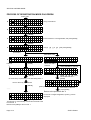
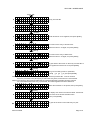
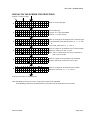
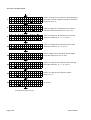
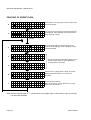
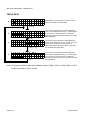
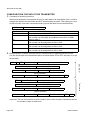
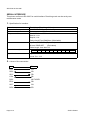
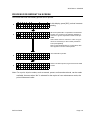
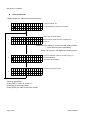
01 11 : CHAR PITCH
1120250320200000
Value in one digit can be entered for spacing between
characters: Select the value from “0” to “9”.
8
01 12 : CHAR COUNT
1120250320200000
Value in 2 digits can be entered for the number of
characters: Select the values from “01” to “32”.
9
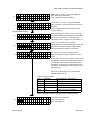
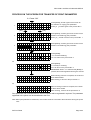
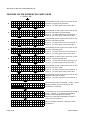
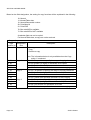
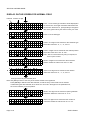
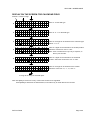
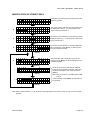
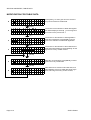
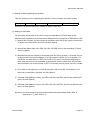
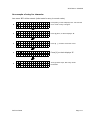
01 14 : V-EXPANSE
1120250320208000
Value in one digit can be entered for the magnification
of vertical expansion: Select the value from “1" to”4”.
10
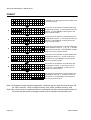
01 15 : H-EXPANSE
1120250320208100
Value in one digit can be entered for the magnification
of horizontal expansion: Select the value from “1" to”4”.
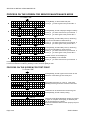
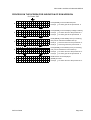
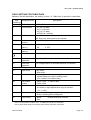
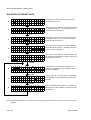
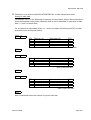
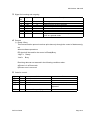
01 16 : INPUTCHECK
11 0 : N O C H E C K
▽
1120250320208110
12
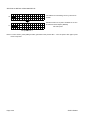
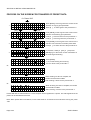
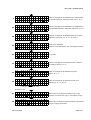
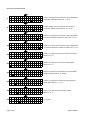
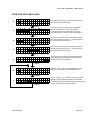
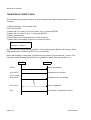
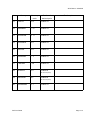
01 17 : SET TITLE
0000000000000000
Value in one digit can be entered for the input check:
Select “0” or “2”.
Title can be displayed:
(Note: It will be displayed in only one field per format.)
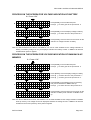
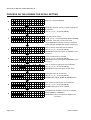
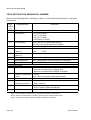
01 18 : TABLE No
13 1 : T A B L E 1
▽
1000000000000000
Value in one digit can be entered for the table No.:
Select the value from “1”, “2”, and “3”.
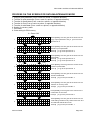
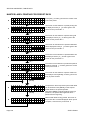
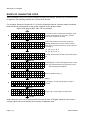
01 19 : 0 AUTO-INS
14
1000000000000000
Value in one digit can be entered for with or without
0 insertion: Select “0” or “1”.
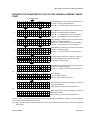
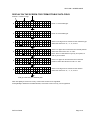
01 20 : PRESET
15 0 : O F F 1 : O N
1010000000000000
Value in one digit can be entered for preset:
Select “0” or “1”.
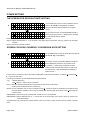
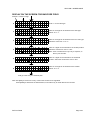
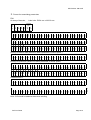
01 21 : COLOR
16 0 : B L A C K 3 : R E D
▽
1011000000000000
It will go to the entry for copy. Page 4-20
Value in one digit can be entered for print color.
Select from “0”, “3”, and “4”.
SATO HT200e