1
D307.book Page 63 Thursday, September 1, 2005 11:40 AM
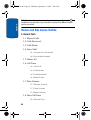
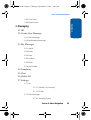
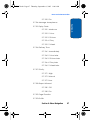
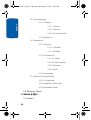
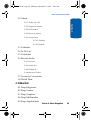
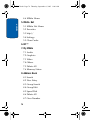
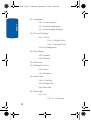
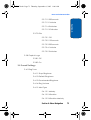
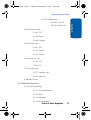
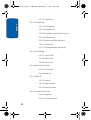
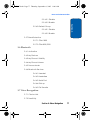
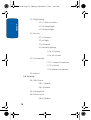
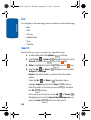
In Use Menu Outline
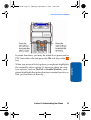
Simply press the Menu (
) soft key and enter the
number of the menu you want.
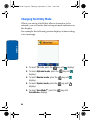
For example, accessing the Language menu.
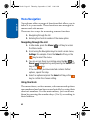
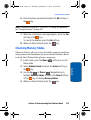
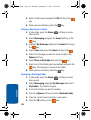
1. In Idle mode, press the Menu (
Menu mode.
) soft key to access
2. Press the
key for Settings.
3. Press the
key for Phone Settings.
4. Press the
key for Language.
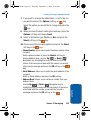
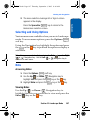
5. Select a language and press the Select soft key or the
key to confirm the chosen setting.
In Use Menu Outline
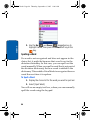
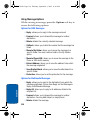
Your phone includes a standby menu and an In-Use
Menu. The In-Use Menu is available when you’re on a call.
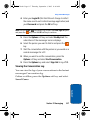
Press the Left (
) soft key Options, while in a call to
display the following
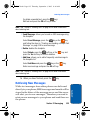
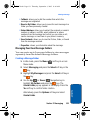
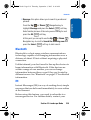
• Menu: allows you to access menu mode.
• Mute: allows you to mute or unmute the current call.
• Mute Keys: allows you to mute or send keypad tone.
• Send DTMF: sends your phone number as tones (if you’re the
recipient of the call). Send the recipient’s phone number as
tones (if you’re the originator of the call).
• Address Book: allows you to access Address Book menu
options.
Section 4: Menu Navigation
63
Section 4
Note: They may not match the menu number on the phone, depending on
the services supported by your SIM card.