1
AXIS 5470e User’s Manual
Section 3: Basic Installation
WINS host name rules
WINS only supports 15 character long host names. If your host name
is longer than 15 characters, the AXIS 5470e truncates the host name
to 15 characters when registering with a WINS server. You can view
the AXIS 5470e host name that is registered at a WINS server, in the
print server’s Web interface. Refer to Section 11 Management and
Configuration, on page 134.
DDNS host name rules
DDNS supports 53 character long host names, but they can only
consist of the characters ‘A-Z’, ’a-z’ and ‘-’. If your host name consists
of any other characters, they are converted to ‘-’, when registering
with a DDNS server. You can view the AXIS 5470e host name that is
registered at a DDNS server, in the print server’s Web interface. Refer
to Section 11 Management and Configuration, on page 134.
If the host name matches another entry in the DDNS data base, the
AXIS 5470e deletes the entry before registering.
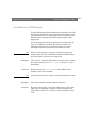
Notes:
•
The host name limitations conclude that if you want to register the same
host name at a WINS server and a DDNS server, the host name should be no
longer than 15 characters and it should only contain the characters:
‘A - Z’, ‘a-z’ and ‘-’
•
Refer to your system manuals or to your network administrator for
instructions on how host name resolutions are performed on your system.
•
If the host name has not been mapped to the IP address, you can still
perform the following instructions on how to download the IP address. In
this case, simply replace the host name entry with the IP address wherever
required.
21