1
Using the TV Features
POWER
SOURCE
10
1
1
2
3
4
5
6
7
8
Button
2
0~9, number
buttons
3
2
9
Description
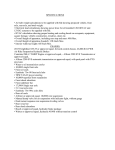
Press the respective button to select a channel. After
you input the channel numbers, press ENTER to
direct to the channel immediately, or wait for 3
seconds to change automatically.
Press this button to show Favorite List and select
your favorite channels that have already been
stored.
j To preset favorite channels, set the Favorite
option in the Channel menu (see page 16).
FAV
RETURN
-
1
FAV
11
EXIT
3
12
13
ENTER
MUTE
FAVORITE LIST
MENU
4
14
A16
15
A17
C.C
5
VOL
Page 1/1
A18
CH
16
GUIDE
6
17
7
MTS
INFO
SLEEP
8
PICTURE
SOUND
ASPECT
18
19
MENU
9
4
MUTE
5
6
- VOL +
GUIDE
7
MTS
8
PICTURE
9
SOUND
10
POWER
12
:Return
:Move
:Page
Press to turn off the sound. To restore the sound,
press this button again, or press the VOL+/- button.
Press to adjust the volume.
Press to display the Electronic Program Guide
(EPG). It contains the program information for the
channel you’re watching.
Press this button to choose the available sound
output that is preset by TV broadcasting station.
Available options: Mono, Stereo, or SAP.
Press this button repeatedly to select the preset
picture mode.
Available options: Standard, Movie, User, Power
Saving, or Dynamic.
Press this button repeatedly to select the preset
sound mode.
Available options: Standard, Soft, User, User SRS,
or Dynamic.
Press this button to turn the power on from standby
mode. Press it again to return to standby mode.