1
Getting Started
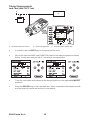
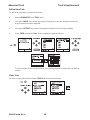
Change Pressure Units
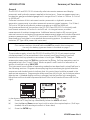
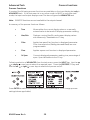
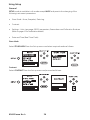
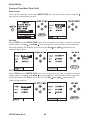
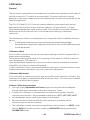
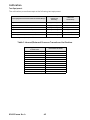
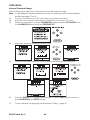
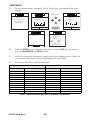
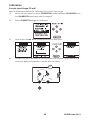
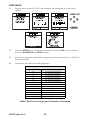
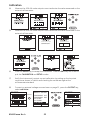
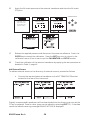
To change the pressure units proceed as follows. If the four units displayed are not the
units required, press TASK and select any task, other than BASIC, press SETUP and
proceed as detailed on page 36. To return to BASIC mode, press TASK and select BASIC.
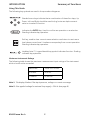
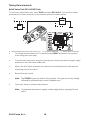
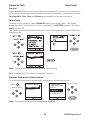
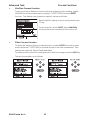
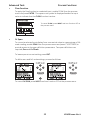
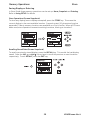
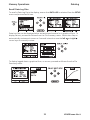
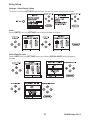
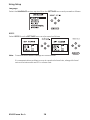
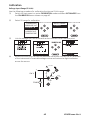
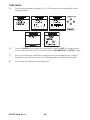
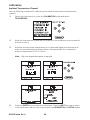
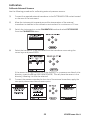
In BASIC mode, the unit is configured to carry out basic Pressure to Voltage (P to V) or
Pressure to Current (P to I) tests, a typical test procedure follows:
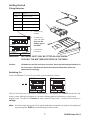
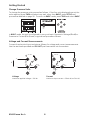
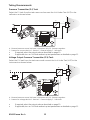
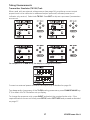
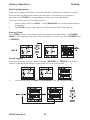
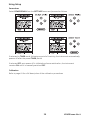
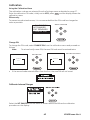
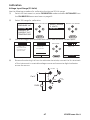
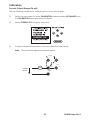
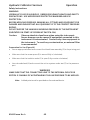
Voltage and Current Measurements
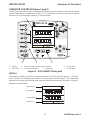
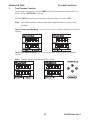
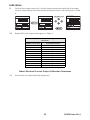
Connect the electrical input sockets as follows for voltage and current measurements.
Use the test leads provided and DO NOT push bare wires into the sockets.
max 30V
max 30V
-
+
V
Vin
Vin
-
mA in
55mA
max
mA in
55mA
max
+
mA Sink
mA Sink
Voltage
Current
Maximum applied voltage = 30V dc.
Maximum input current = 55mA dc (at 30 V dc)
K0430 Issue No. 4
8