1
Valet® Mode
You can prevent your system from automatically arming and triggering by
using Valet® Mode. This is very useful when washing the vehicle or having it
serviced. In Valet® Mode, the system will not arm, even with the transmitter,
but all convenience functions (door locks, trunk release, etc.) will work
normally.
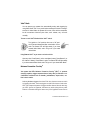
To enter or exit Valet® Mode with the Valet® switch:
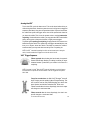
Turn ignition to "run" position, then turn to "off" position. Press and release the Valet® switch within 10 seconds. The Status LED will light steady if you have
entered Valet® Mode, and it will go out if you exited
Valet® Mode.
Using Remote Valet® as you enter or exit the vehicle:
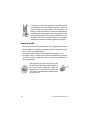
Open any door. Press Button I (or the arm/disarm button). Press Button II (or
the channel 2 button). Press Button I again. The Status LED will light steady
if you have entered Valet® Mode, and it will go out if you exited Valet® Mode.
Nuisance Prevention CircuitryTM
Your system has DEI's Nuisance Prevention Circuitry™ (NPC™). It prevents
annoying repetitive trigger sequences due to faulty door pin switches or environmental conditions such as thunder, jackhammers, airport noise, etc.
Here's how it works:
Let's say the alarm triggers three times. Each time, the same sensor or switch
is triggering the alarm. The three triggers are within 60 minutes of each other.
NPC™ will interpret this pattern of triggers as false alarms. After the third trigger, NPC™ ignores, or bypasses, that sensor or switch (along with any other
sensors or switches sharing the same zone). If the bypassed sensor tries to
8
© 1996 Directed Electronics, Inc.