1
Installing and Using a UPS
(Uninterruptable Power Supply)
Note: Make sure you have properly shutdown your Vision VX before disconnecting the power!
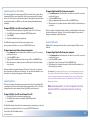
Your Vision VX server is preconfigured to operate with several UPS devices from APC
(American Power Conversion) that support USB connections. To use a supported
UPS device, simply connect a USB cable from the UPS to one of the USB ports on
the back panel of your VX server and plug your VX into one of the battery backup
outlets on your UPS device. When the UPS detects a loss of power it will send the
VX a message over USB to tell it to enter “Safe Mode” where the network is disabled,
the server volumes are unmounted, and the drives go into hibernated mode. The
power will remain on as long as the UPS can supply battery backup. When power is
restored, the UPS will inform the VX to startup again.
Region Coding
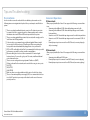
Most DVDs are set for use in a specific region code for different parts of the world.
The Vision can play and import discs from different regions, however you can only
change the region setting 5 times. The region is changed automatically each
time you insert a disc that has a region that is different from the previous disc’s
region. The 5th time it changes, it is locked on that region . Playing imported DVDs
from Vision servers or hard drives DOES NOT increment the region setting count.
Supported File Types
Vision supports the following audio and video file formats:
Audio File Format
Import
Encode
MP3
Yes
Yes
FLAC
Yes
Yes
AAC (non Apple DRM)
Yes
No
WAV
Yes
No
Apple Lossless
Yes
No
WMA
Yes
No
Video File Format
Import
ISO (encrypted MPEG2 DVD)
Yes
ISO (Unencrypted MPEG2 DVD)
Yes
VOB (Unencrypted MPEG2 DVD)
No
TS (raw transport stream)
No
MP4 (MPEG4 part 2/h.263)
Yes*
MP4 (MPEG4 part 10/h.264)
No
*may be included in a future software release
Supported UPS Devices
BRAND
APC
APC
APC
APC
MODEL
Back-UPS CS 650
Back-UPS ES 350
Back-UPS ES 500
Smart UPS 750
Unsupported UPS Devices
Other CS, ES, XP, and Smart series APC models with USB support
Escient Vision VX-600 Installation Guide
Version: M51003-06A1
14