1
KONA LS/LSe Installation and Operation Manual — What’s In The Box?
At the present time Final Cut Pro only supports 2 channels of audio input and
up to 24 channels of audio output. However, KONA LS supports 6 audio
channels in and out via the hardware, and will support multichannel audio
input when Final Cut Pro supports that function in the future. KONA LS also
features AES input sample rate conversion; this feature eliminates the
requirement for audio source synchronization. Sample rate converters auto-lock
to any AES input, 32-48KHz, and then convert it to 24 bit 48KHz audio,
perfectly locked to internal KONA LS video. Sample rate conversion is done at
very high quality (over 120db THD).
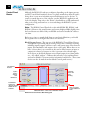
• KONA LS Control Panel for source selection and controlling KONA LS
Software
1 Input Pass
within the overall MacOS environment (Macintosh Desktop,
through, and more).
• AJA QuickTime™ Drivers for tightly integrated hardware/software
operation.
• Supports all popular standard definition formats: 8/10 bit uncompressed,
JPEG, DV25/50, and 3:2 pulldown for 24Hz support.
• Support for Apple Final Cut Pro™ (application software not included).
• Support for After Effects, Combustion, Motion, and Other Applications
(application software not included).
AJA’s KONA LS software and hardware were developed for use with Final Cut
Pro for powerful integrated video/audio capture, editing, and video production.
With an Apple G4 (LS-only) or G5 (PCIe for LSe or PCI for LS), FCP, and
KONA LS, you have an ideal high-quality cost-effective system for standard
definition and analog video production. Software is supplied on CD, including
the KONA Control Panel, drivers for the card itself, and all files necessary for
Final Cut Pro and other application support (Final Cut Pro software application
not included).
What’s In The Box?
When you unpack your AJA KONA LS, you’ll find the following components:
• AJA KONA LS Software and Documentation CD-ROM—this CD
contains the software installer to place KONA LS drivers and the Control
Panel on an Apple Power Mac. Install the software as discussed in this
manual in Chapter 3: Installation and Configuration. The CD also contains a
wide variety of useful information, including this manual you’re reading
(PDF format).
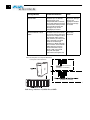
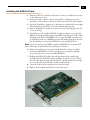
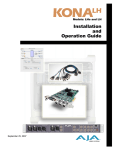
• KONA LSe or LS PCI card.
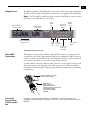
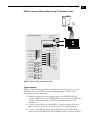
• Cable, KONA LSe Standard Breakout or KONA LS Stantard Breakout.
3