1
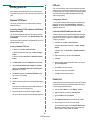
SLP
the DHCP server can provide information about a printer’s changing IP
address to the DNS server automatically, user convenience is increased.
The printer’s name will be used as its DNS name.
Service Location Protocol (SLP) is an Internet standard network protocol
that provides a framework to allow networking applications to discover
the existence, location, and configuration of networked services in
enterprise networks, such as printers, Web servers, fax machines, video
cameras, file systems, backup devices (tape drives), databases,
directories, mail servers, and calendars.
Configuring DDNS
1
Let the DHCP server provide updated information to the DNS
server.
In order to locate services on the network, users of network applications
are required to supply the host name or network address of the device
that supplies a desired service. However, SLP eliminates the need for a
user to know the name of a network host supporting a service. Rather,
the user only needs to supply the desired type of service and set of
attributes or keywords, which describe the service.
2
Configure the same DDNS domain through Web Image Monitor SP
3300 Series as entered in the DNS server.
Based on that description, SLP also resolves the network address of the
service of the user. Administrators do not need to help clients find new
services or to remove services when they are no longer available. SLP
uses multicasting and can work over subnet boundaries.
3
If you connect your network printer via a web browser, you can
enable this by selecting Network Settings > TCP/IP > Dynamic
DNS Registration.
Set the IP assignment method of your network print server to
DHCP and reboot the printer.
The DNS server will update its database and users can use the
printer’s name instead of its IP address.
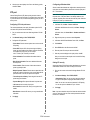
Configuring SLP
WINS
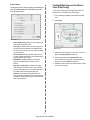
You can configure SLP protocol settings through Web Image Monitor SP
3300 Series. Select Network Settings > SLP.
Before Dynamic DNS was defined, DNS could only be updated manually
when DHCP servers automatically provided (or removed) IP addresses.
As a result, DNS servers often contained obsolete listings. In response,
Microsoft developed Windows Internet Name Service (WINS) to solve
this problem for NetBIOS names.
• SLP Protocol: You can enable or disable SLP.
• Port Number: The port number is fixed to 427.
• Scope 1 ~ 3: A scope is a set of services and a string used to group
resources by location, network, or administrative category. Each
scope should not be more than 32 characters.
Microsoft now recommends moving to Dynamic DNS and away from
WINS. However, many customers including Microsoft maintain WINS
systems and need devices to interoperate with WINS. So devices must,
at least for now, support WINS interoperability to allow for dynamic
NetBIOS name to IP address registration and resolution.
• Message Type: You can select the outgoing SLP message type sent
to network devices. The default value is Multicast.
• Multicast Radius: You can specify the maximum number of subnets
that SLP multicasts can travel across. This value is also called the
“hop count” or “time-to-live” (TTL). The default value is 255.
WINS provides a distributed database for registering and querying
dynamic NetBIOS names to IP address mapping in a routed network
environment. This is the best choice for NetBIOS name resolution in
such a routed network because it is designed to solve the problems that
occur with name resolution in complex Internet networks.
• Registration Lifetime: You can define the time in seconds before the
Server Agents registration expires.
• Multicast Address: The Multicast Address value is fixed to
239.255.255.253, 224.0.1.127.
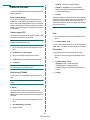
Configuring WINS
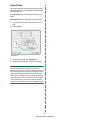
Access Web Image Monitor SP 3300 Series and select Network
Settings > TCP/IP. You will configure two WINS server addresses, the
Primary WINS Server or the Secondary WINS Server. The default value
is 0.0.0.0.
Using SLP
Once Enabled is checked, the network print server works as a Service
Agent and the User Agent.
In a DHCP server
Dynamic DNS (DDNS)
A DHCP server can support the NBNS (NetBIOS Name Server) option.
An administrator has to set the WINS server IP address in the NBNS
option.
DNS (Domain Name System) is used for registration of domain names
and provides Host names to an IP address resolution service. For printer
devices, DNS may be utilised for printer domain name registration, so
that print server clients may refer to the printer by its host name rather
than by its IP address. Even though a printer’s IP address is changed, all
clients can operate this printer without reconfiguration. Addressing to a
printer device by IP address is not convenient and may often go stale if
an IP address to a device is assigned dynamically via a DHCP server. If
1
Set the IP assignment method of your network print server to
DHCP.
2
Reboot the print server.
The WINS server will update the printer's NetBIOS name in its
database. Users can use the printer name instead of its IP address.
4.2
TCP/IP environment