1
User Manual “Instreamer“ - V4.03 - 24th October 2013
3 Device Configuration
You can adjust network settings, streaming
destinations, monitoring settings and more with the
Web interface. To enter the configuration mode you
will need:
• the IP address announced over the audio outputs
(see the Quick Install Guide)
• a standard web browser
Open your web browser and type in the IP address
of the Barix device in the URL field and hit the
“Enter” key.
• Example: “192.168.11.229”
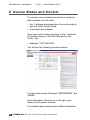
You will see the following window content:
The top frame shows the logos “INSTREAMER” and
“BARIX”. Help information will show up in the right,
grey frame of the browser window.
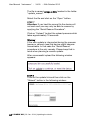
Press the “Listen Online” button to open the radio
18 /63 BARIX AG | 28. Jan. 2014 | Device Configuration