1
AXIS 231D+/232D+ Installation Guide
Page 3
AXIS 231D+/232D+ Network Dome Camera
Installation Guide
This installation guide provides instructions for installing the AXIS 231D+/232D+ Network Dome Camera on your
network. For all other aspects of using the product, please see the AXIS 231D+/232D+ User’s Manual, available from
www.axis.com
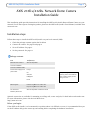
Installation steps
1. Check the package contents against the list below.
2. Connect the camera. See page 4 and page 5.
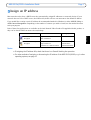
3. Set an IP address. See page 7.
4. Set the password. See page 11.
Package contents
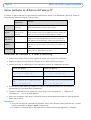
Item
Title/Variants
Network Dome Camera
AXIS 231D+/232D+
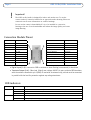
Connection Module
Connection Module Cable
Indoor Power Supply with
power cable
Europe
UK
Australia
USA/Japan
Korea
Mounting Kits
The power supply is country
specific, please check that the
type of power supply you are
using is correct.
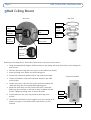
Hard Ceiling Mount for Indoor Use
Drop Ceiling Mount for Indoor Use
This document
AXIS 231D+/232D+ Installation Guide
Warranty Document
Optional accessories are available for mounting on ceiling, wall, corner and pole, for both indoor and outdoor use.
For more information, please visit the Axis Web site at
http://www.axis.com
Before you begin:
If the AXIS 231D+/232D+ is to be mounted in a position where it is difficult to access, it is recommended that you
set the IP address and get the camera up and running before completing the hardware installation.
ENGLISH
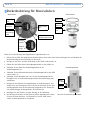
Follow these steps to install the AXIS 231D+/232D+ on your local network (LAN):