1
Auto Accompaniment
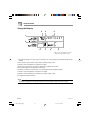
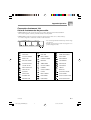
POWER/MODE
START/STOP
SYNCHRO/FILL-IN
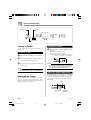
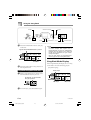
Using a Fill-in Pattern
Fill-in patterns let you momentarily change the
rhythm pattern to add some interesting variation
to your performances.
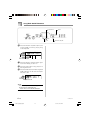
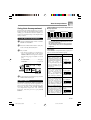
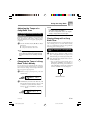
To use synchro start
1
Press the SYNCHRO/FILL-IN button to put
the keyboard into synchro start standby.
The following procedure describes how to use the
Fill-in feature.
Flash
To insert a fill-in
1
2
Press the START/STOP button to start rhythm
play.
Press the SYNCHRO/FILL-IN button to insert
a fill-in pattern for the rhythm you are using.
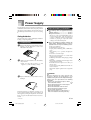
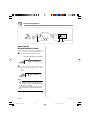
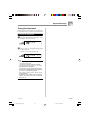
Synchro Starting
Accompaniment with
Rhythm Play
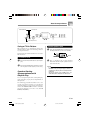
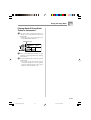
2
Play a chord on the accompaniment
keyboard and the rhythm pattern starts to
play automatically.
NOTE
• If the POWER/MODE switch is set to
NORMAL, only the rhythm plays (without a
chord) when you play on the accompaniment
keyboard.
• To cancel synchro start standby, press the
SYNCHRO/FILL-IN button one more time.
You can set up the keyboard to start rhythm play
at the same time you play the accompaniment on
the keyboard.
The following procedure describes how to use
synchro start. Before starting, you should first
select the rhythm you want to use, set the tempo,
and use the POWER/MODE switch to select the
chord play method you want to use (CASIO
CHORD, FINGERED).
E-23
277A-E-025A
CTK230_E19_24.p65
23
03.10.7, 2:02 PM