1
Part III. Microsoft embedded Visual Basic 3.0
1.Design Environment and Programming
(a) Integrated Development Environment (IDE)
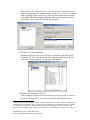
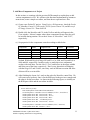
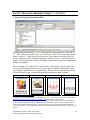
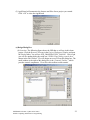
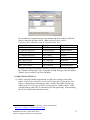
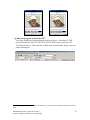
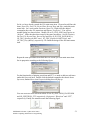
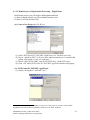
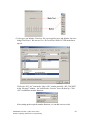
The figure below shows the eMbedded Visual Basic (eVB) IDE. The left part is
the Toolbox Window. This window offers several components for building
graphical user interface in most applications. The lower right part is the
Properties Window. We can set the properties of each component, such as the
height, width, caption, and background color. The upper right part is the Project
Explorer. It indicates which forms and modules are in this project. The middle
part shows the Form Window and the corresponding Code Windows. A form is a
graphical interface shown on Pocket PC. Programmers can design the interface
directly by clicking and dragging the components from the Toolbox Window to
the Form Window. We can put the codes that respond to events and components
in the Code Window, which can be opened by double clicking a component, or
selecting from the menu bar View Æ Code.
(b) Remote Tools
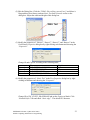
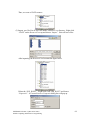
There are several useful tools under Tools Æ Remote Tools
(1) Windows CE Platform Manager Configuration
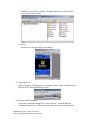
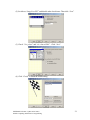
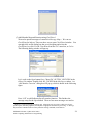
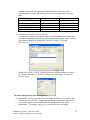
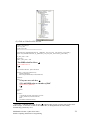
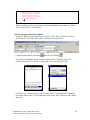
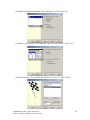
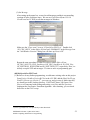
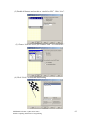
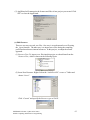
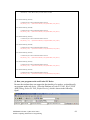
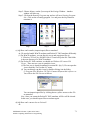
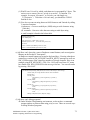
The left figure below shows the Configure Platform Manager. We use this
manager to build initial connection between desktop and Pocket PC. After
setting up the connection, we can execute the eVB codes on Pocket PC.
ENEE408G Fall 2003 (Update 09/23/2003)
Mobile Computing and Pocket PC Programming
5